




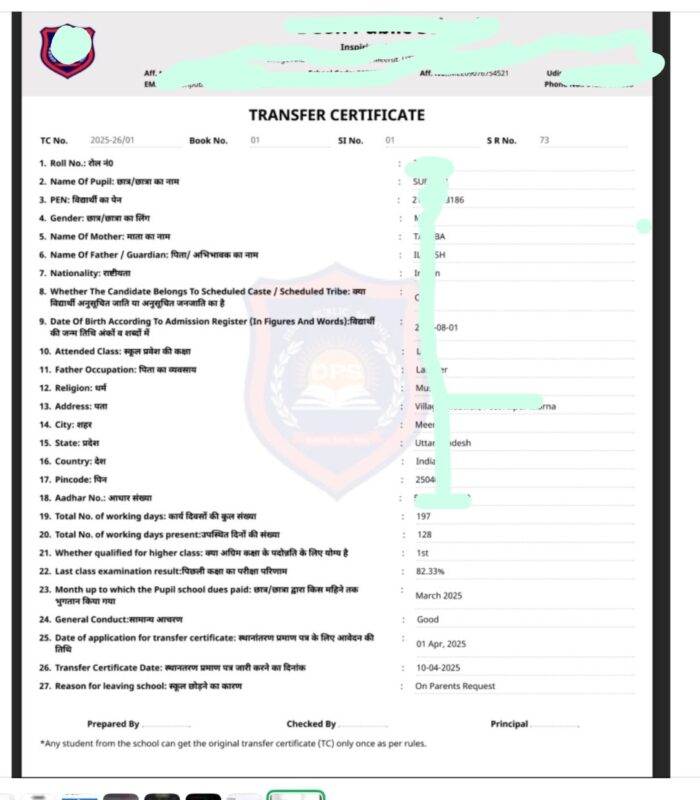
2. TC Major Update
Now, you can write Hindi fonts for TC to print easily.
Also, all these options/questions are editable and selection-based.
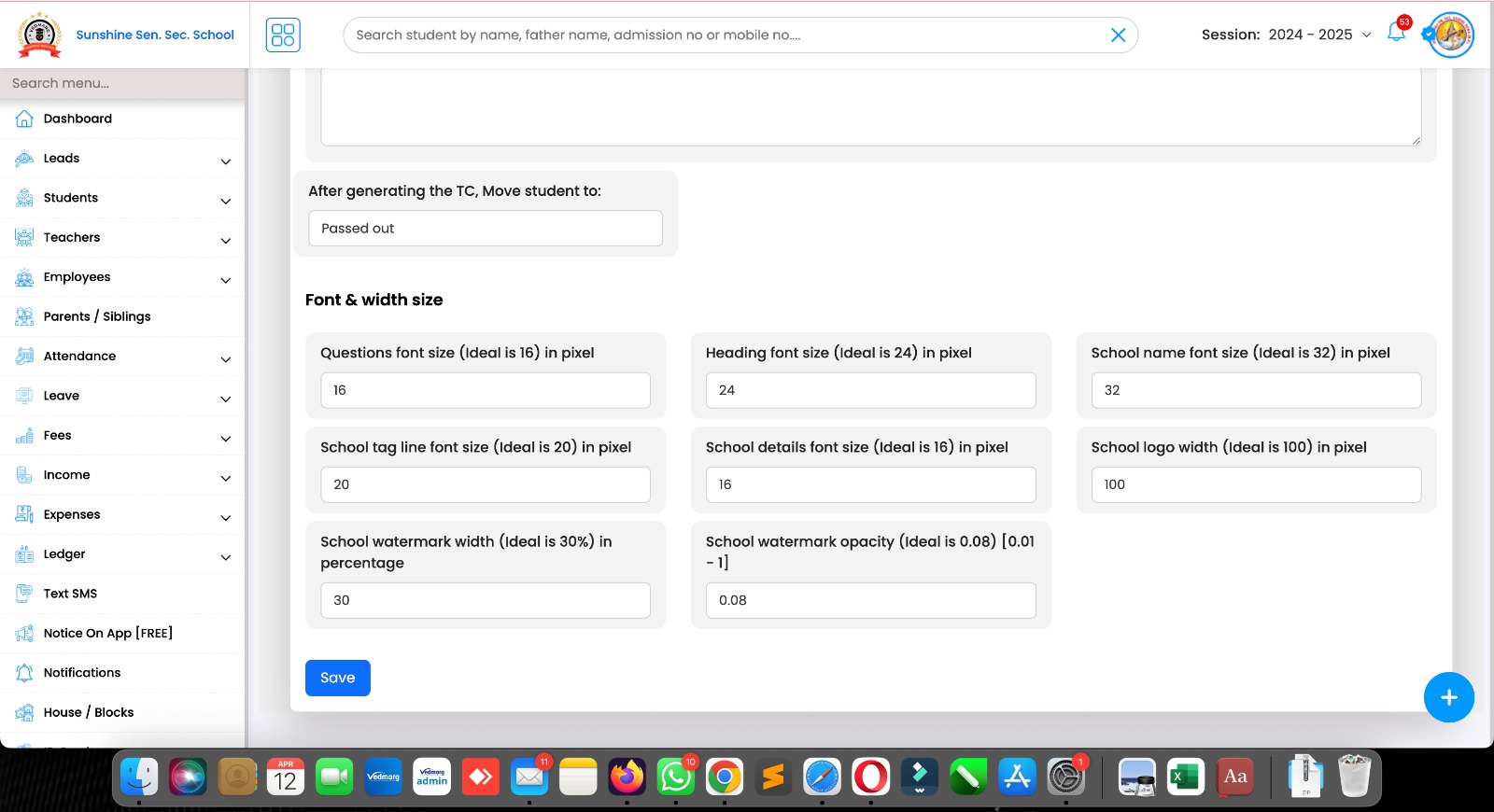
3. Transfer Certificate Design Changes
Now, you have more controls for TC module to make your TC more attractive and spacious.
Now you can adjust font size & width of fields added in tc settings.
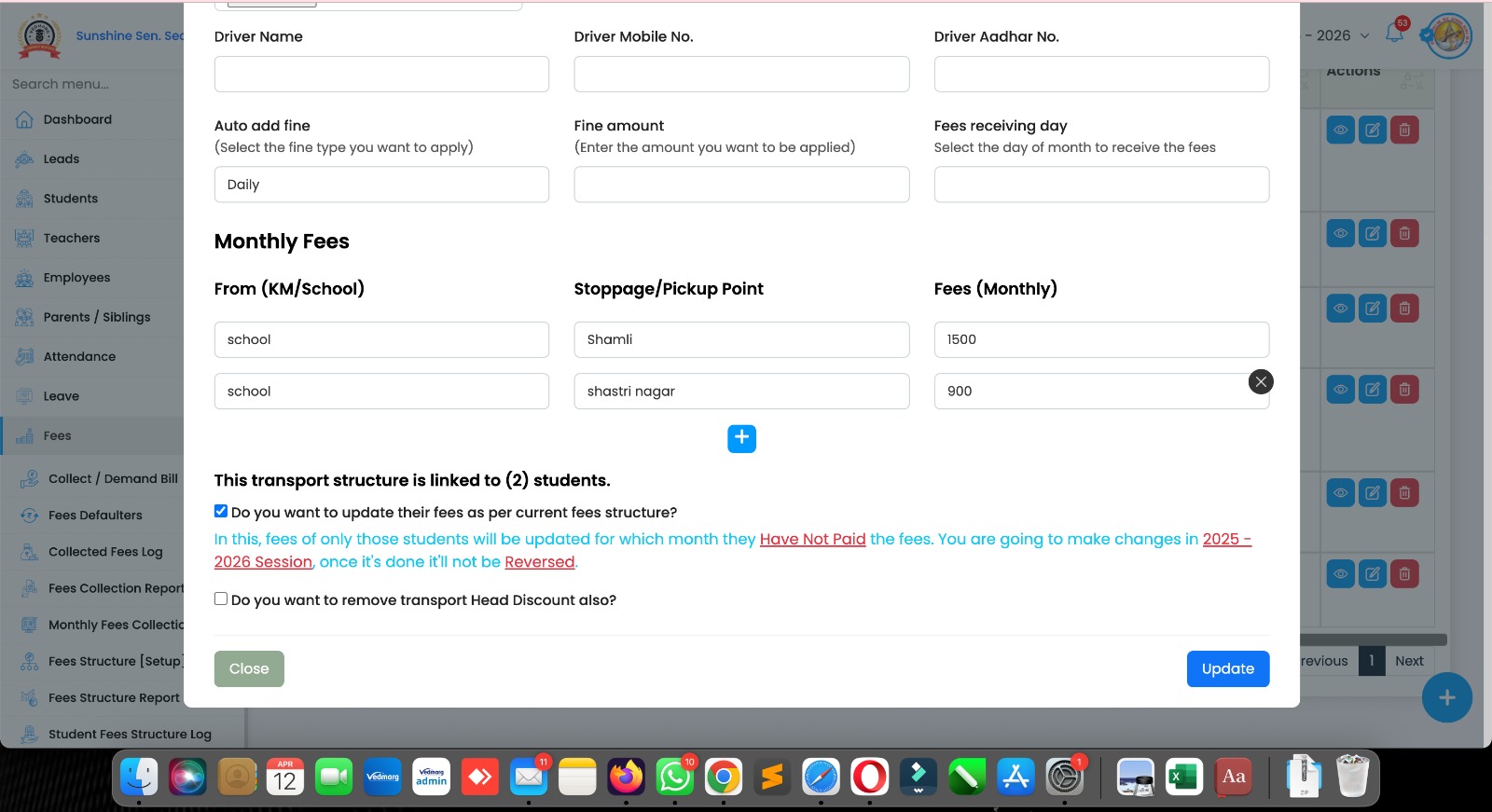
4. Transport Structure – Bulk Fee Update
Now, you can update transport fees amount in bulk for students who has transport and stoppage assigned.
In this, fees of only those students will be updated for which month they Have Not Paid the fees. You are going to make changes in 2025 – 2026 Session, once it’s done it’ll not be Reversed.
You can also remove Head discount from active session only if given in last session.
5. Disable Fee Updation in OLD Session
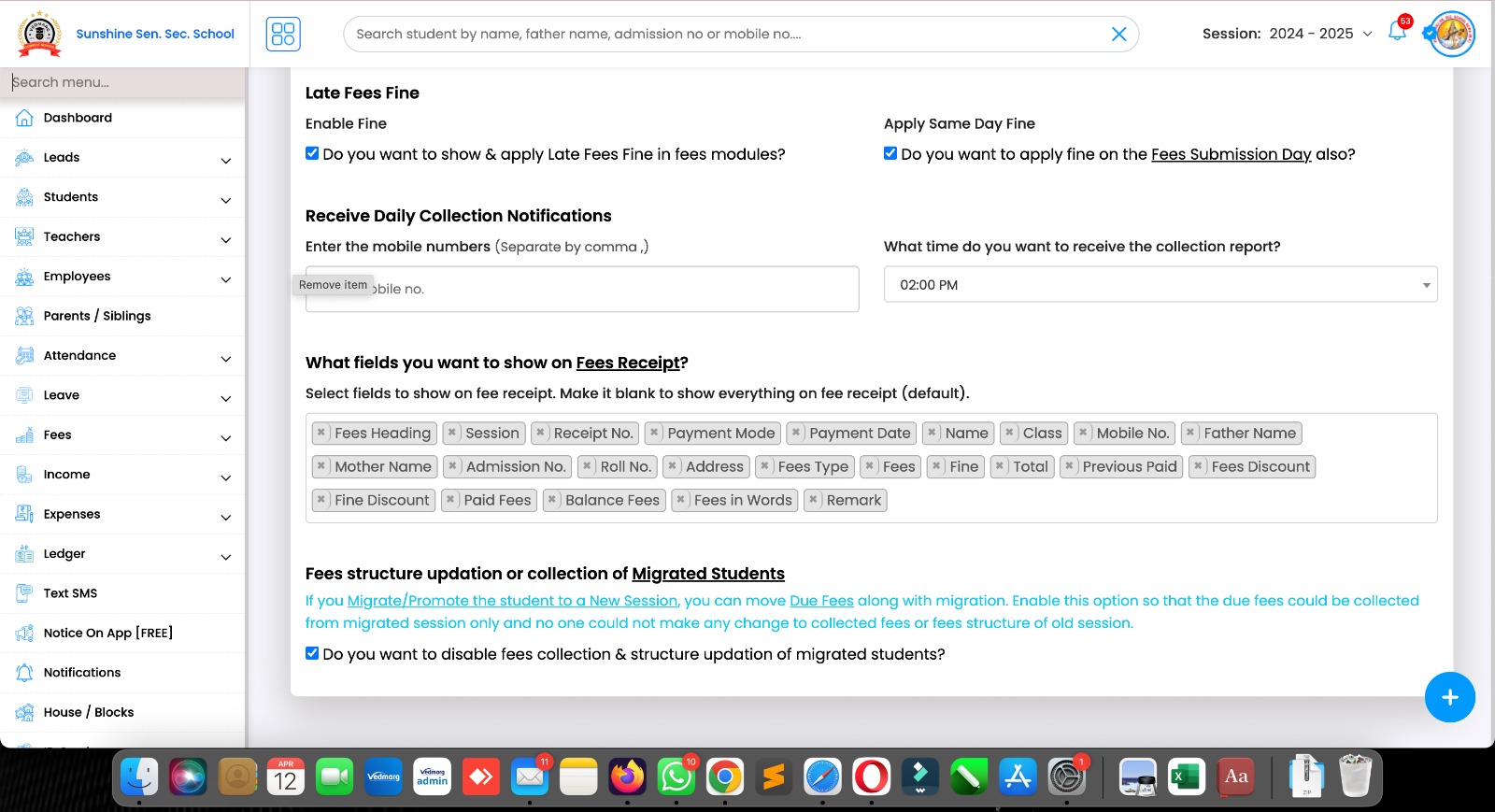
Now you can disable fees collection & fees updating in previous session for migrated students.
Just go to settings > fees and tick this given option. We highly recommend you to enable this option to manage fees of migrated students.
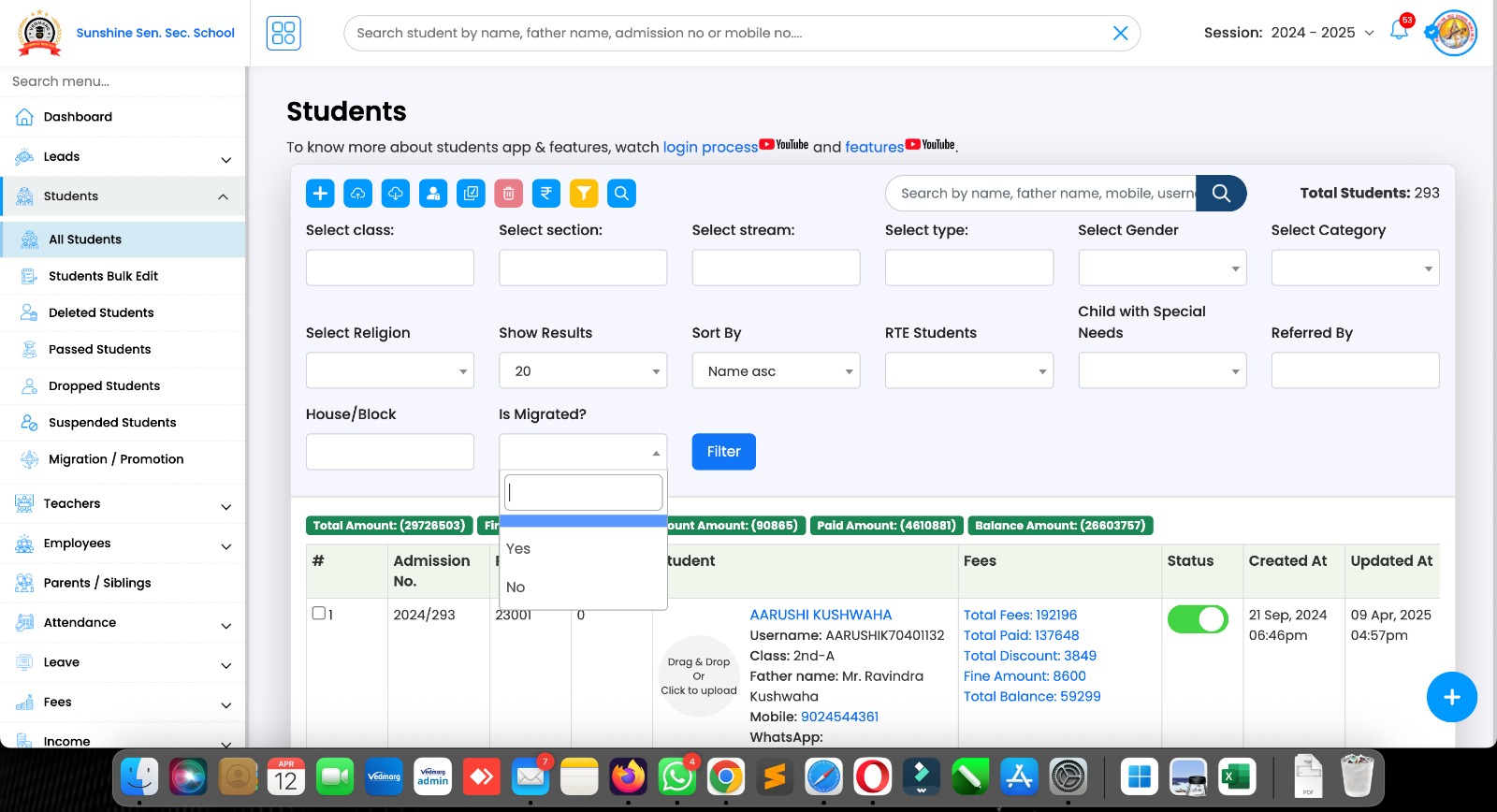
6. Now, you can filter migrated/promoted students using filter option in all students module.
Also, you can use other filters as well.
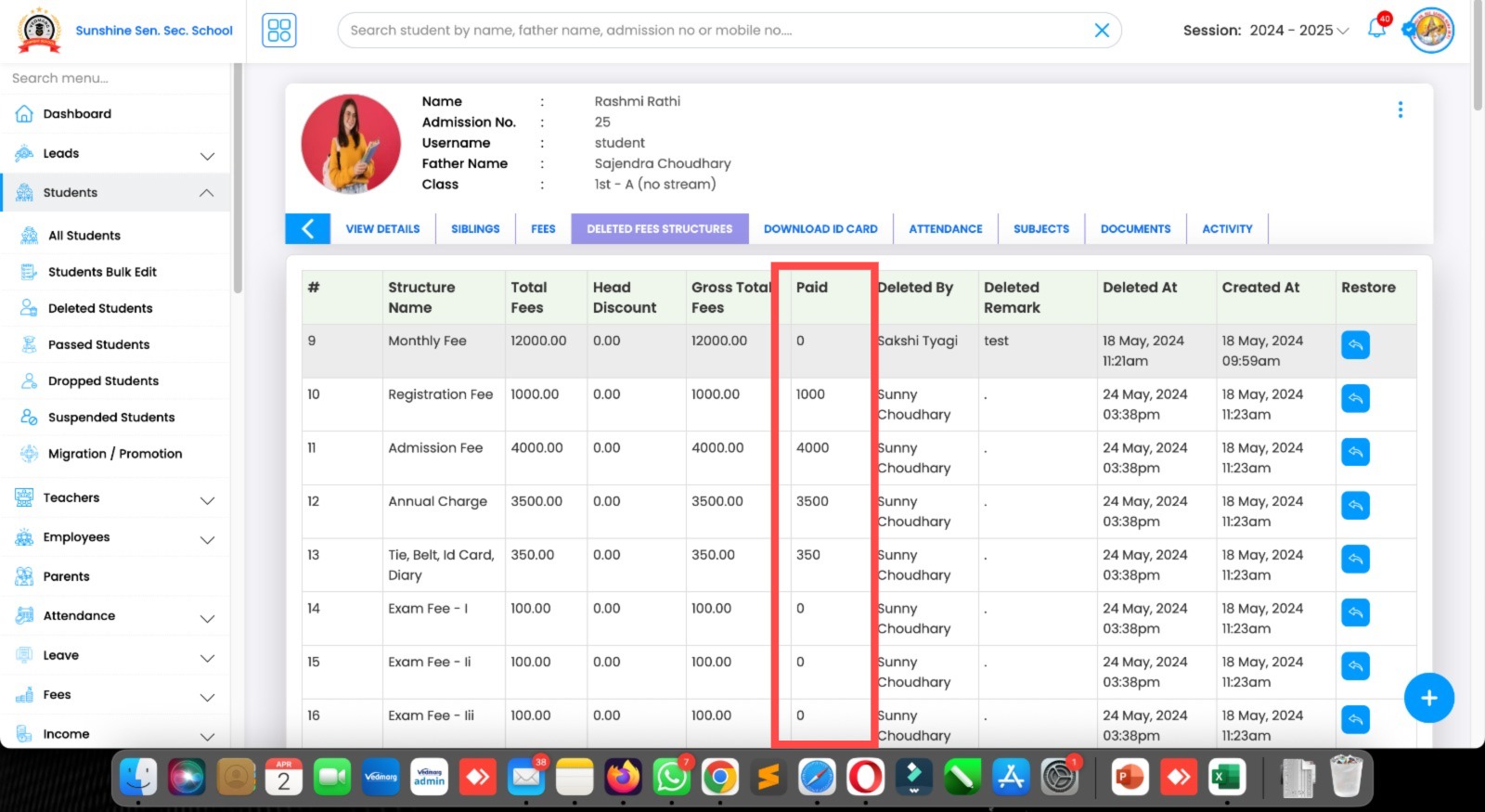
8. New Option Added in Student’s Deleted Fee Structure
Now, you can check if the student paid the amount of a deleted fee structure. Also, you can restore at a single click to his/her ledger.
Remember: We are having all tracking features for editing, deleting, and updating fee records to show to main admin or management of school/college.
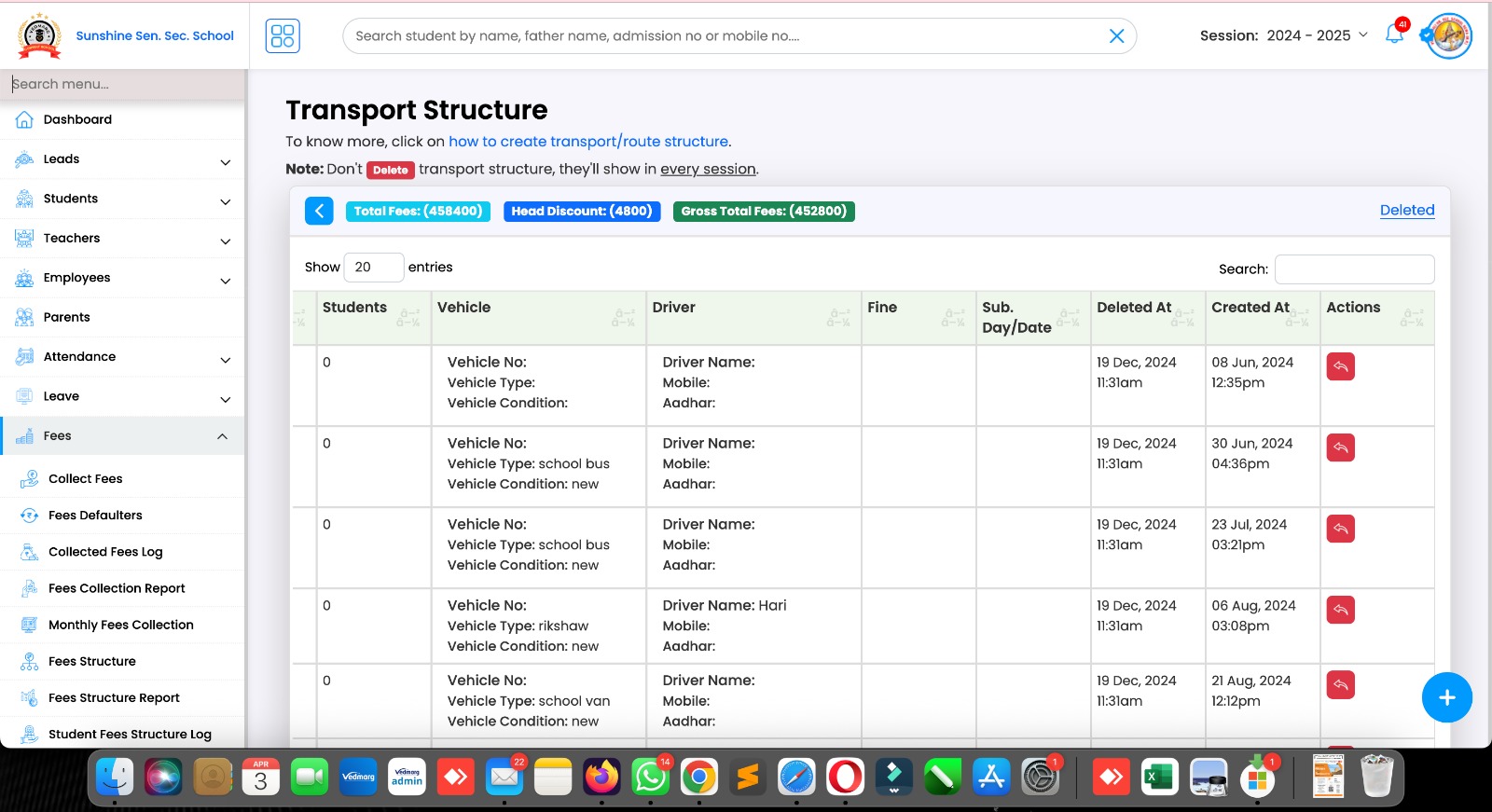
9. Restore Deleted Transport Structure
Now, you or auth. person can restore deleted transport structure with a single click. If you restore, it will be linked back to everything.
Link: https://account.vedmarg.com/user/transports?deleted=1
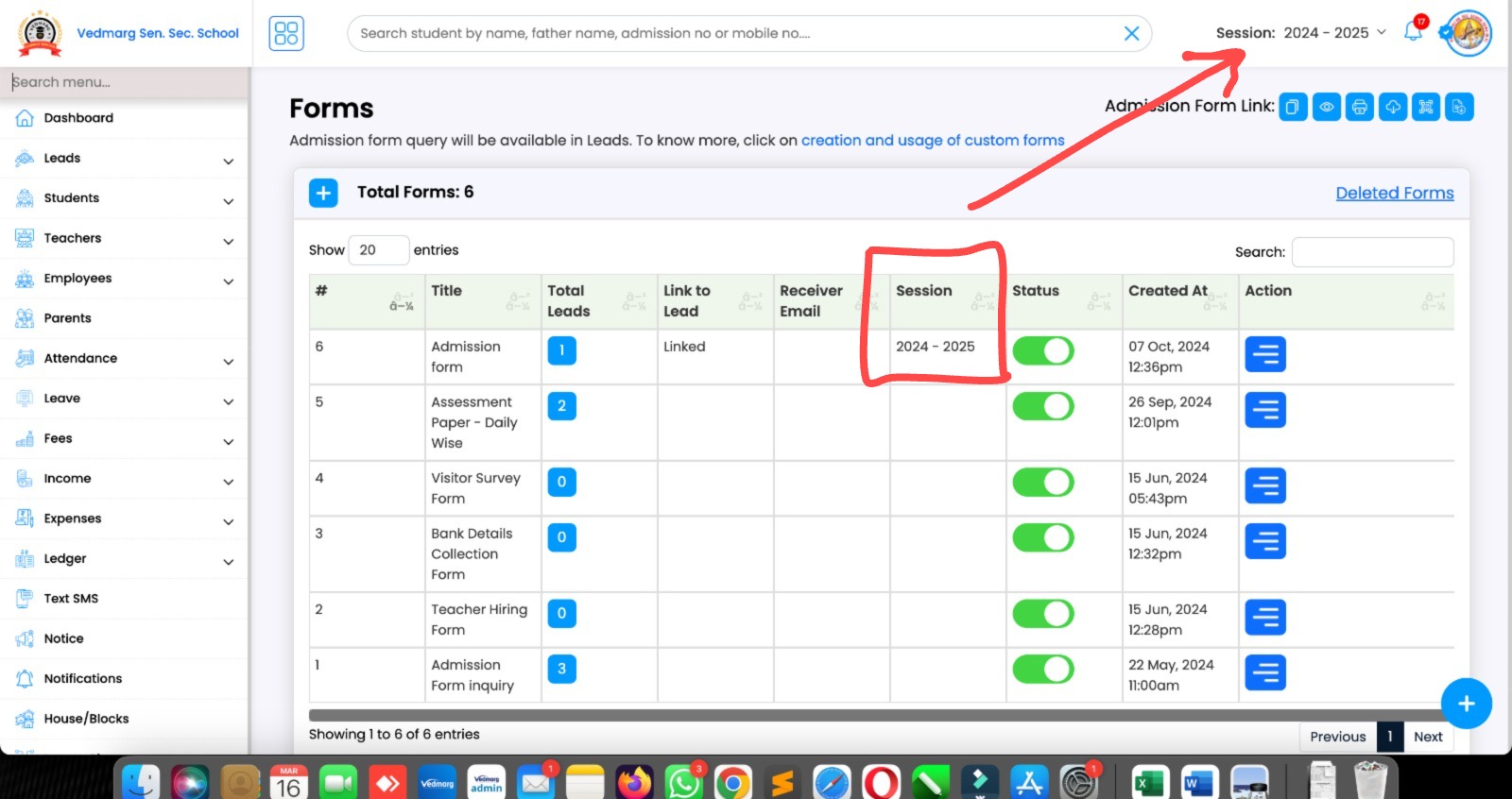
3. Custom Forms – Update
Now, you will get data from custom forms in different-different sessions.
So, if you want to get data (like leads) in 2025-26, then, select 2025-26 from session’s drop down and go to custom forms. Select the form and edit > save. Now, this form will send leads in session 2025-26.
If any form doesn’t have any session associated with it, then it will send data in the session which is selected in main settings as current session.
Related Video
1-Click Session Switch Feature | School Management Software | College ERP Software | Since 2017
Video: https://youtu.be/QpNLeXbIOR4
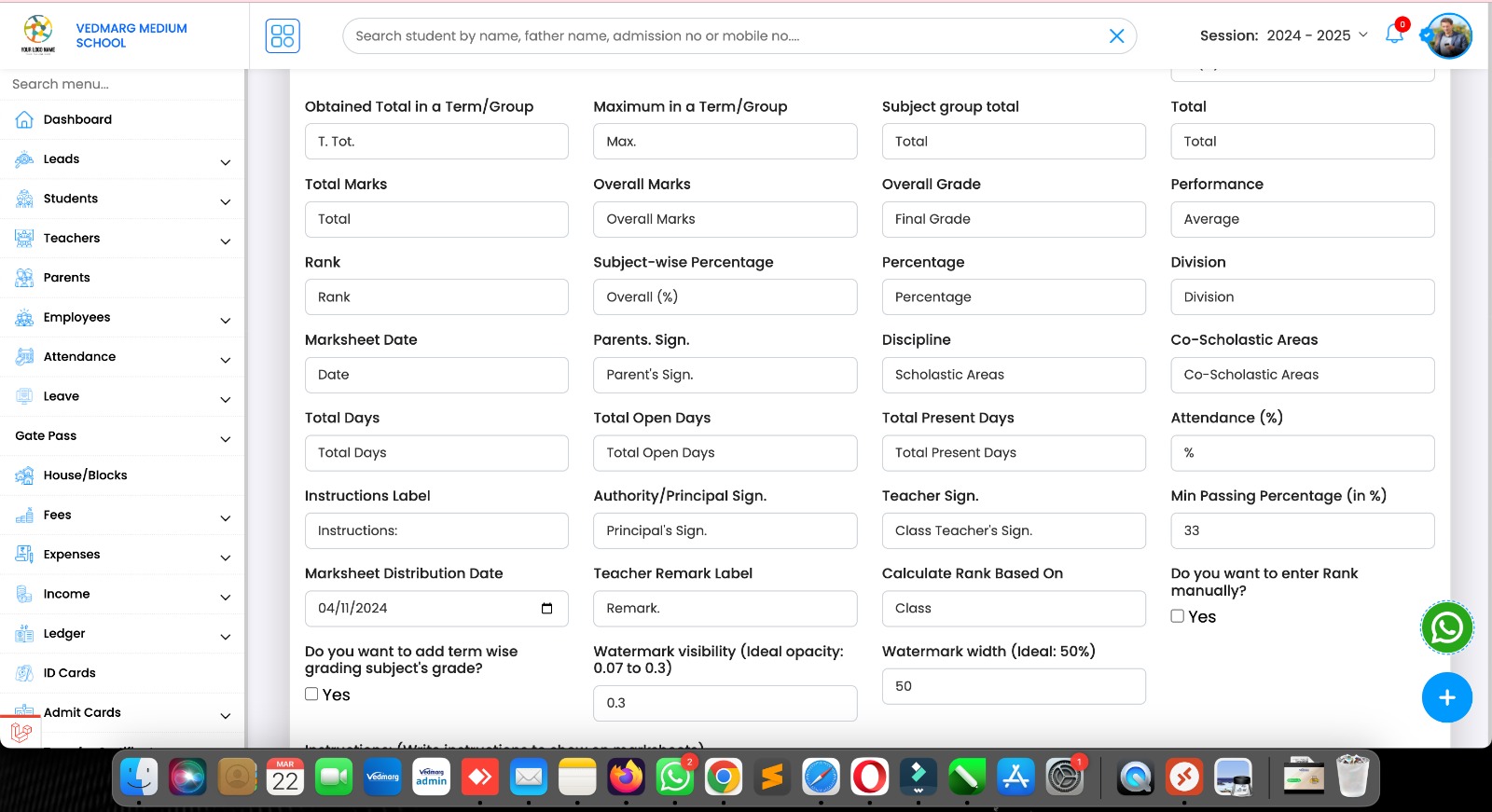
4. Vedmarg Marksheet Updates – March 2025
1. Show/hide divisions on/from mark-sheet (multiple formats)
2. Change font size of School/College details (tagline, contact details, affiliation etc.)
3. Adjust watermark opacity to increase visibility on marksheet
4. Adjust width of watermark to keep your logo small/big on marksheet.
5. Label edit option for ‘Rank’.
6. Show/hide principal’s sign.
7. Show/hide class teacher’s sign.
8. Show/hide date
9. Adjust marks field column height (in Pixel) to keep your mark-sheet more spacious.
10. Manage obtained Total in a Term/Group. It can be used for MM marks changes in CBSE format
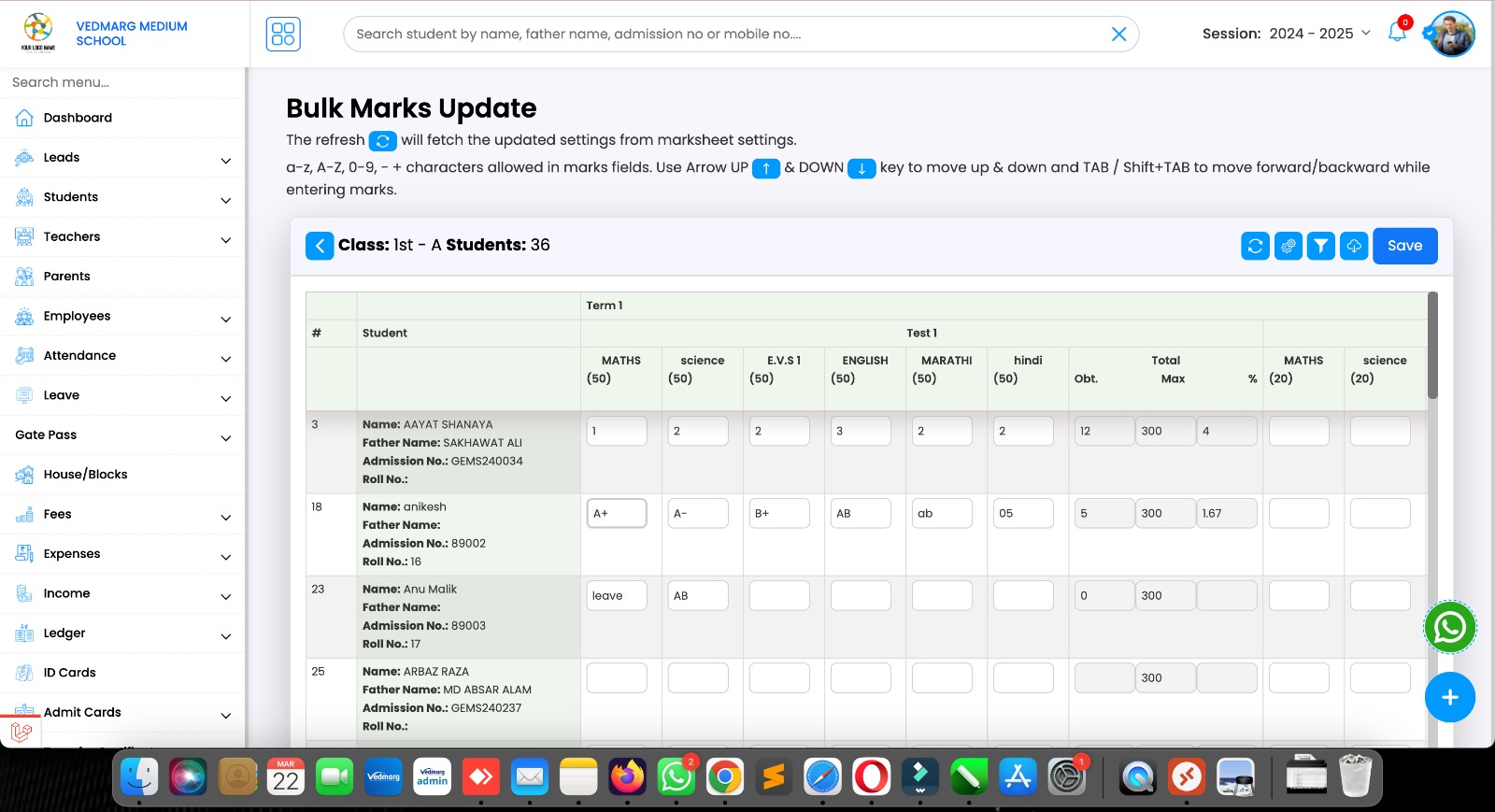
6. New Update in Bulk Marks Entry
Now, you can enter a-z, A-Z, 0-9, – + characters in marks field. Use Arrow UP & DOWN key to move up & down and TAB / Shift+TAB to move forward/backward while entering marks.
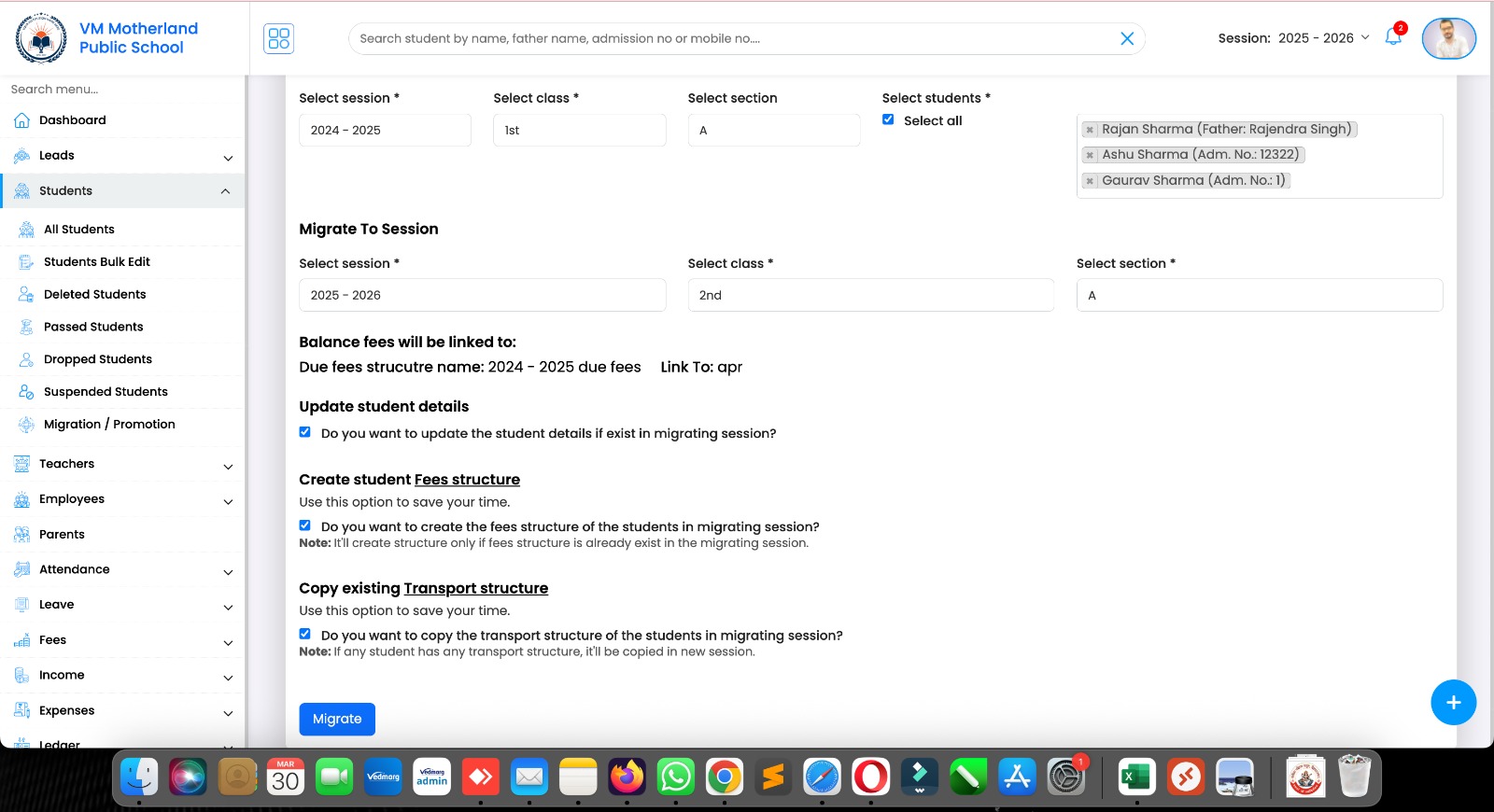
7. New Update – Student Migrations / Promotions
Now, you can
1. Update student details
Update the student details if exist in migrating session?
2. Create student Fees structure
Do you want to create the fees structure of the students in migrating session?
Note: It’ll create structure only if fees structure is already exist in the migrating session.
3. Copy existing Transport structure
Do you want to copy the transport structure of the students in migrating session?
Note: If any student has any transport structure, it’ll be copied in new session.
Video: https://www.youtube.com/watch?v=ajICe4seOM0 (old video)
New video will be rolled out today.
8. Now, you can exclude RTE students (you must mark RTE under student’s profile) from setting up their fee structure for specific or all fees types.
If you want to take only transport fees from RTE, it is also possible on Vedmarg ERP software.
PS: Vedmarg is the robust fees management software in the industry for its flexibility and quality features.

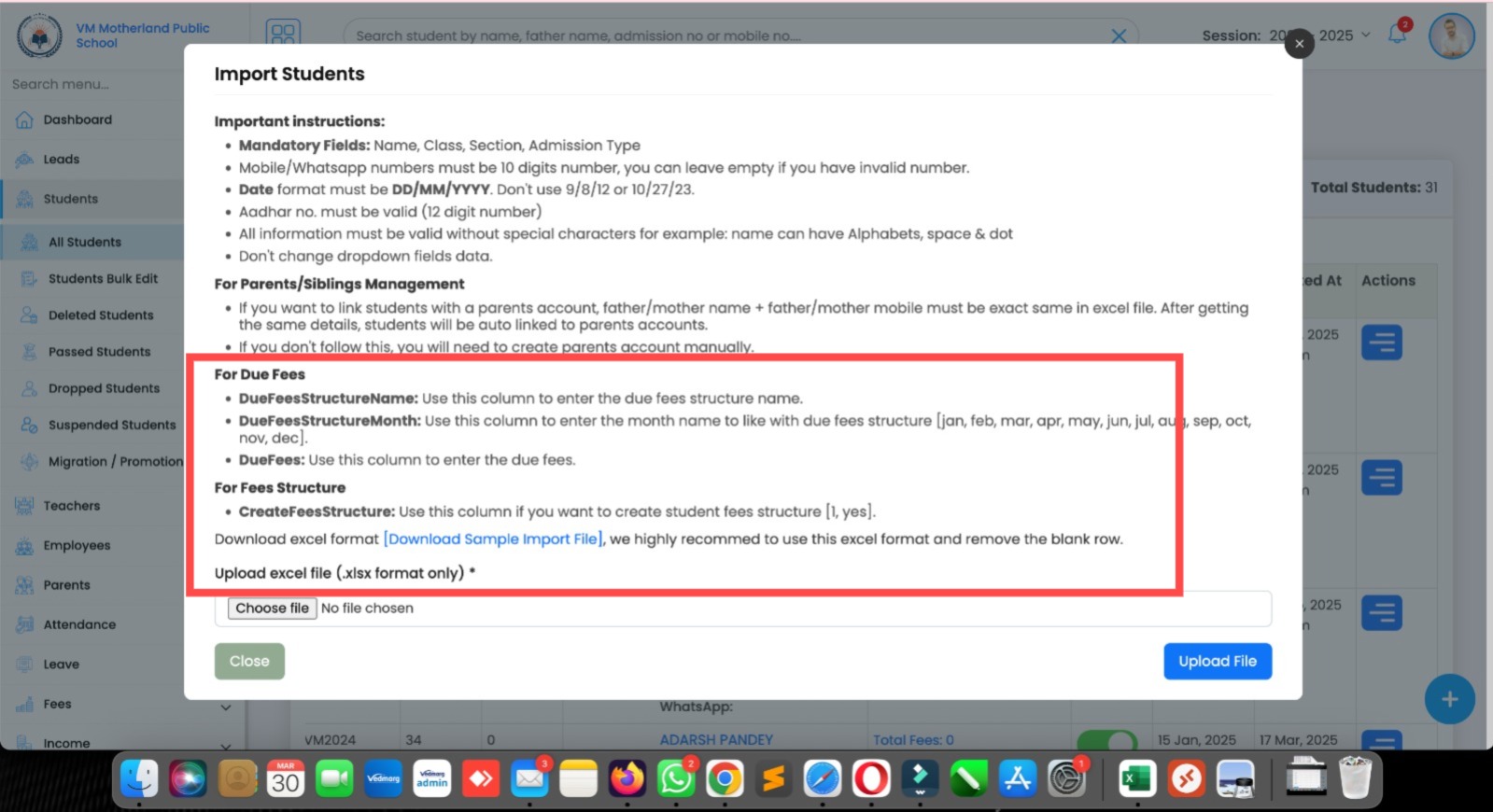
9. We have add new features in ‘Import Student’ module (bulk upload via excel). Here, you can add last year dues of students in Bulk in the same excel file.
If you want add your students with last year dues of 2024-25.
Download sample file from the same import student option and check the mentioned field (bold in picture).
For ex:
Name: Rajat Sharma
Class: IV
Section: A
DueFeesStructureName: Last Year Dues 2024-25
DueFeesStructureMonth: apr
DueFees: 12500
CreateFeesStructure: yes
In this case, Rajat sharma will be added in IV-A and he will have a last year balance of Rs. 12500 only with the fee name of ‘Last Year Dues 2024-25’.
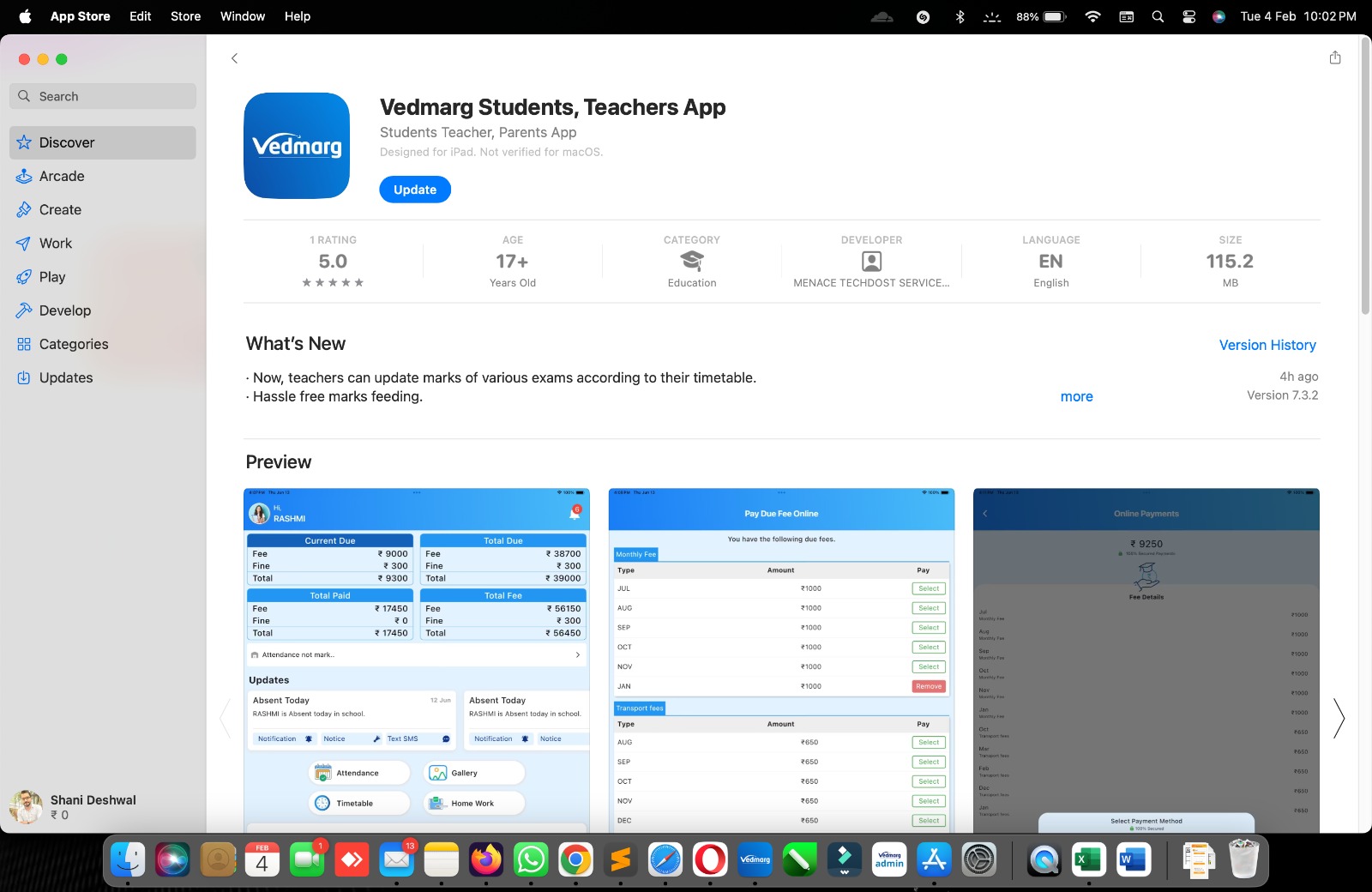
3. New update is available for Apple devices – iPhones, iPad, Macbook
Yes, Vedmarg is available for MacOS devices.
Link: https://apps.apple.com/us/app/id6503943693
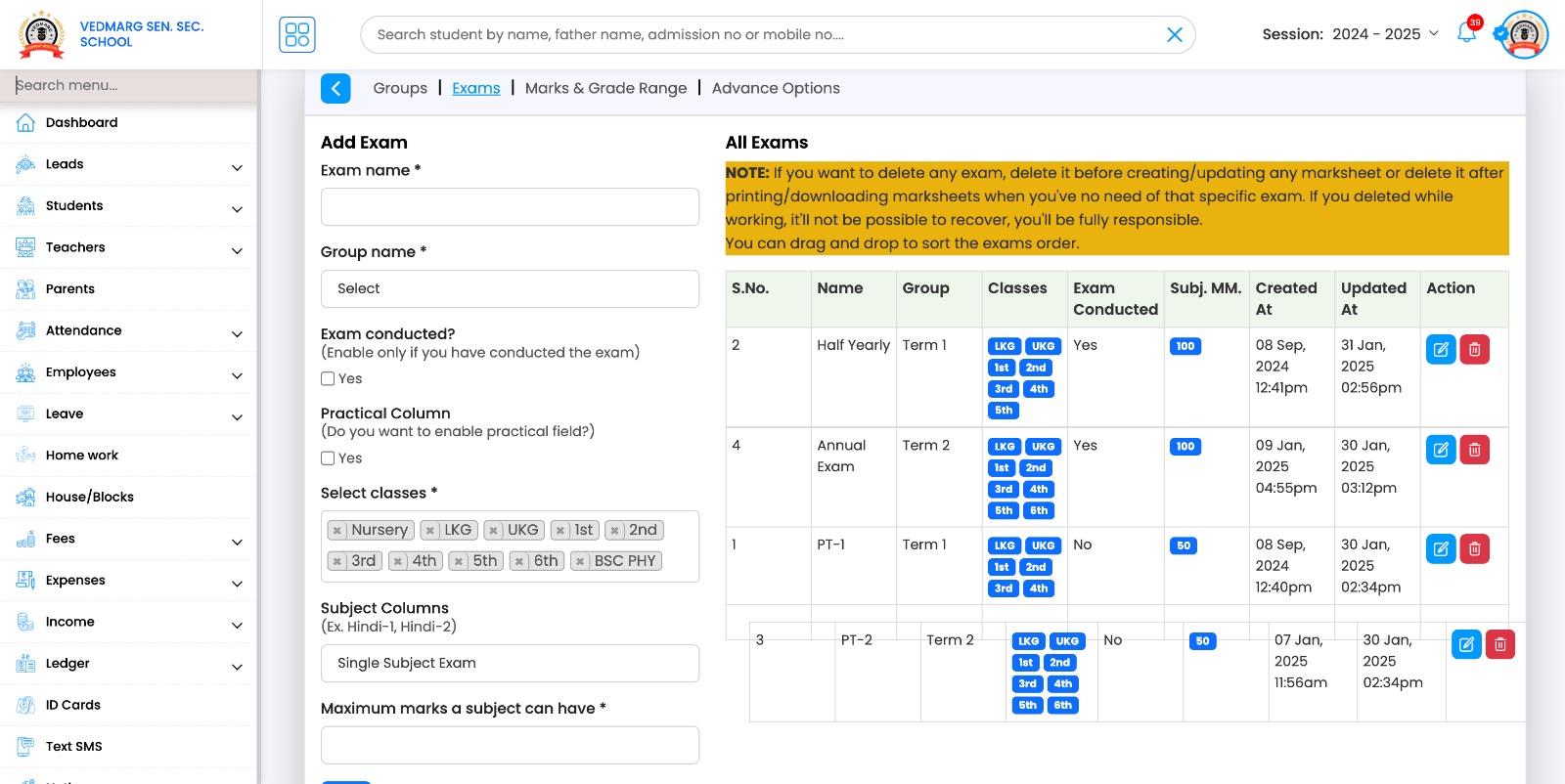
4. Now, admin/authorised staff person can drag and drop exams to set position on marksheet.
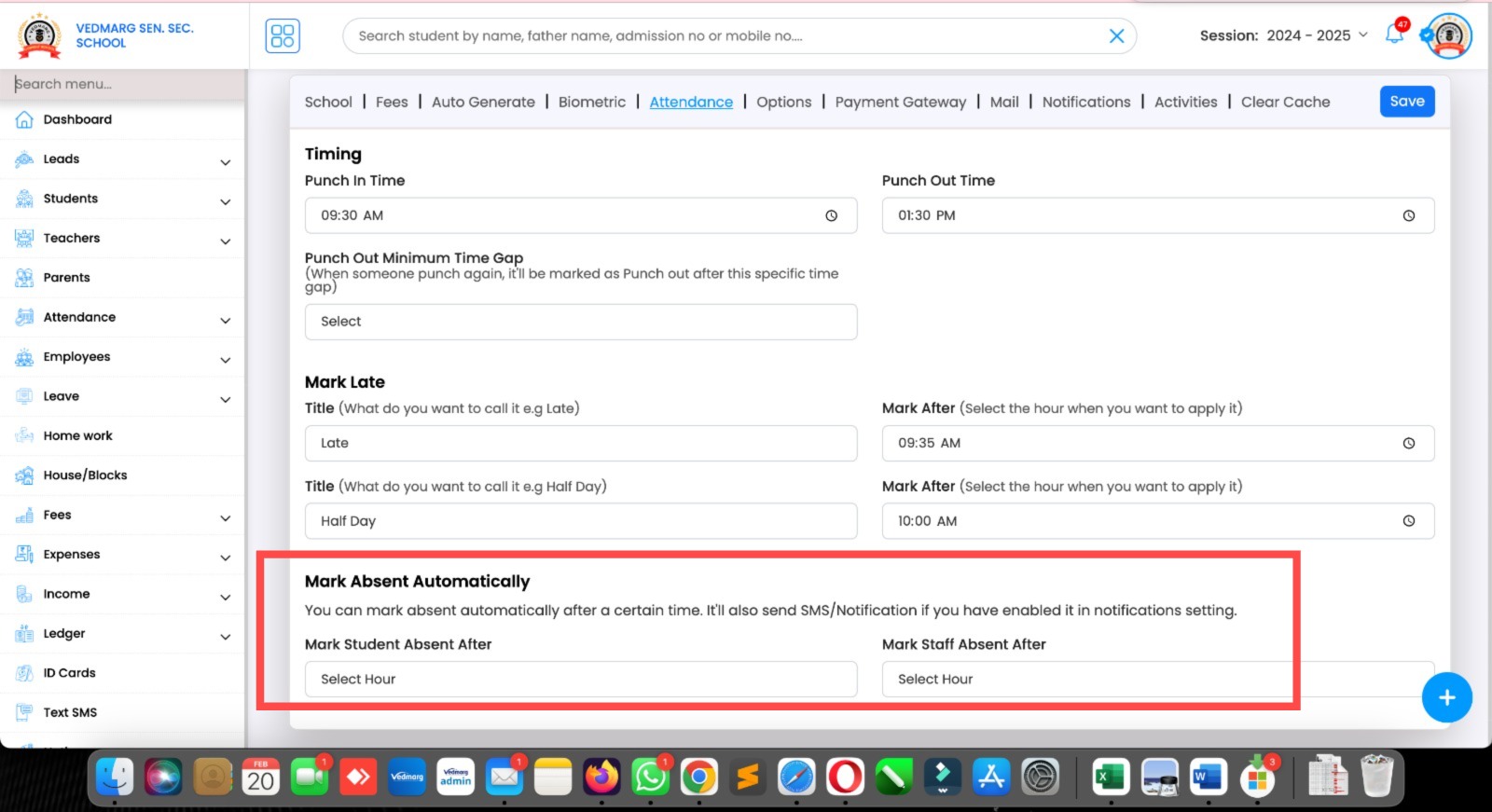
5. New Update – Attendance
Admin can now mark absent automatically after the specified time for student, and staff accordingly.
You can set a time here and all the pending students or staff members will be marked as absent for the day. So, fill your timings carefully.
Link: https://account.vedmarg.com/user/setting?tab=attendance
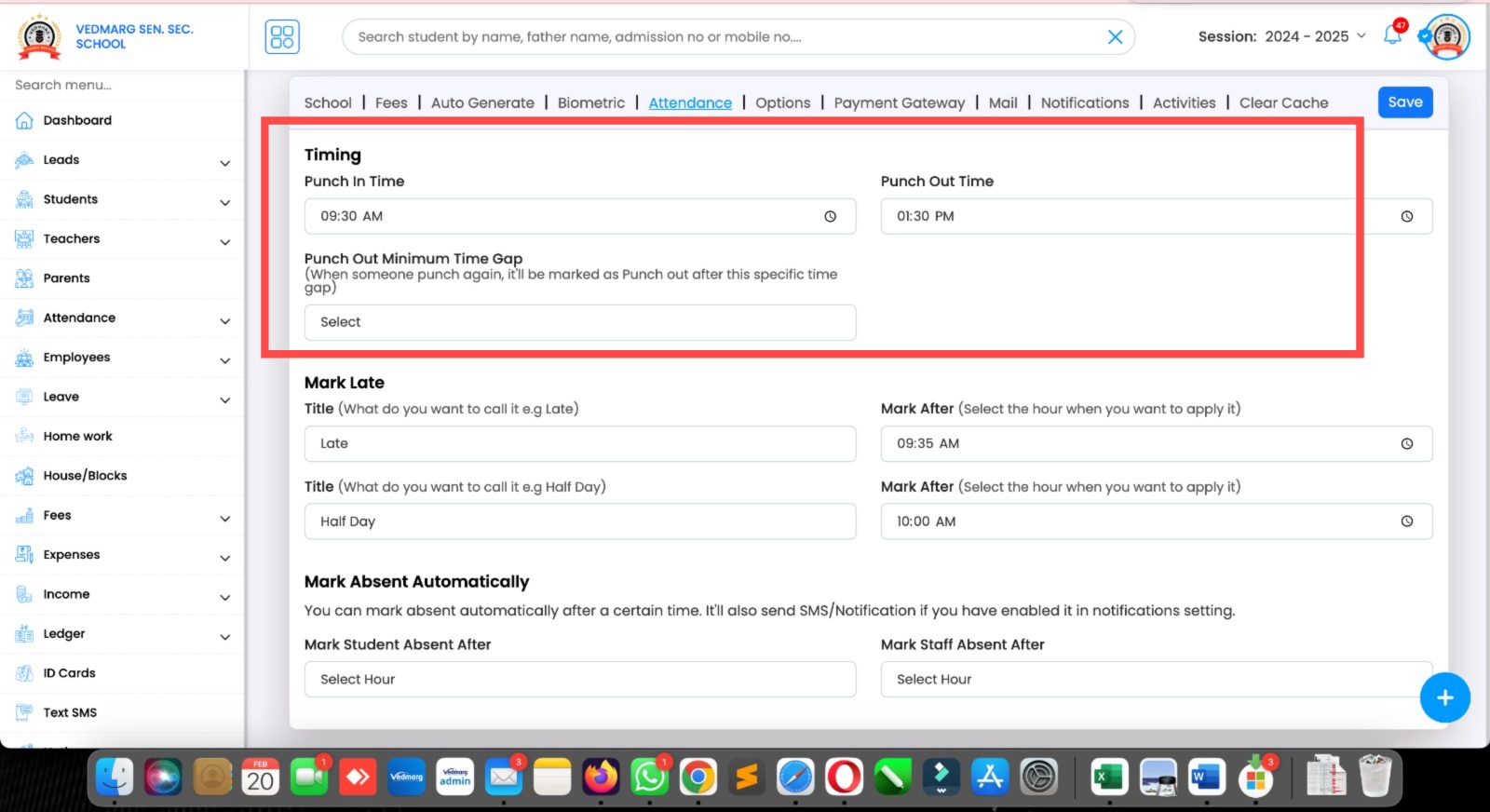
6. Now, admin can set a time gap for punch in and punch out time.
For ex, if you set 10 mins in time gap settings and someone enters at 9.25AM and again punches at 9:40AM, it will be marked as punch out.
And, if someone punches 2-3 times regularly, that will be marked punch in bcz the time time gap must be 10 mins in this case. So, set your settings carefully.
Link: https://account.vedmarg.com/user/setting?tab=attendance
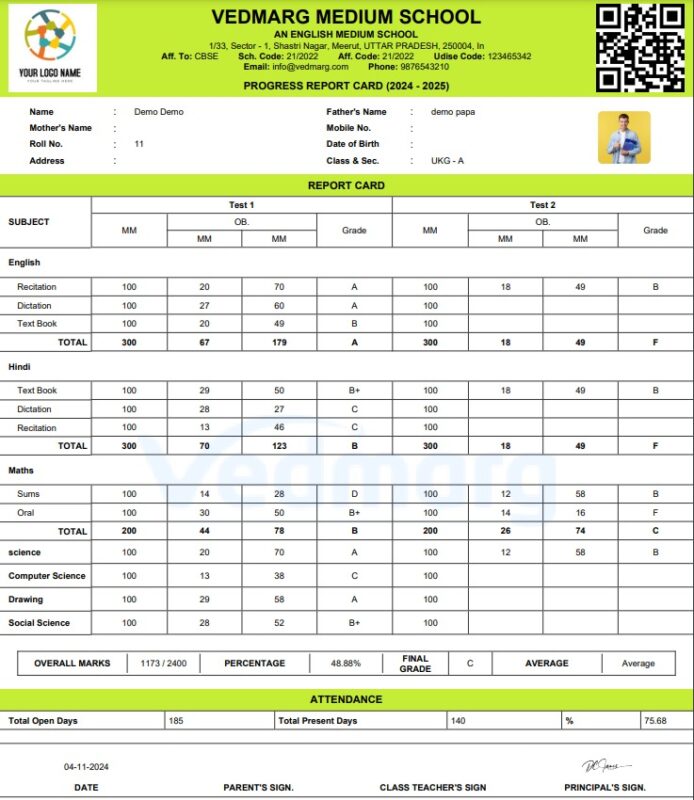
7. New Marksheet Format – 7th Format: Group Wise Total
This is completely dynamic (text, exams, colors, font size, headings etc…
Here, you can use 50+ controls to show/hide things on/from the marksheet and change labels of each text you see on marksheet.
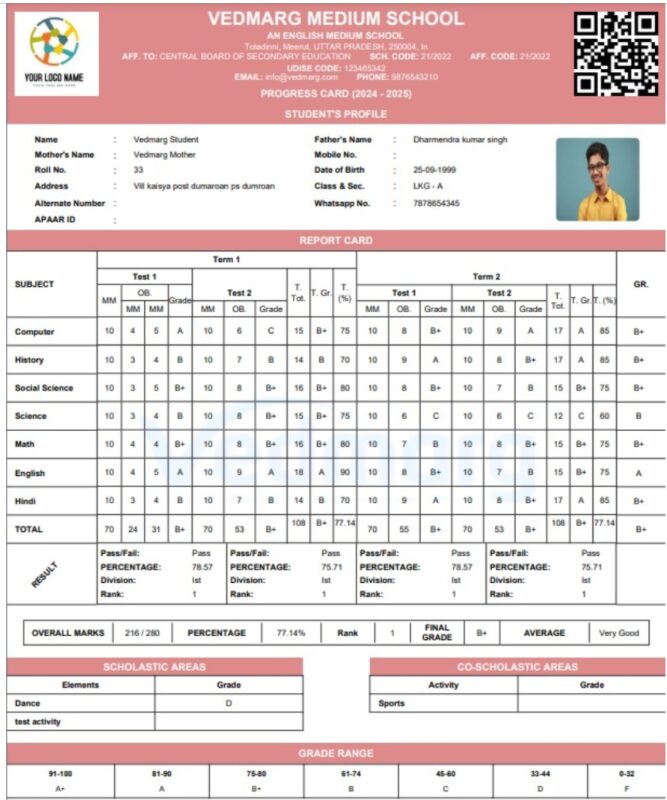
8. New Update: Added new columns in Marksheet Formats
Now, you can use term wise grade, term wise total & term wise percentage. These columns are available in various format: CBSE, 3, 4, and 5.
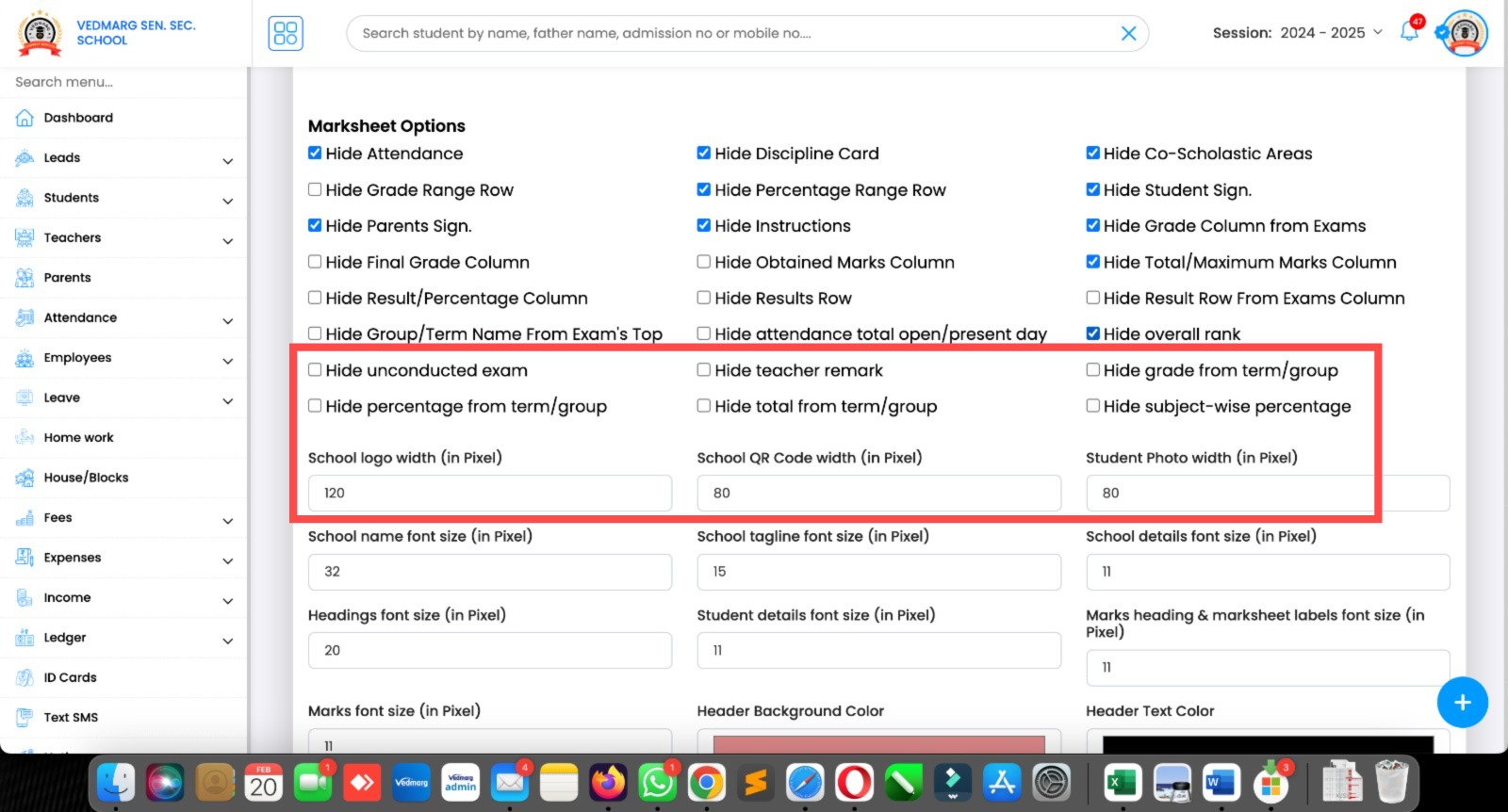
9. Dynamic Options Added for Marksheets
Now, you can controls the new options on marksheet with the given facility.
PS: We have 50+ controls and dynamic options to make our marksheet module compatible with all the boards in India.
10. Here, you can change the text/label of headings as per your requirements. It’s completely dynamic and changeable.

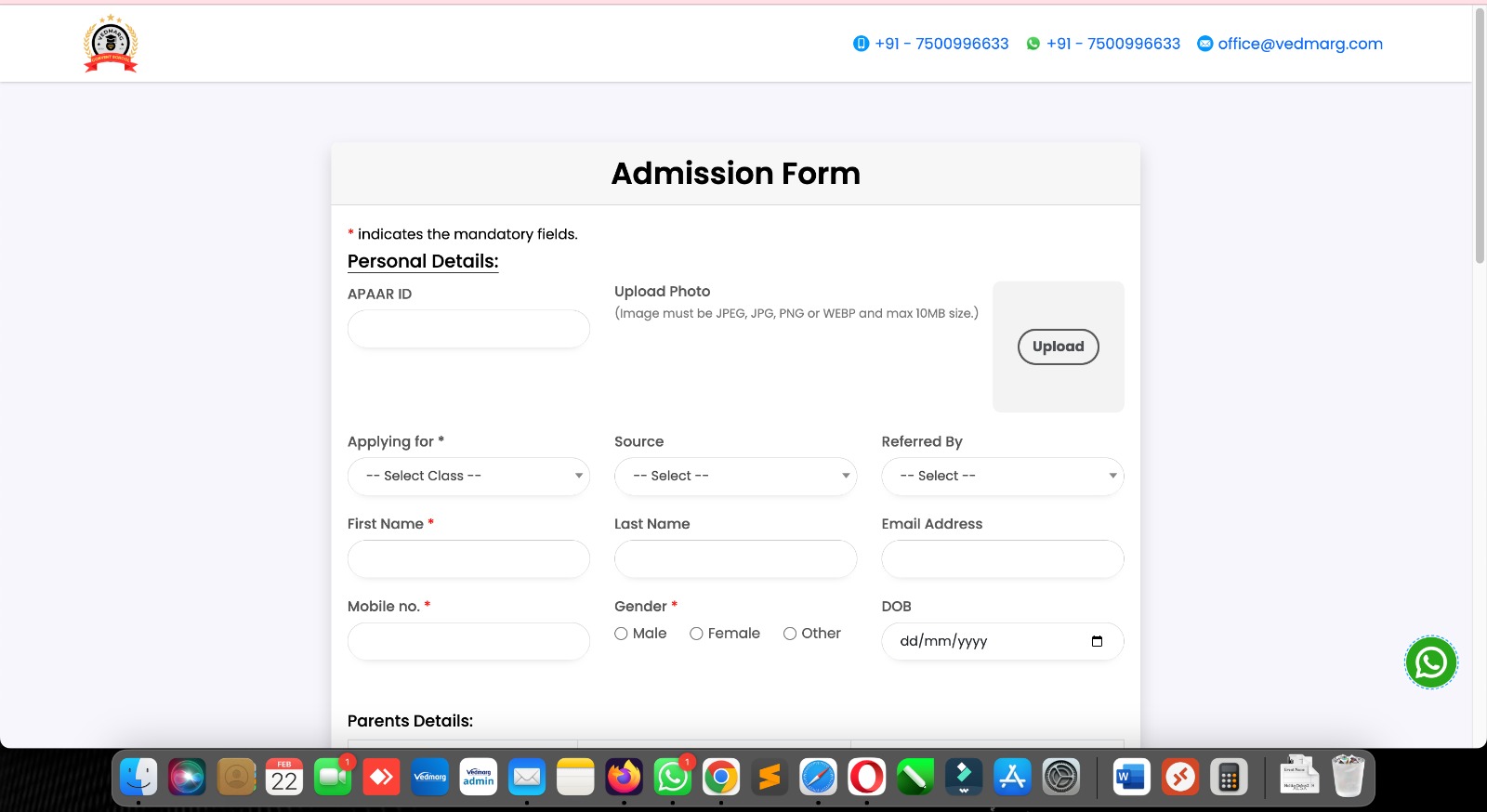
11. New Update – Admission form
We added upload picture option in default admission/inquiry form available in Custom Forms module at Vedmarg.
You can use the same picture at the time of admission or take a new one.
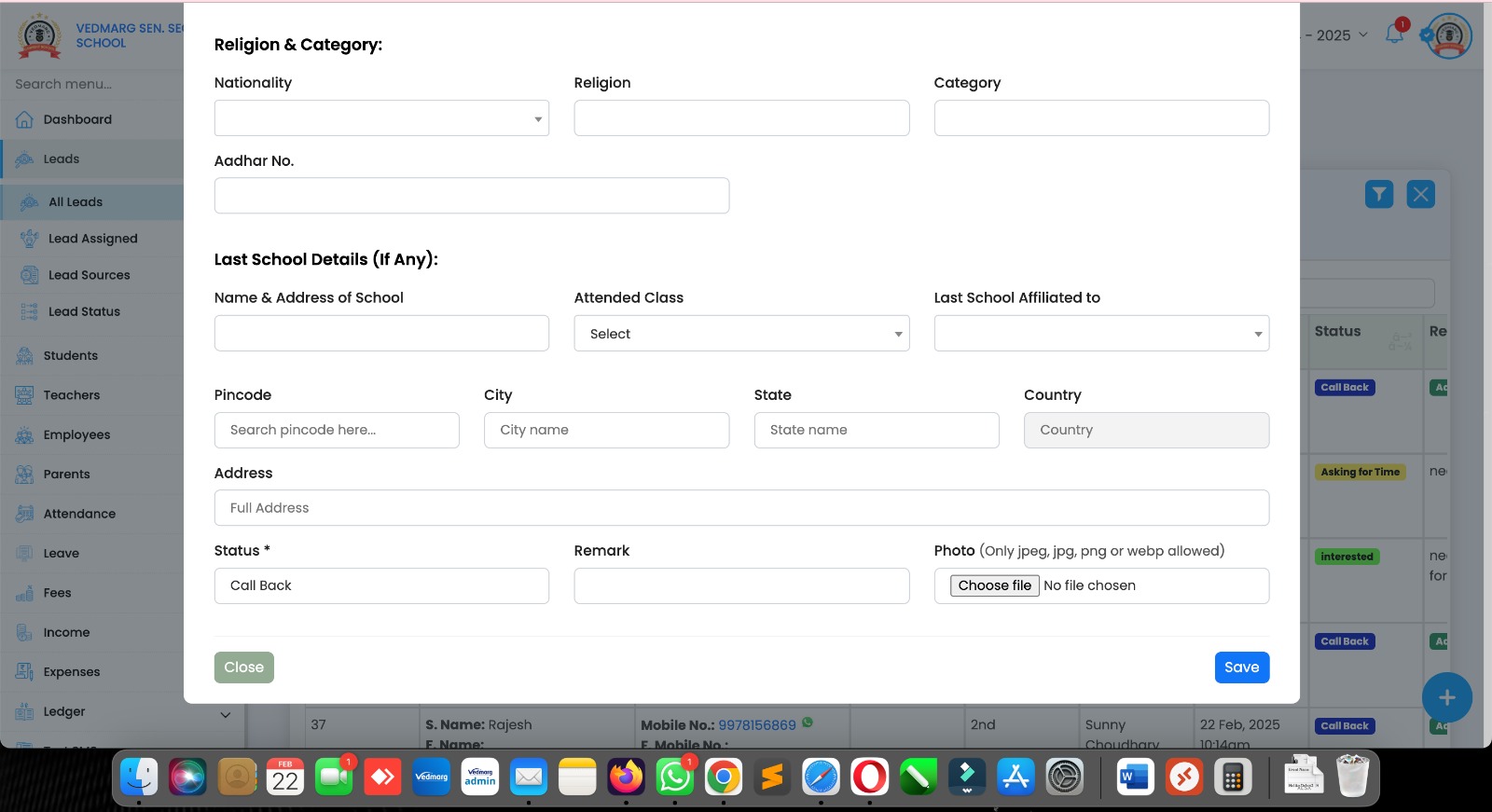
12. If someone doesn’t upload picture on inquiry form, you can upload picture of student in add/edit leads form.
14. New Feature in Vedmarg Custom Forms
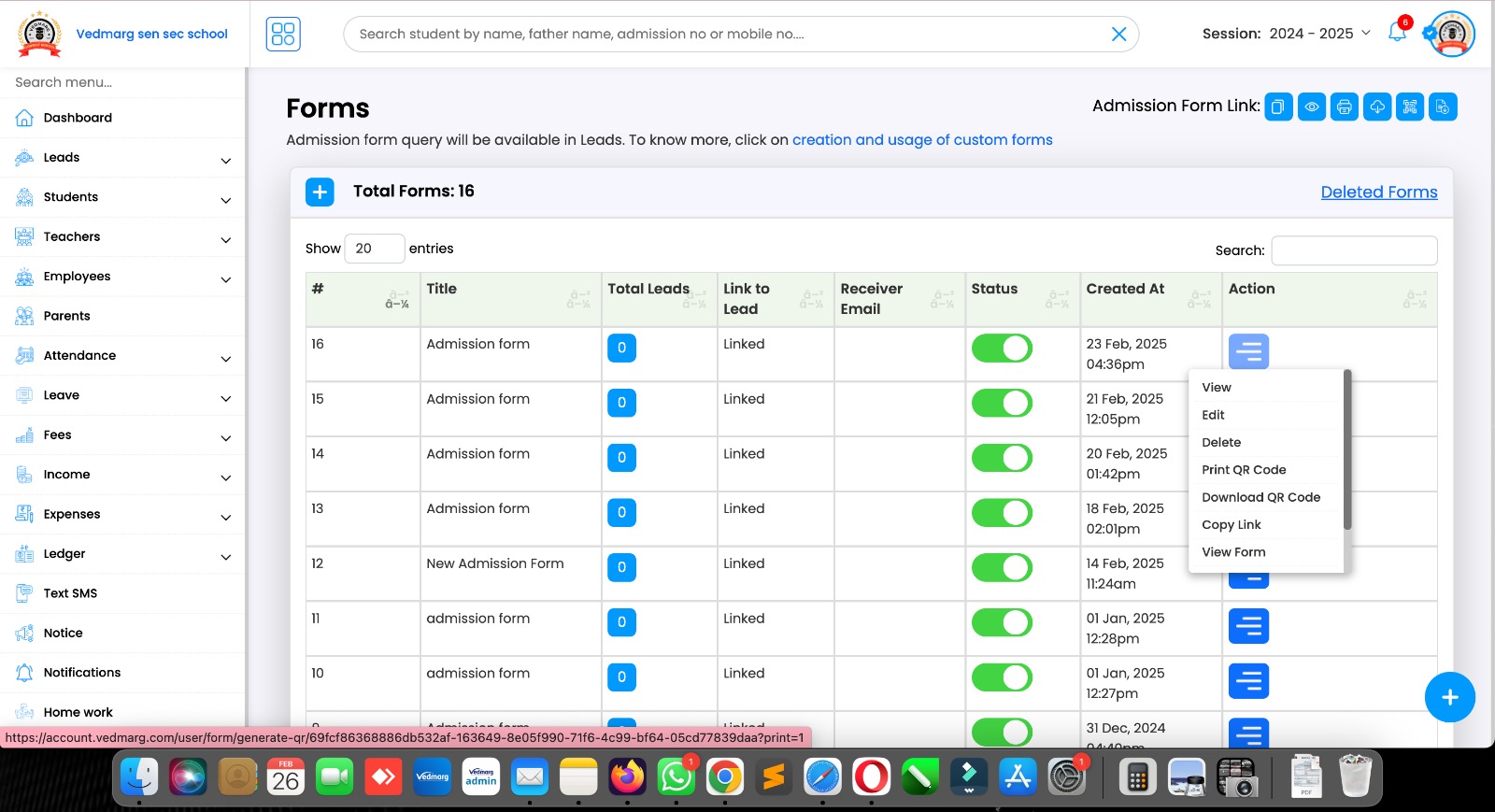
We added an option to print / download QR code of the custom forms you designed on Vedmarg ERP.
Anyone (Students/parents/teachers etc) can scan the QR code to see/visit your custom forms.
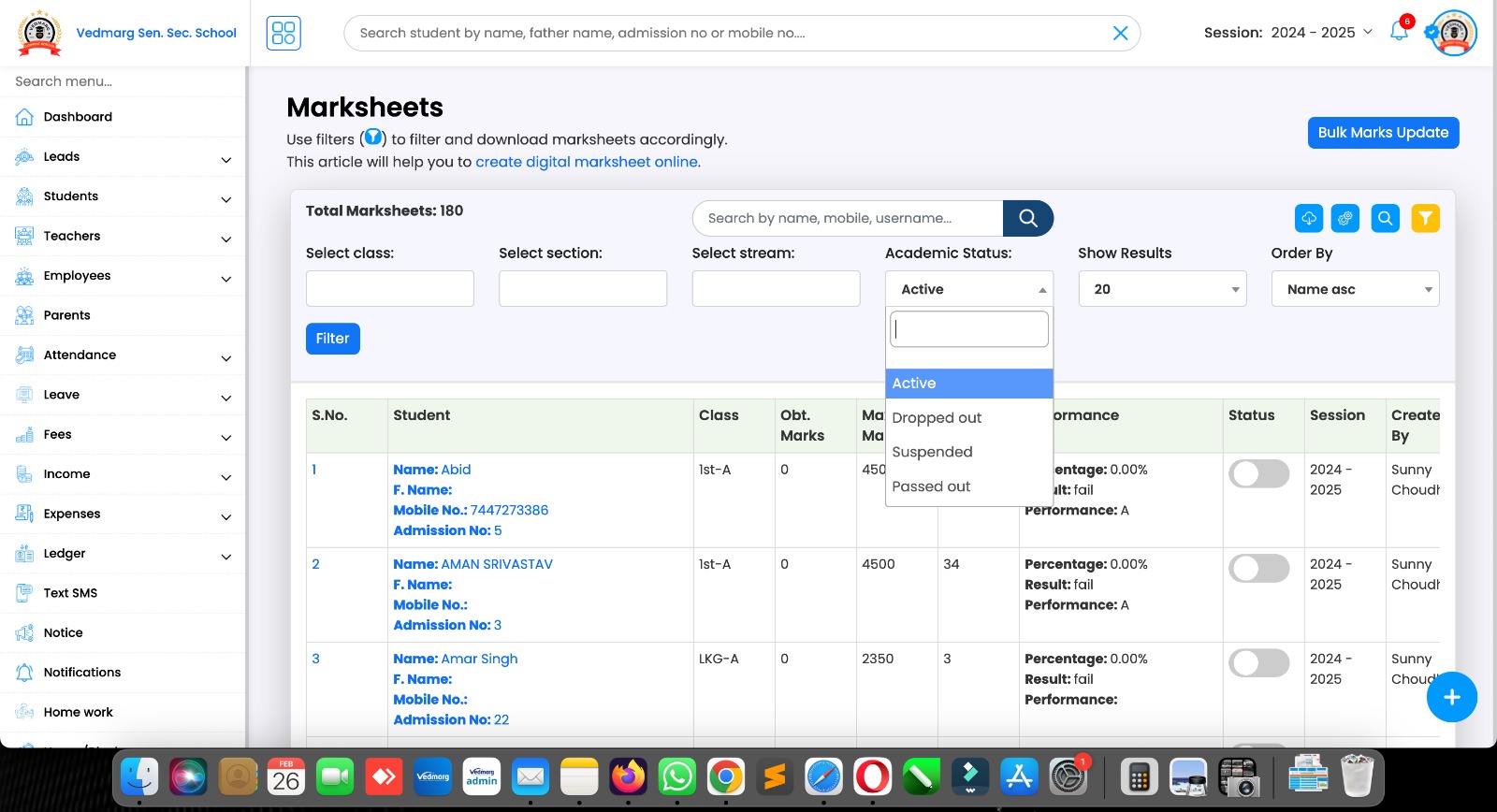
15. Now, admin or authorised staff member can download mark sheets of students with the filter of their statuses like: active, dropped, suspended, passed out.
Remember: We have 100+ dynamic controls to design mark sheets for various schools, states boards etc.
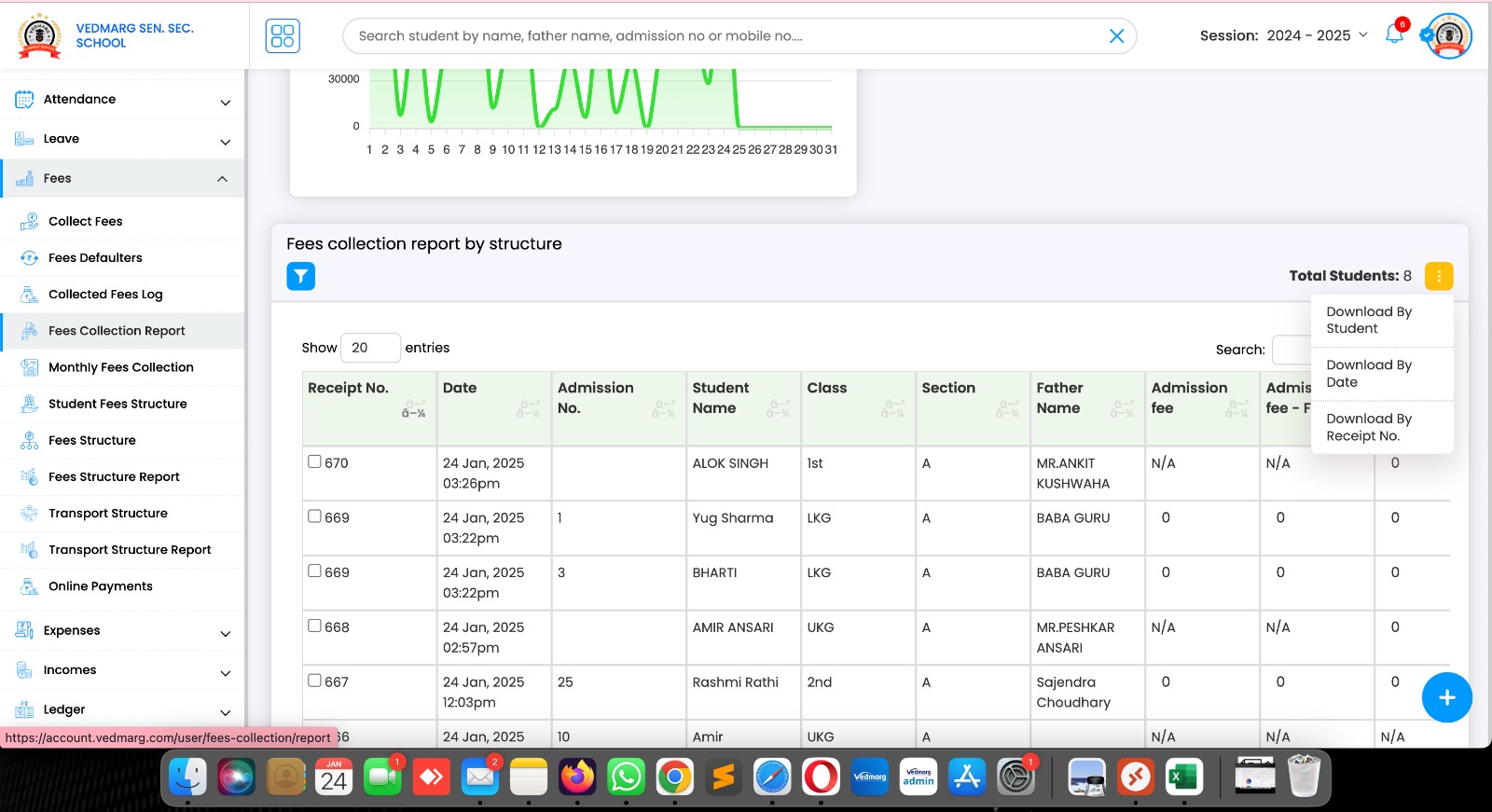
1. New options added to download excel files to share with your CA for audit of school/college/institute.
Here, you can use filters and download reports:
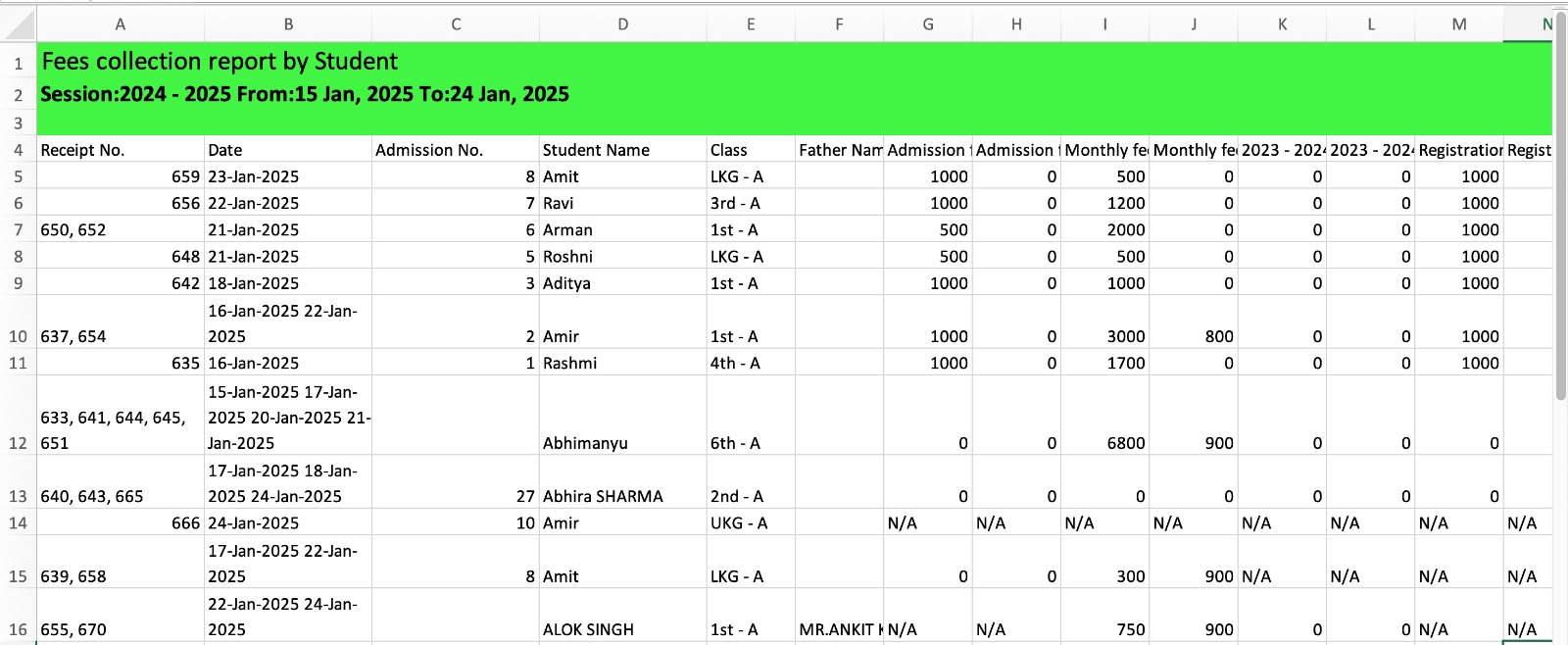
1. Download By Student (New)
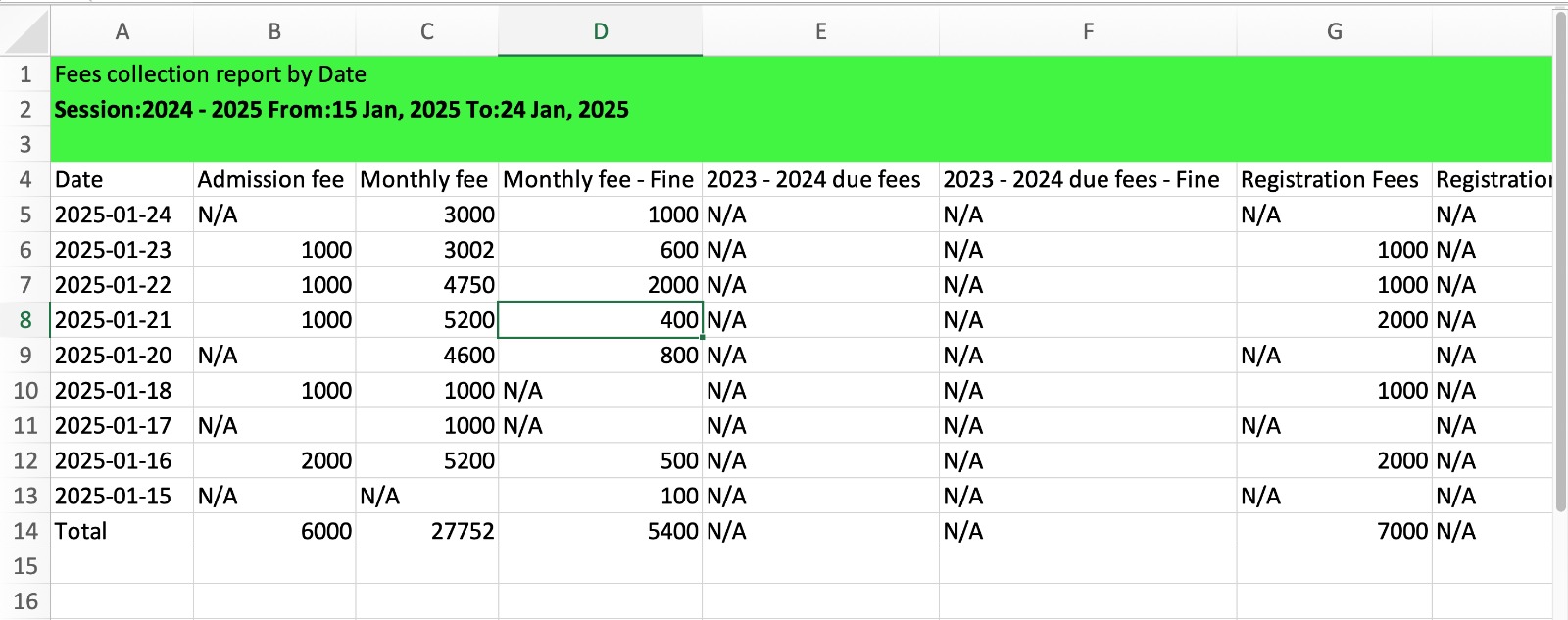
2. Download By Date (New)
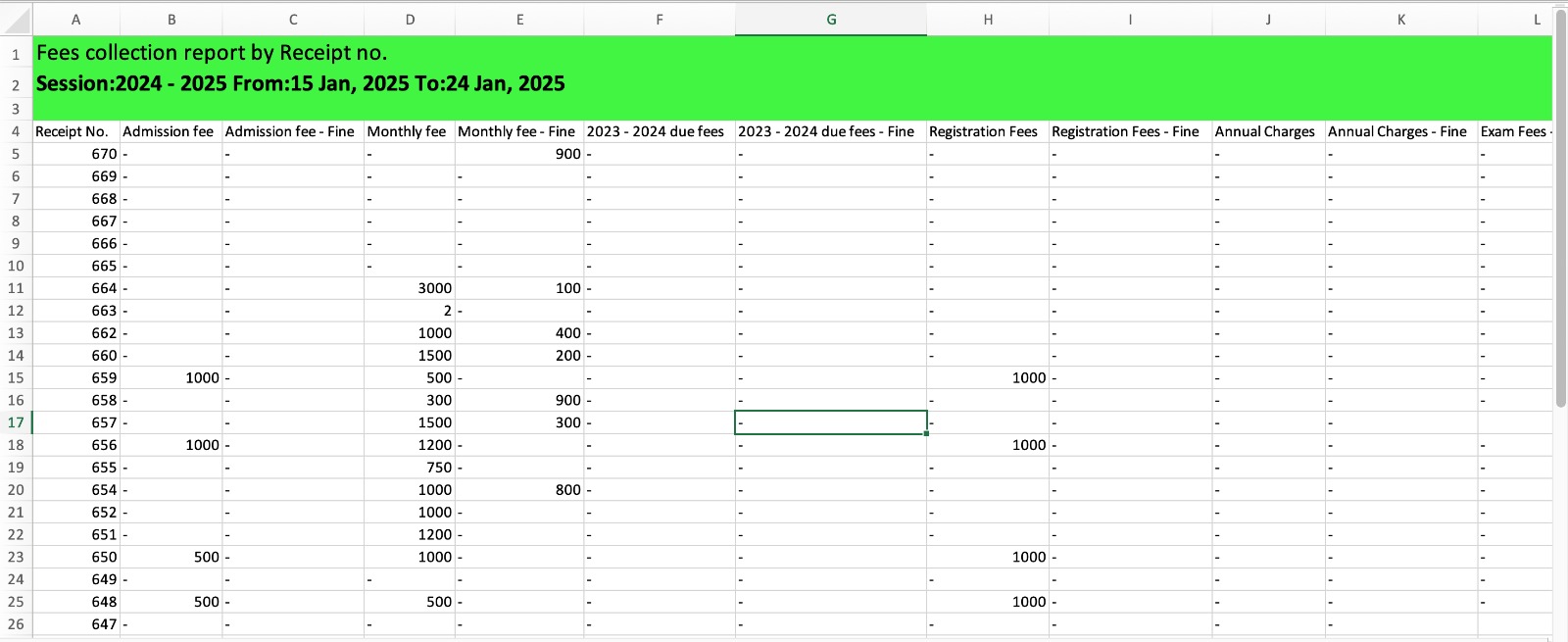
3. Download By Receipt No. (Old Format)
2. Excel sample of Fee Collection Report – Download By Student
3. Excel sample of Fee Collection Report – Download By Date
4. Excel sample of Fee Collection Report – Download By Receipt No.
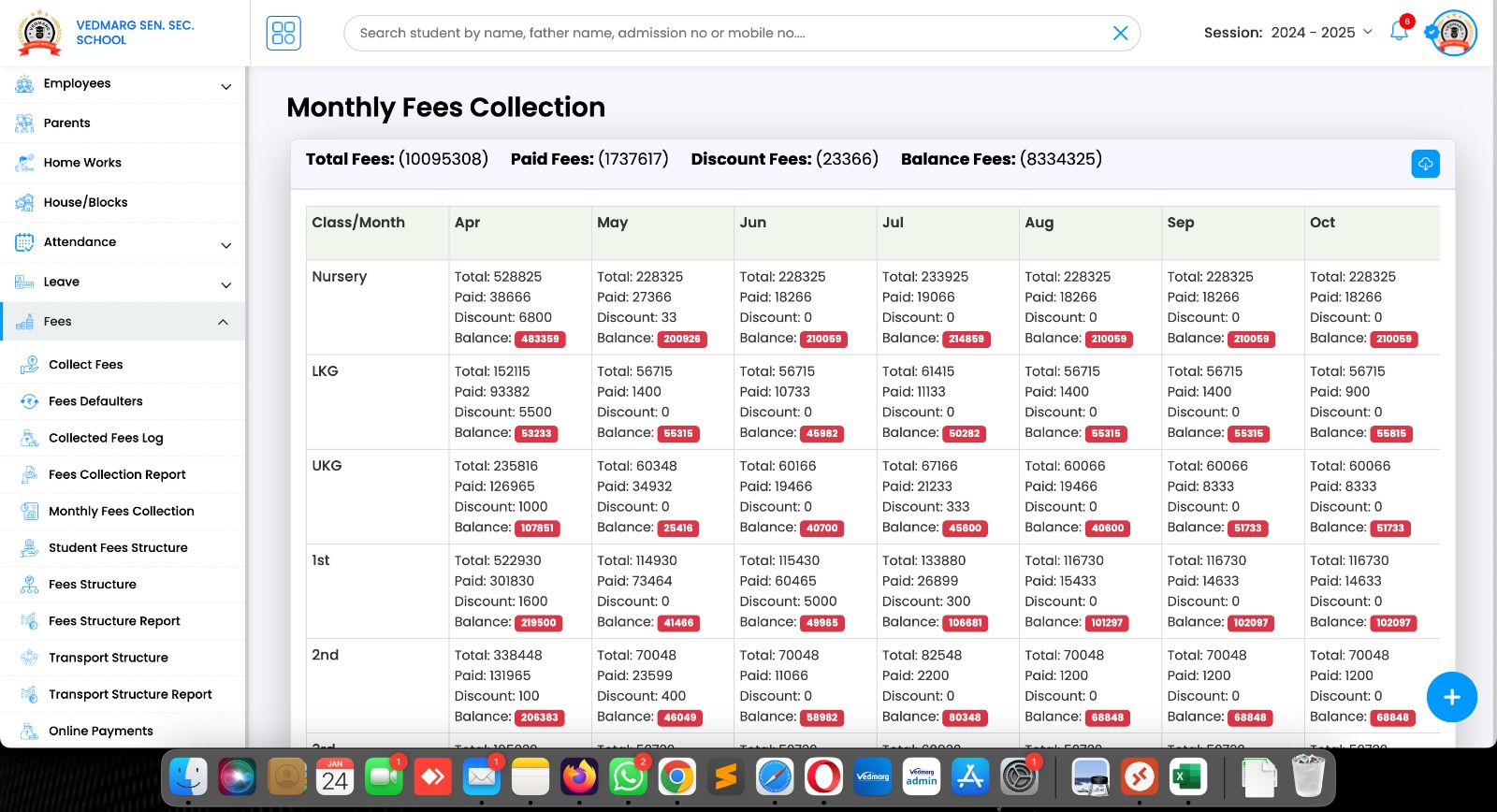
5. New Update: Monthly Fee Collection
Here, you see the class wise and month wise reports of your organization.
Link: https://account.vedmarg.com/user/fees/monthly-collection
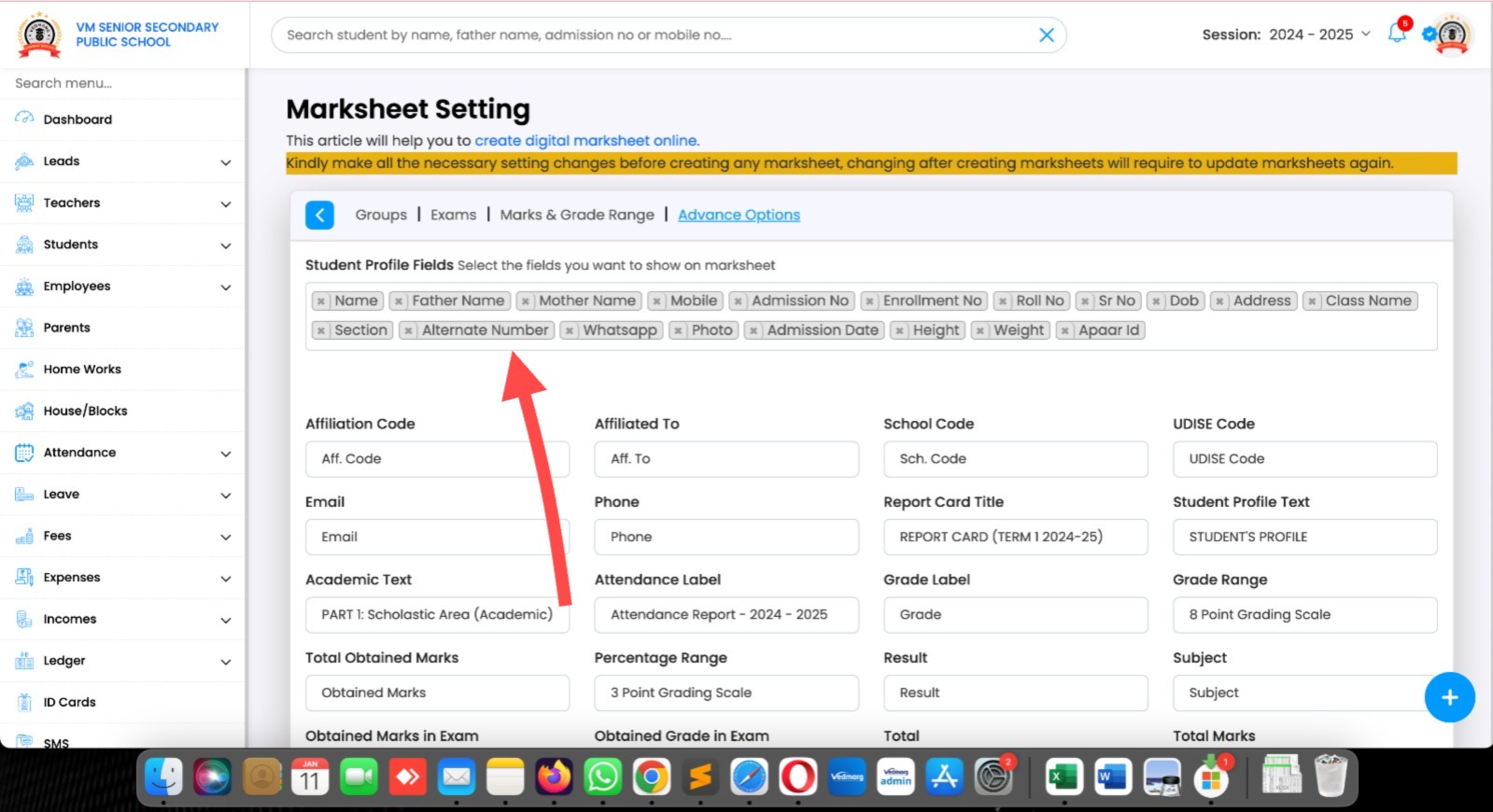
1. Marksheet Update – Vedmarg
Select these fields (mobile number, APAAR ID etc) in marksheet settings to show these details on Marksheet.
Also, these same details will be shared in excel file which you download from bulk marks update. So, if you need any additional data in excel file of marks, select the details in marksheet settings.
2. A sample of excel file with the student’s details and marks entries (this is dummy file)
his is completely dynamic and adjusted with the exam patterns.
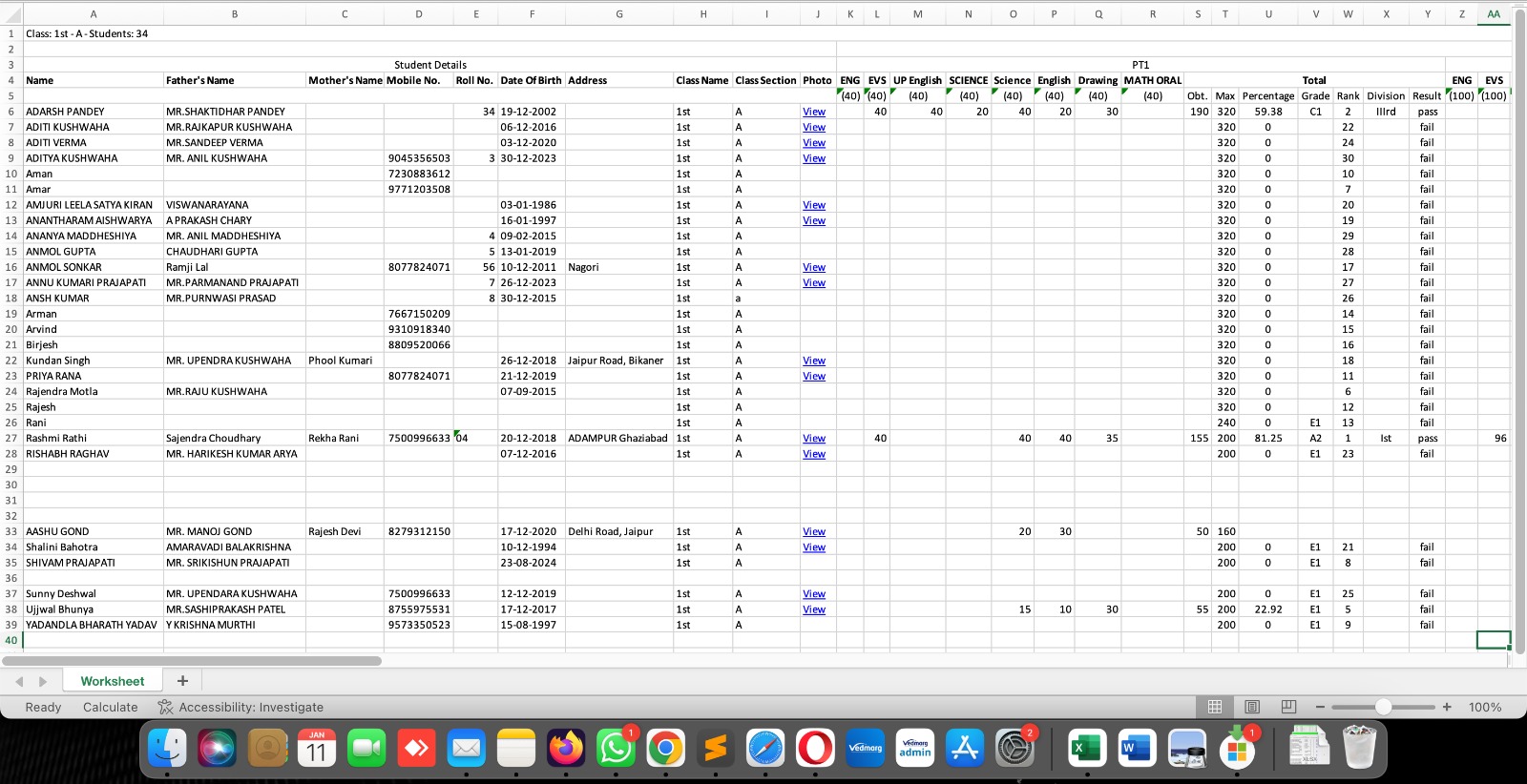
3. Also, we added these details in Excel file which you download from bulk marks update option. (this is dummy file)
This is completely dynamic and adjusted with the exam patterns.

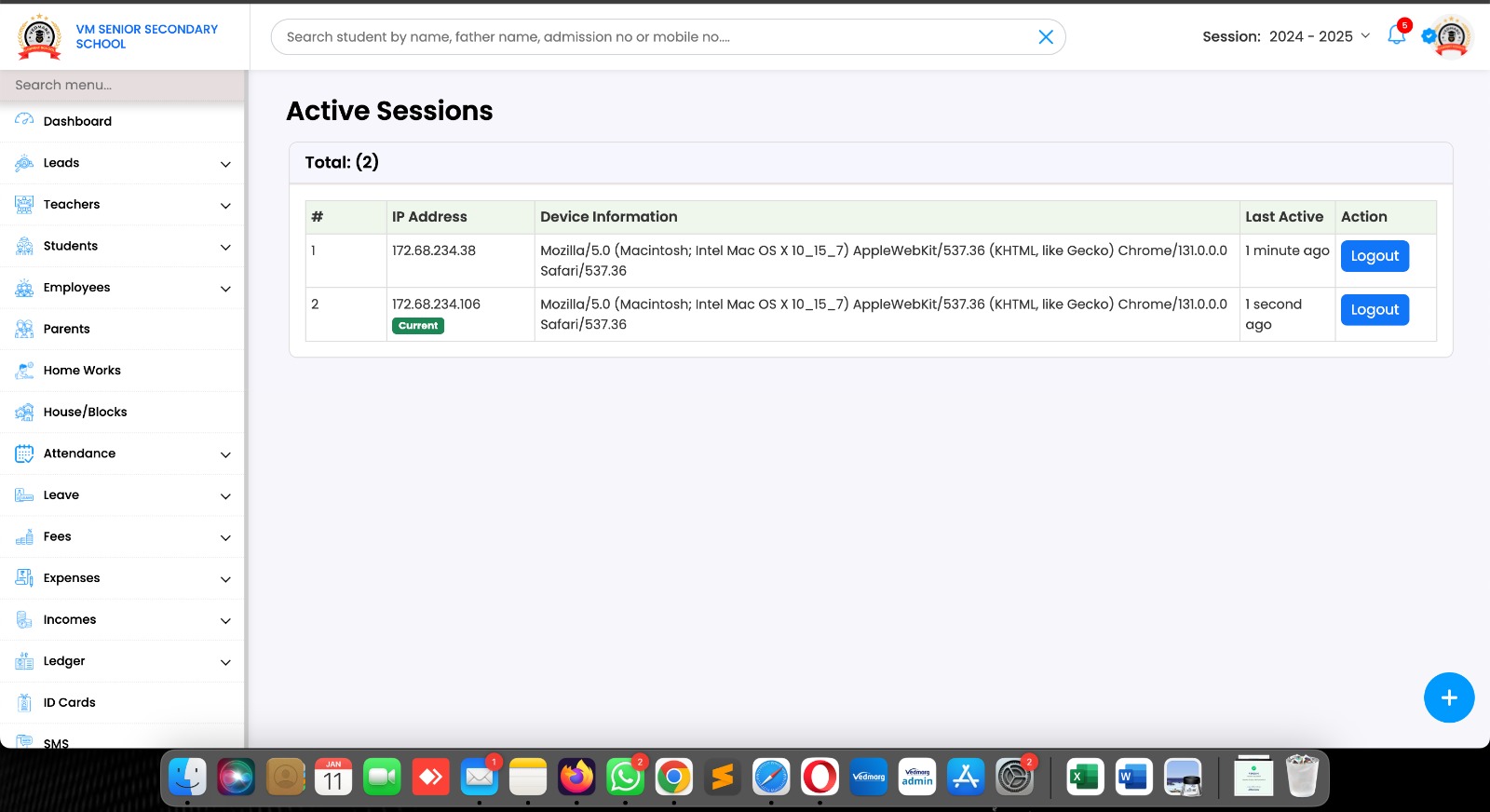
4. New Security Feature – Vedmarg
Now, you can check your active sessions of your account.
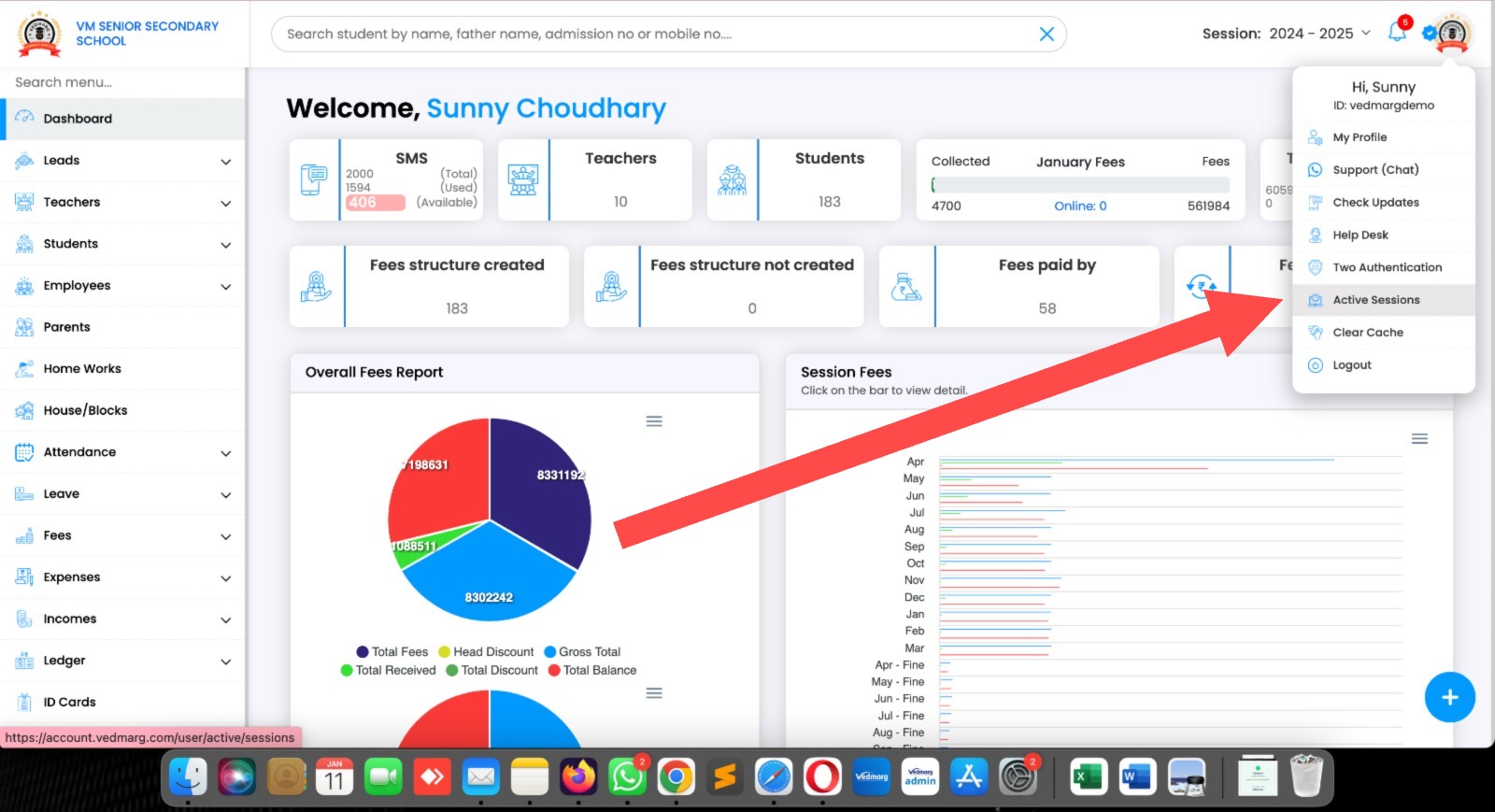
5. Here, you will see the details like IP address, device information, browser and time of logged in.
From here, you can logout your account from any device after confirmation of your password.
PS: In the Education industry, no other ERP provides this type of securities.
Vedmarg is always here to save time, and clicks with more security.
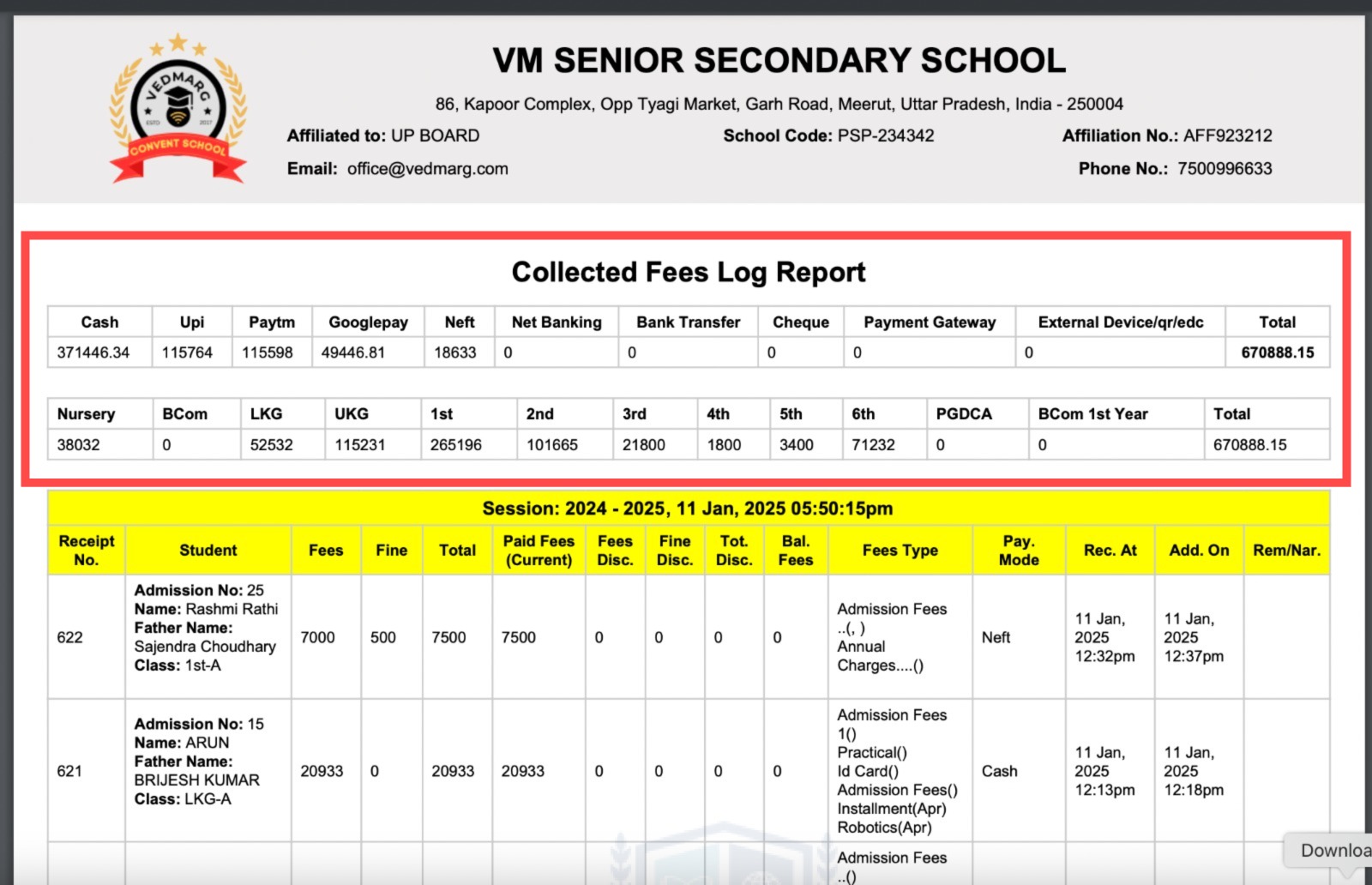
6. Now, you can see the class wise collection in fee collected log with total in the end.
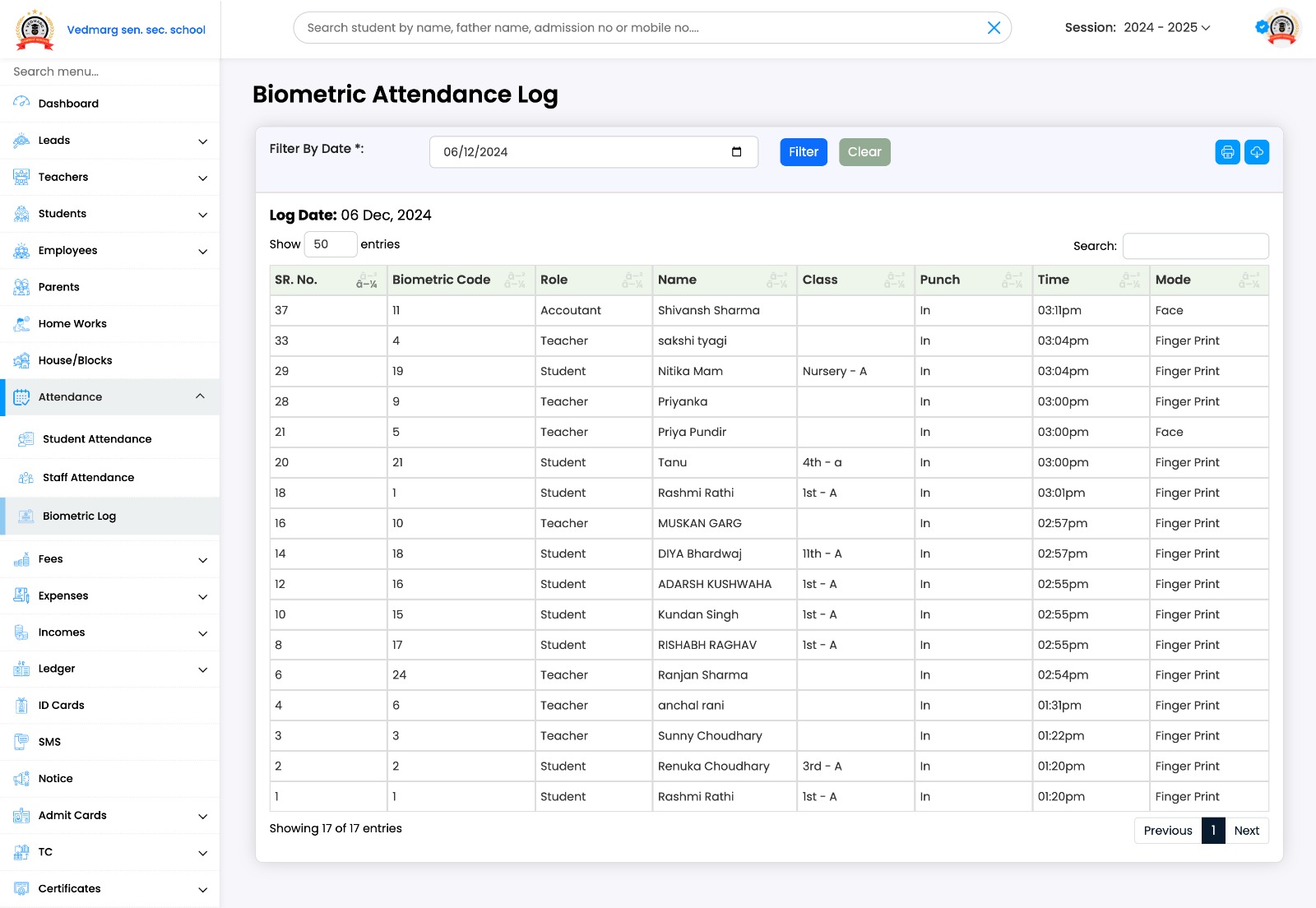
2. Biometric Attendance Log by Vedmarg
Attendance captured by:
– Fingerprint
– Face
– RFID (PIN)
– ERP
– Mobile App
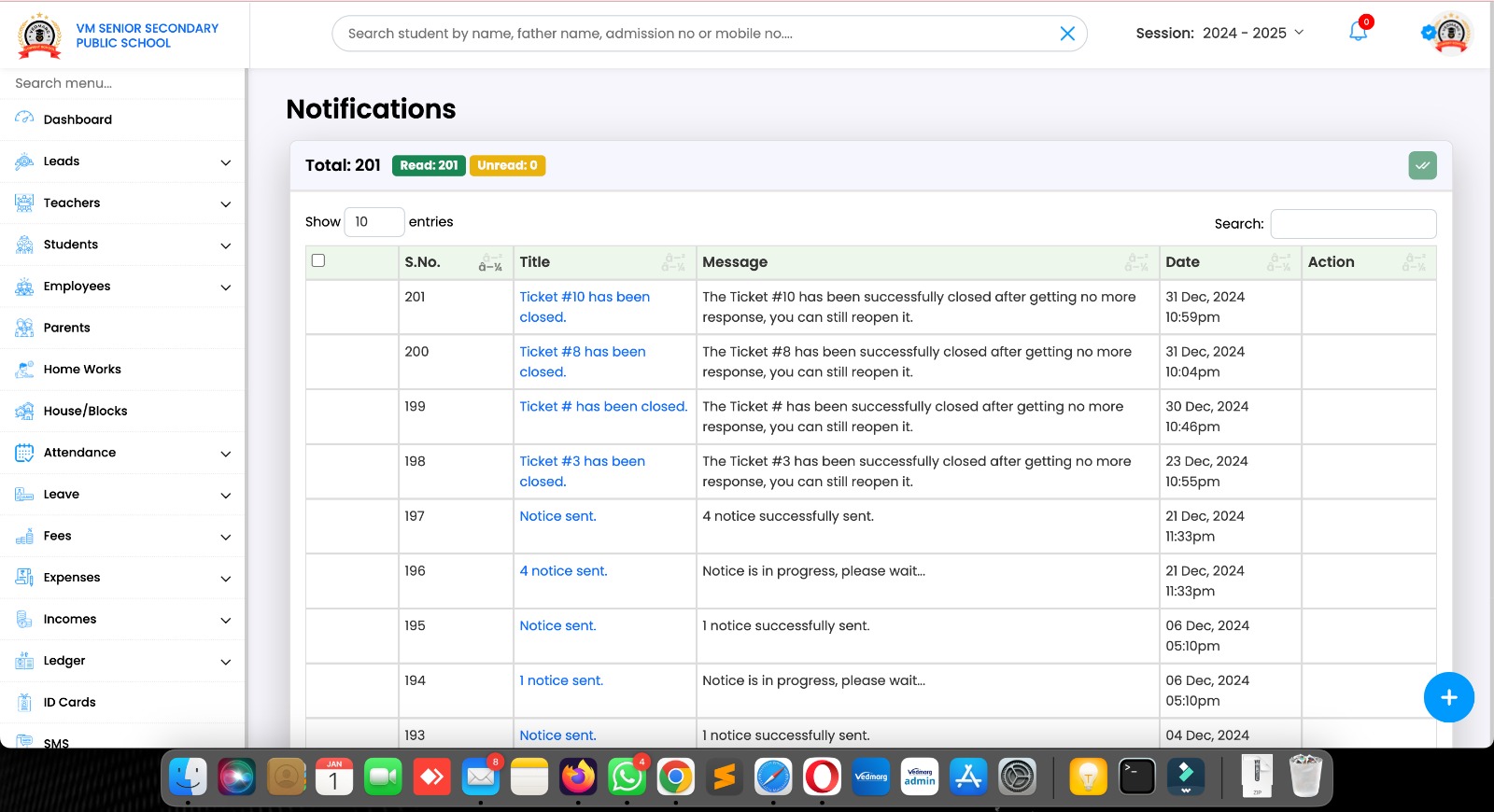
4. Here, you can check all the notifications at one place:
https://account.vedmarg.com/user/notifications
You can read one by one or mark all notifications read in a single-click.
Also, you can view details by clicking on the title (in blue color)
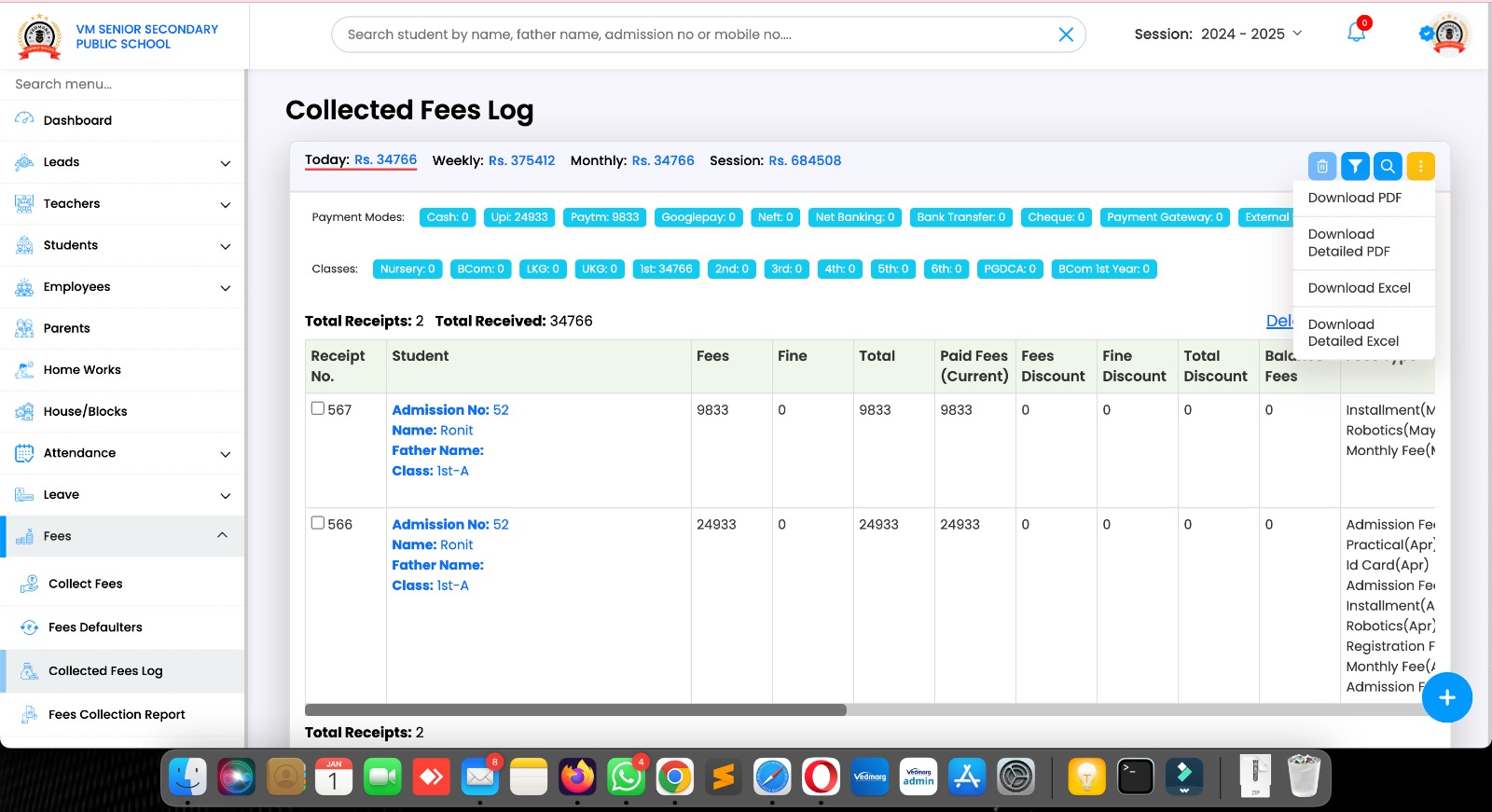
5. New Feature: Collected Fee Log Reports (4 Types)
Now, we have added 2 more types of reports for fee collected log.
1. Download PDF (summary, 1 receipt in a single row)
2. Download Detailed PDF (detailed as earlier, each fee type in separate row)
3. Download Excel (summary, 1 receipt in a single row)
4. Download Detailed Excel (detailed as earlier, each fee type in separate row)
6. New module: Ticket System
To know more about this feature, watch this video: https://youtu.be/L01Yqo-CpOE
7. New Feature – Short Buttons (Sticky)
With these buttons, you can add
– Leads
– Students
– Teachers
– Employees
– Income
– Expense
– Ticket
– SMS
It doesn’t matter what you are doing on ERP, but you can add these things quickly on Vedmarg ERP.
No other ERP provides this type of quick shortcuts for their clients.
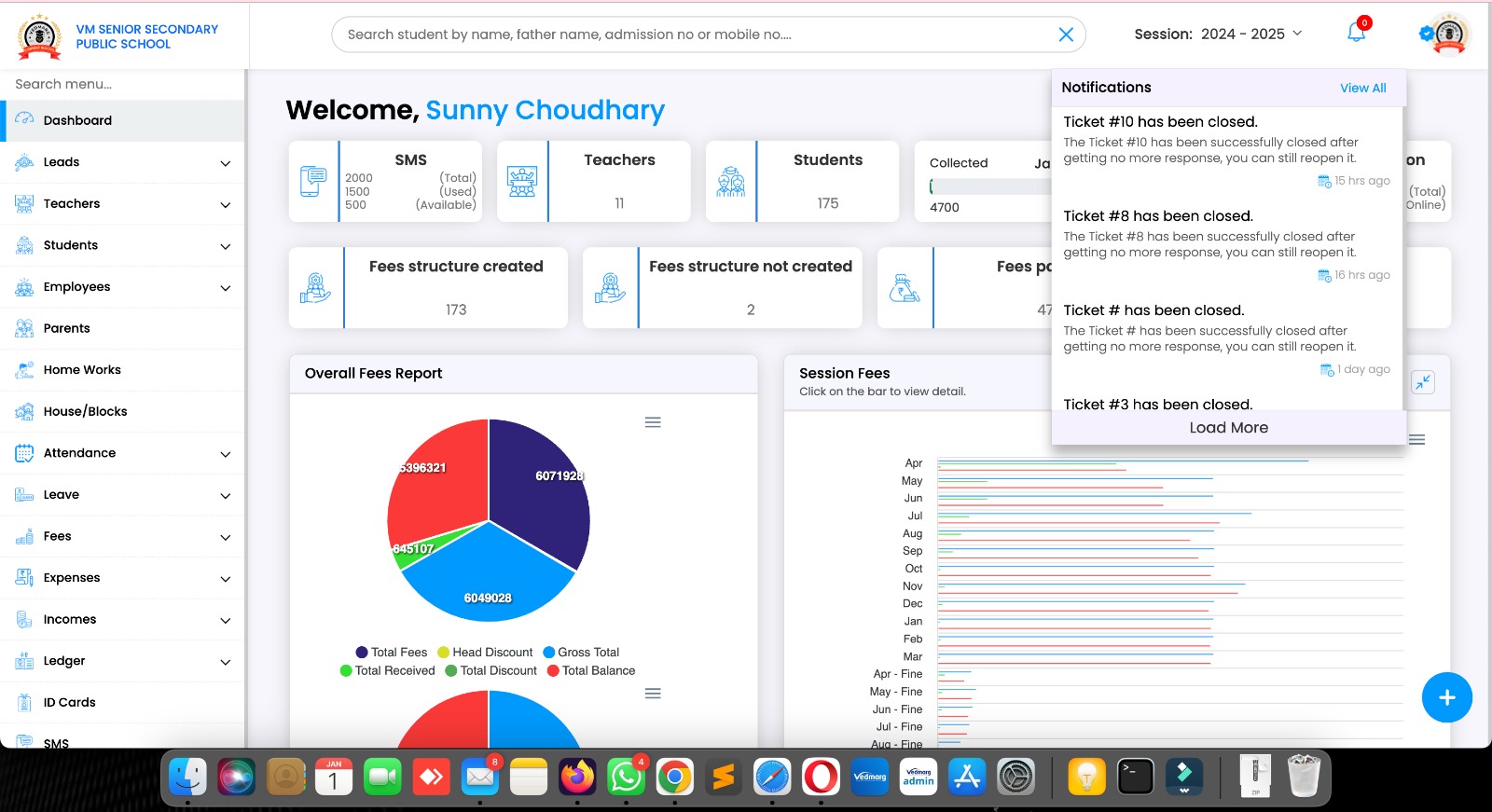
8. New Module – Notifications
Here, you will get notifications from support, tickets, notices etc…
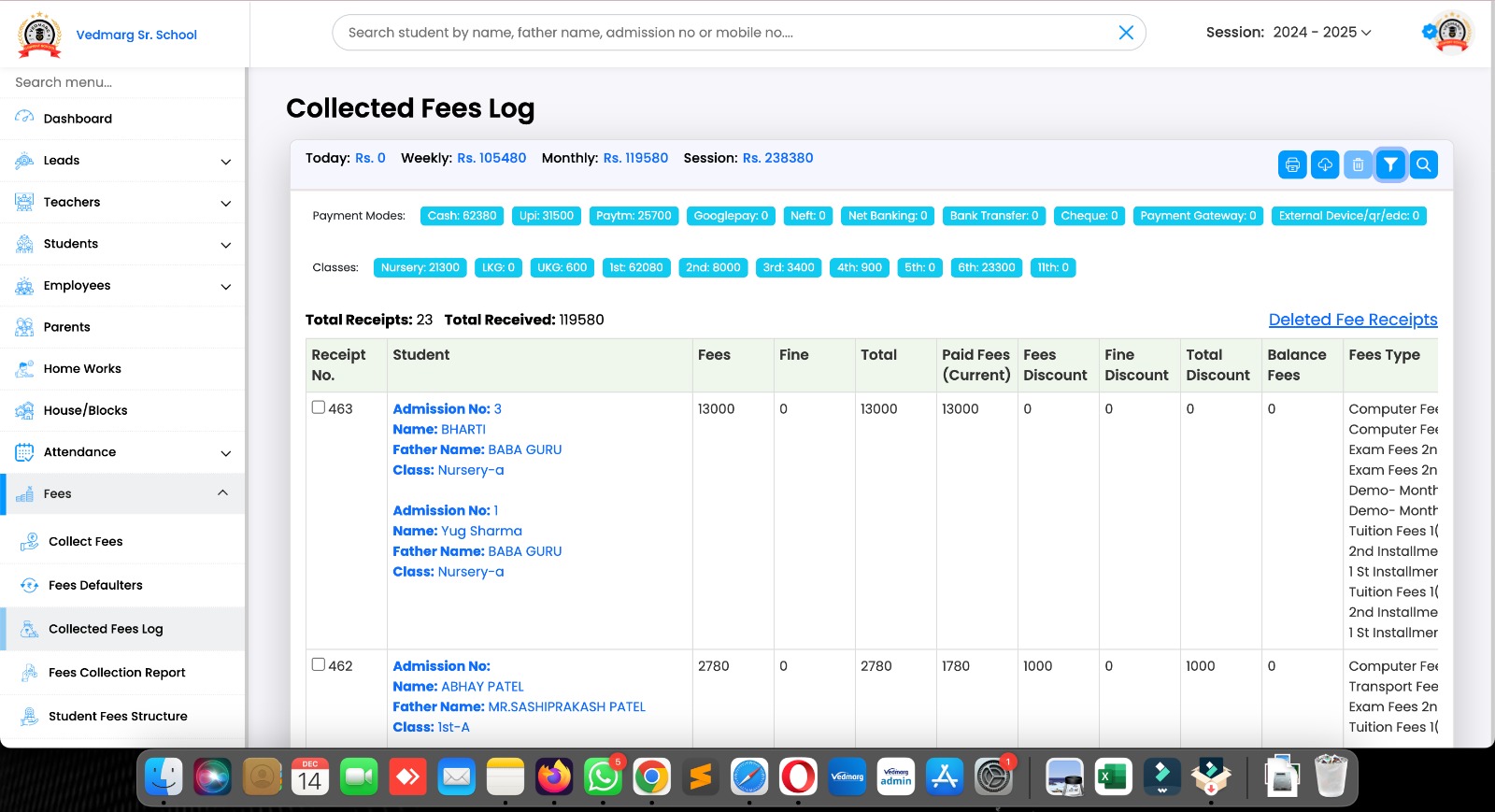
9. Classes Data Added on Collected Fee Log
Now, you can see the amount received from all the classes/courses along with the payment modes.
We are always saving your time to do the things manually and repeatedly.
In the given pic, we have used a filter of dates from 1st Dec to 14th Dec, 2024. So, there is complete data with payment modes, classes wise, total number of receipts, and total received amount. Also, print pdf, excel options are also available.
10. Added a new option in Today’s Collection to check the today’s online fee payment along with the total collection.
PS: Earlier, there was only today’s total collection in the same box.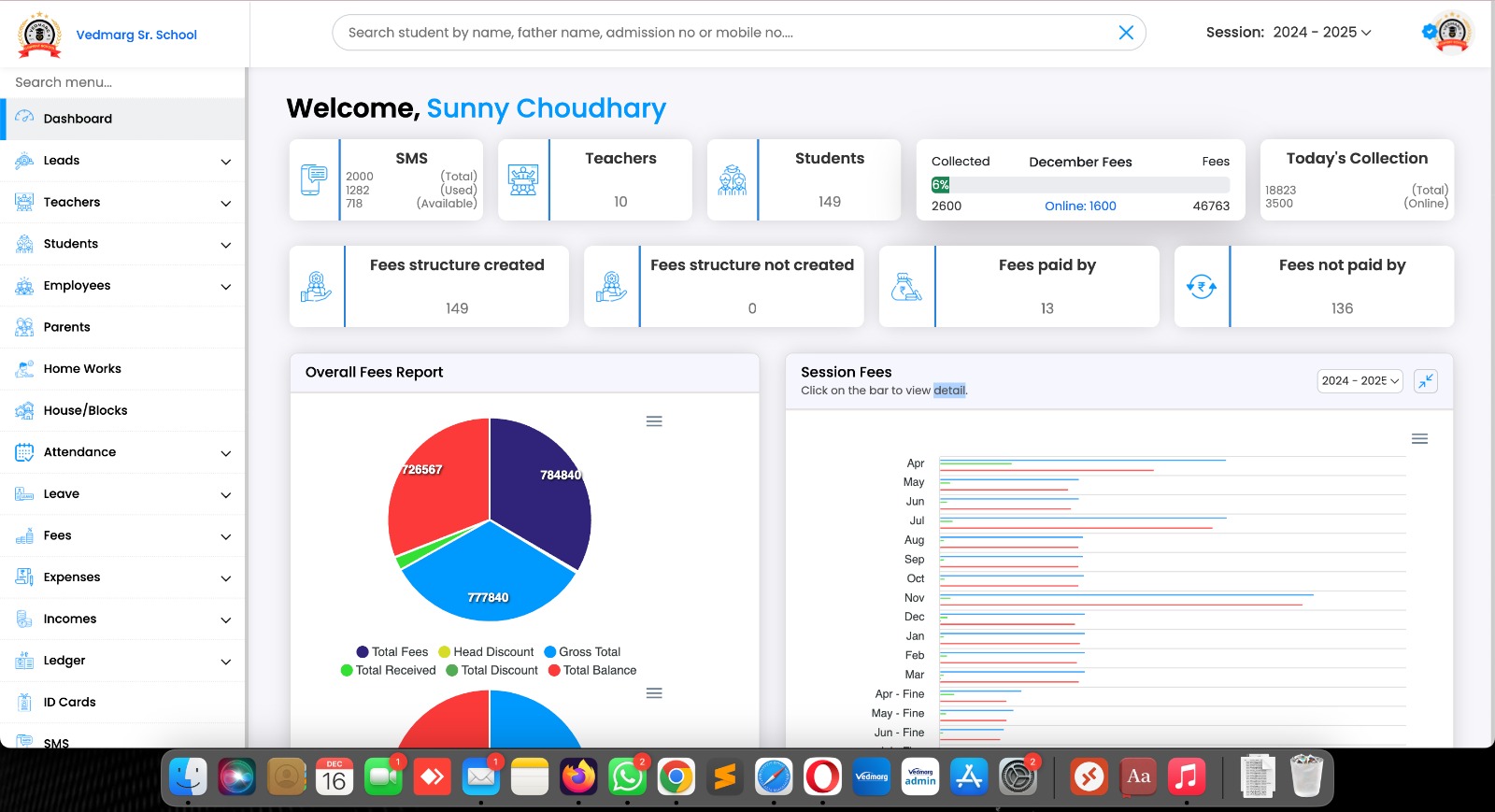
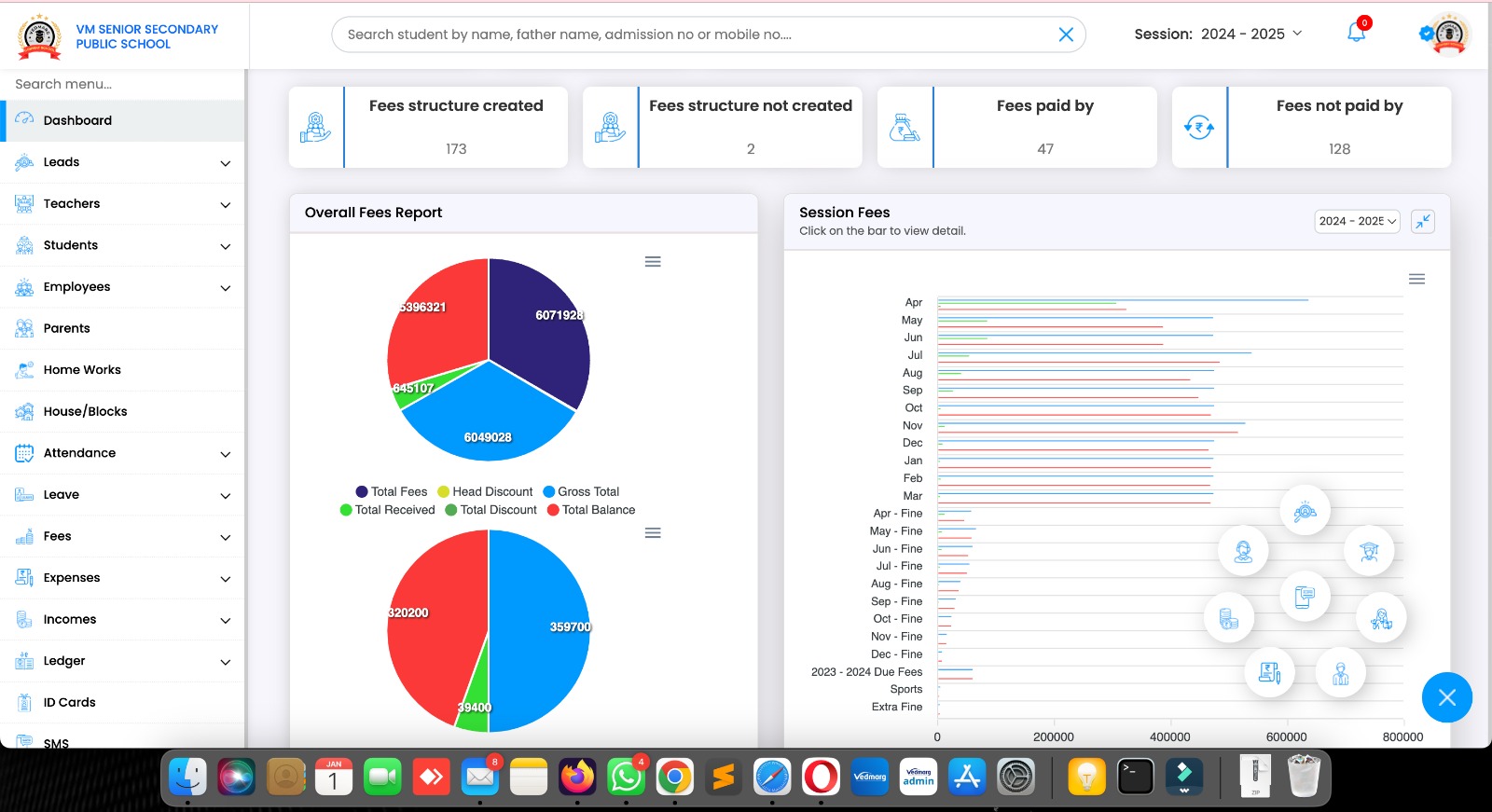
11. Added a new Feature on Dashboard
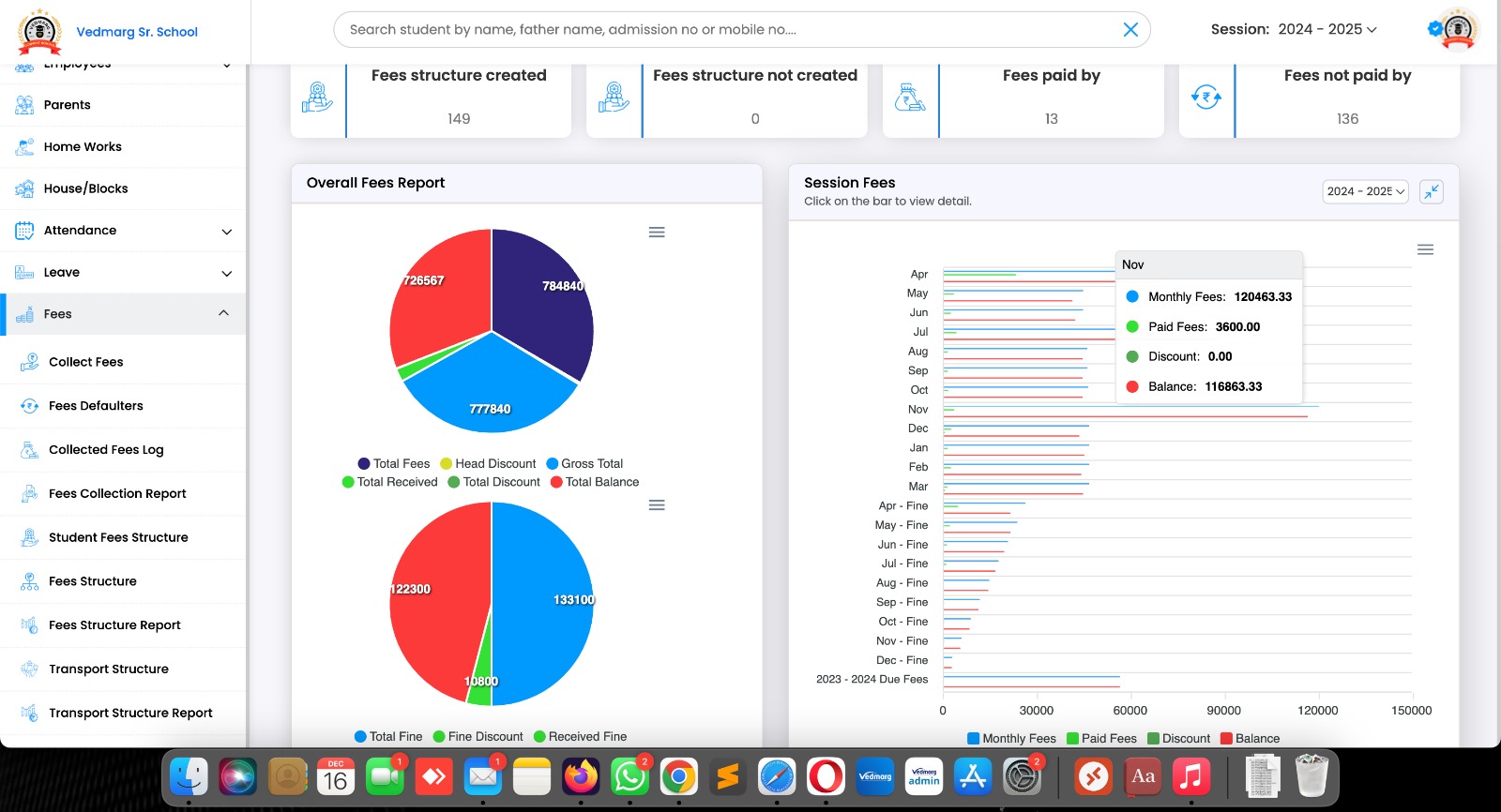
Now, you can see the due balance for all the months and fee types on your dashboard with even a single click.
In the image, just hovered the mouse on the month of Nov and then we can see the total fee for the month of nov, paid, discount and due balance.
You can hover the mouse on any month to see the data.
We save your clicks and time as always.
PS: There is no ERP in the market/industry that shows this kind of data on dashboard without even a single click.
Also, you can download/save PNG, SVG, CSV file for the same records from the three lines (burger menu).
12. New Module – Apply Leave via Apps
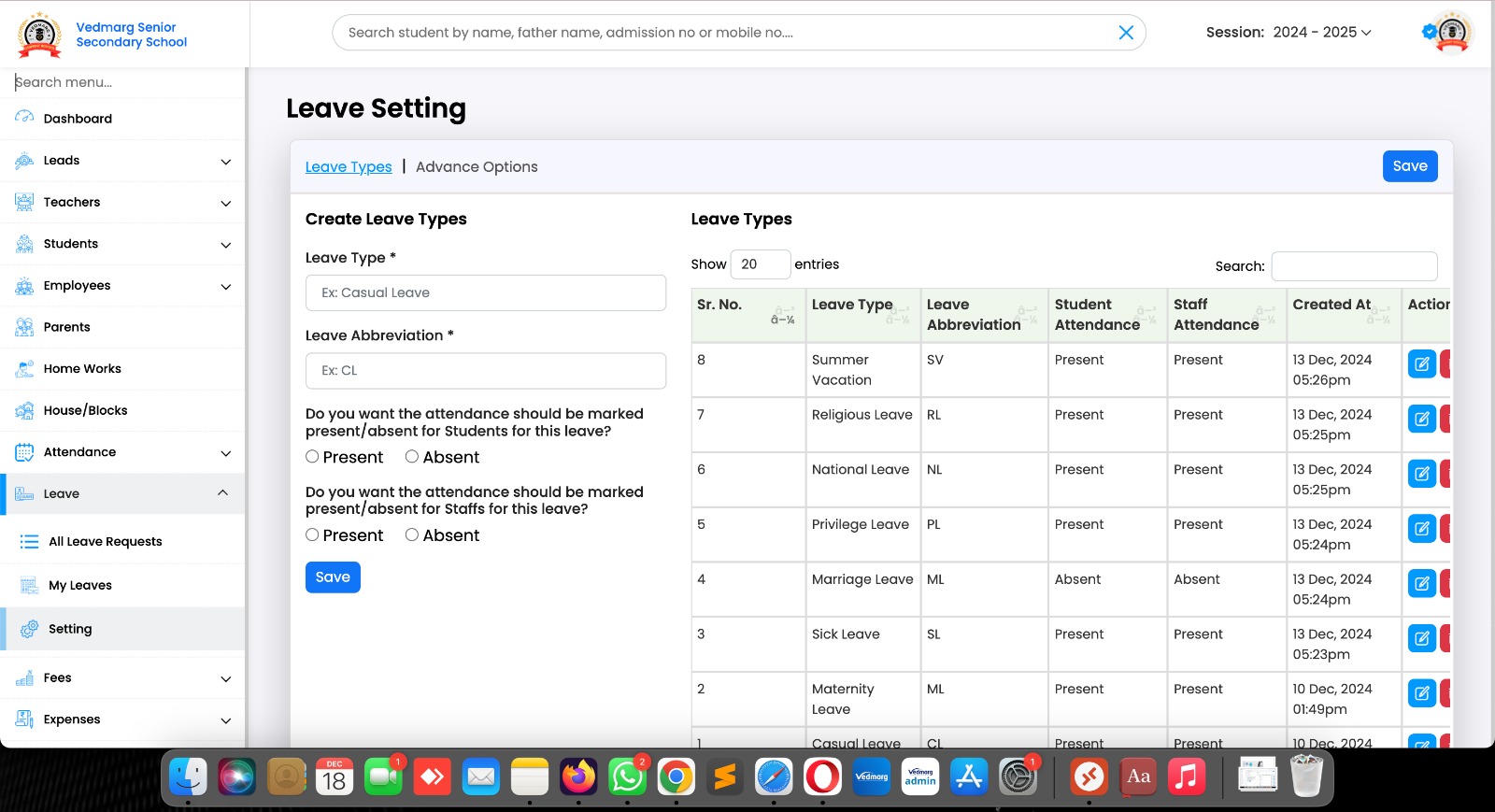
Now, students, teachers can apply for leaves using their mobile apps (Android & iOS).
This feature is available for everyone.
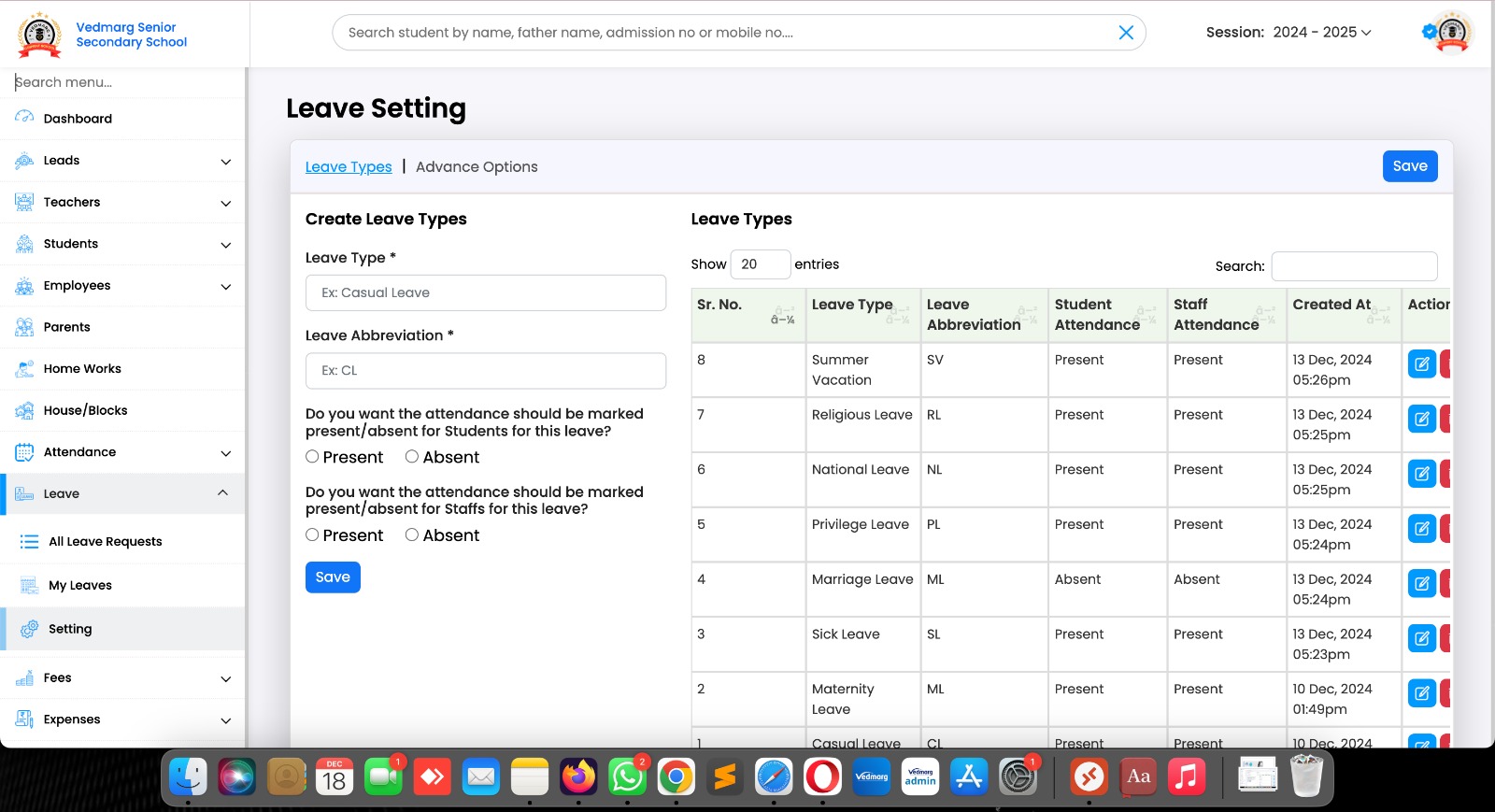
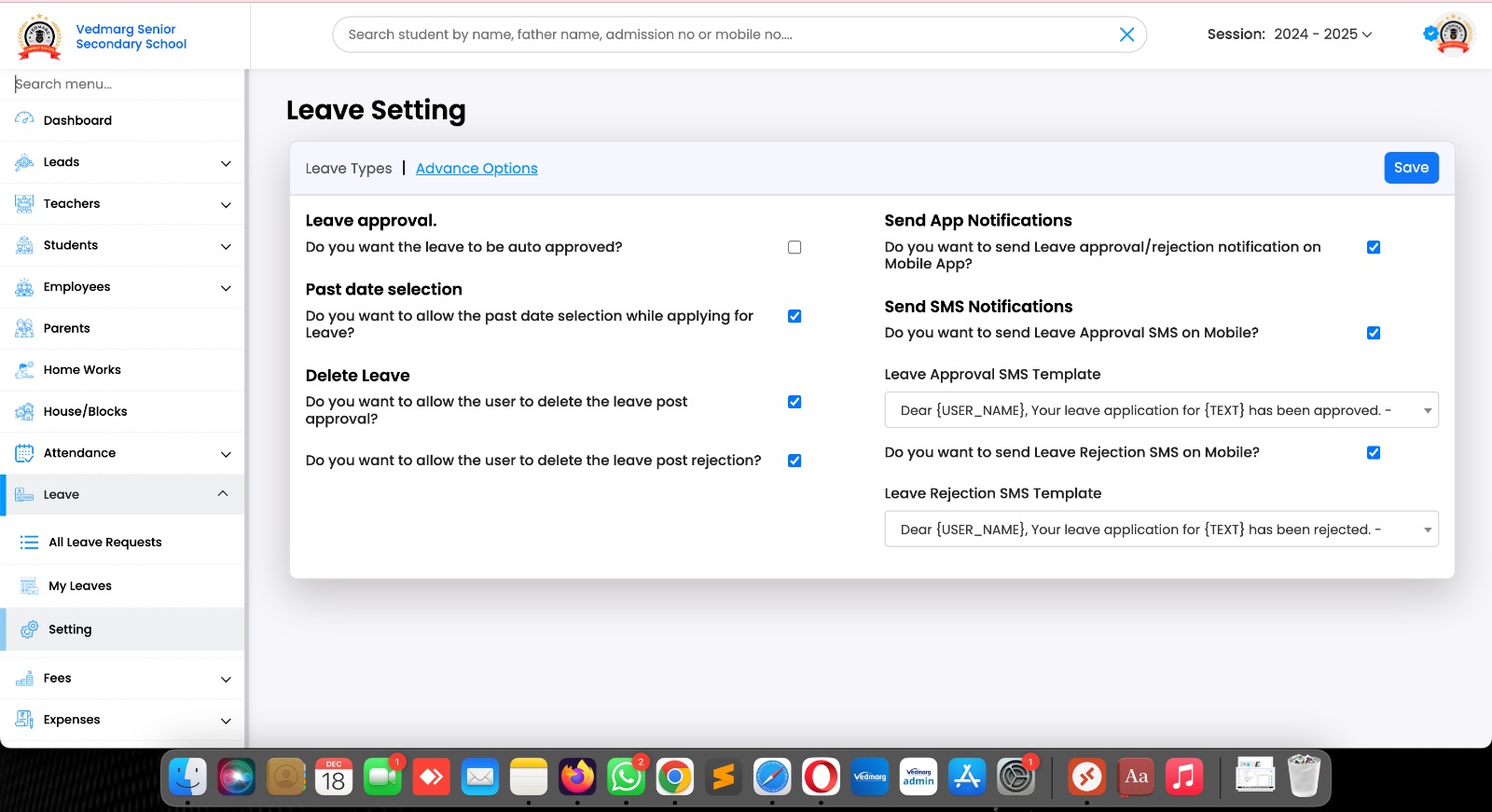
First of all, admin need to create/manage leads and setup the basic things as shown in the picture.
Complete video: https://www.youtube.com/watch?v=HEDMElwuhNw
13. In the advanced options, here are some additional settings to manage as per your requirements
Also, you can select the SMS templates (hindi, english) for leave approval and rejection.
Free app notifications also available.
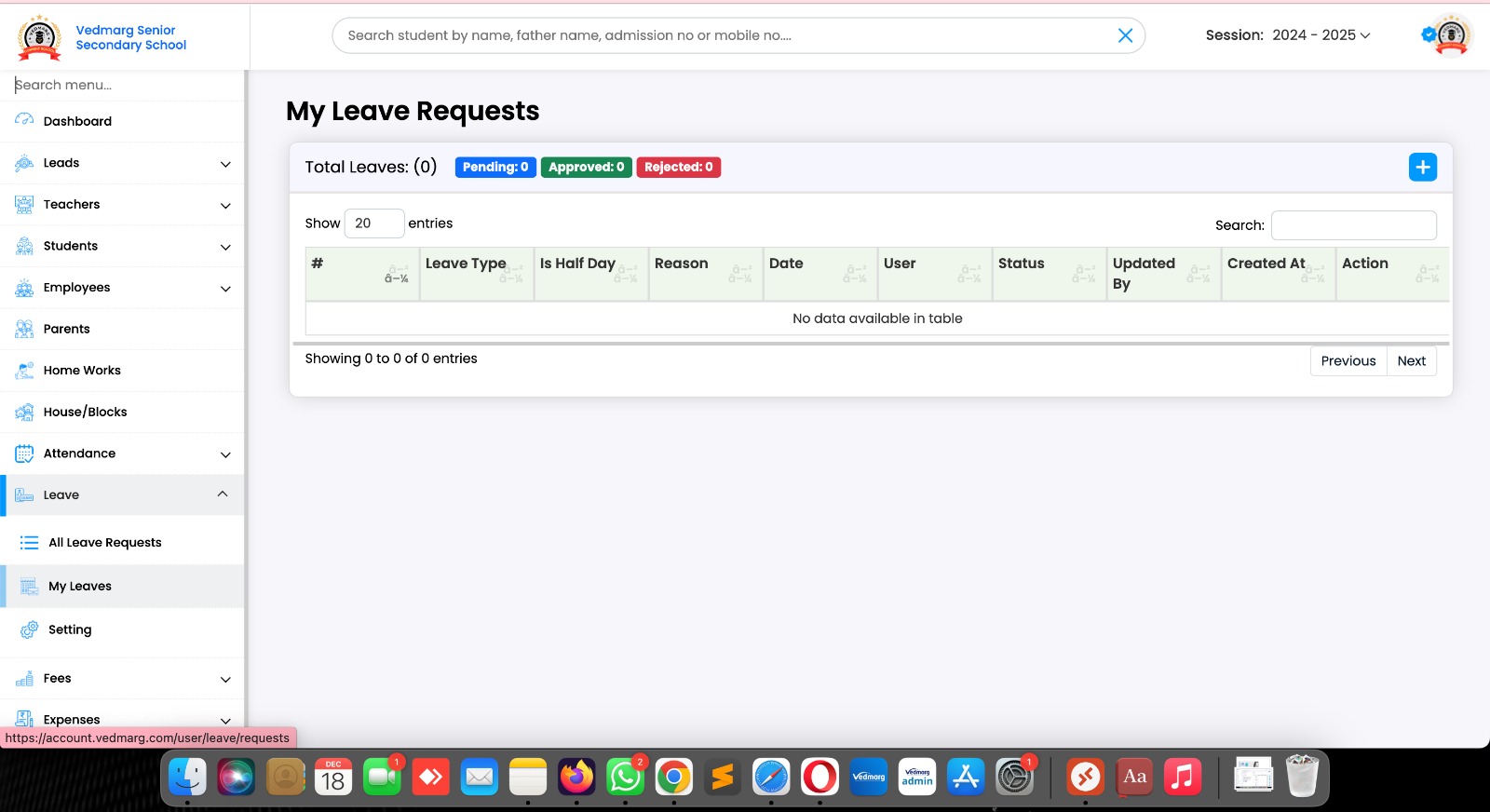
14. Employees can apply for leaves through thier ERP using the leave options.
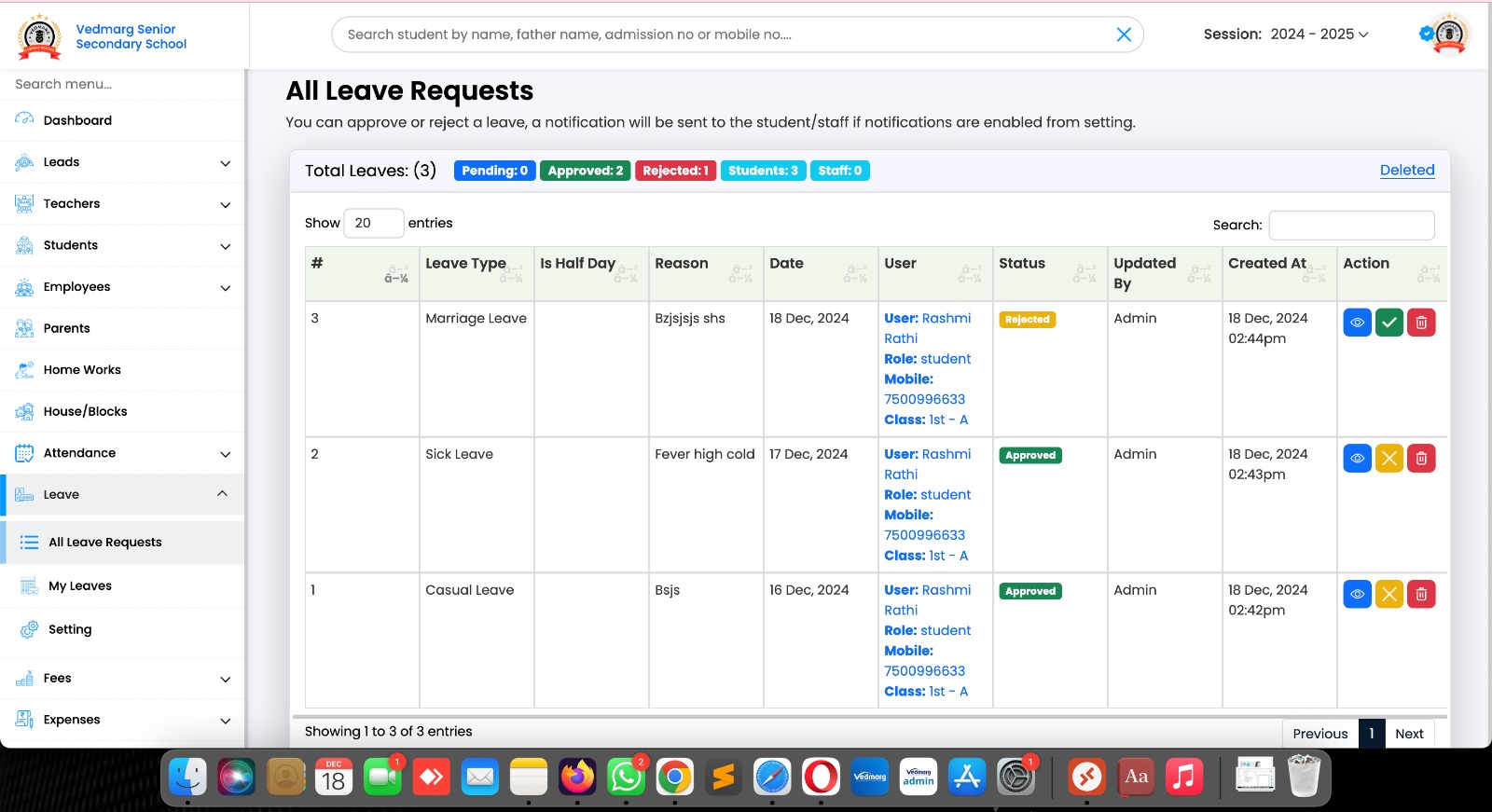
15. Here, all the leaves are showing to admin/authorised person. They can approve, reject leaves.
To reject a leave, a remark is required.
Here, you can filter and search the requests using the options available on the same page.
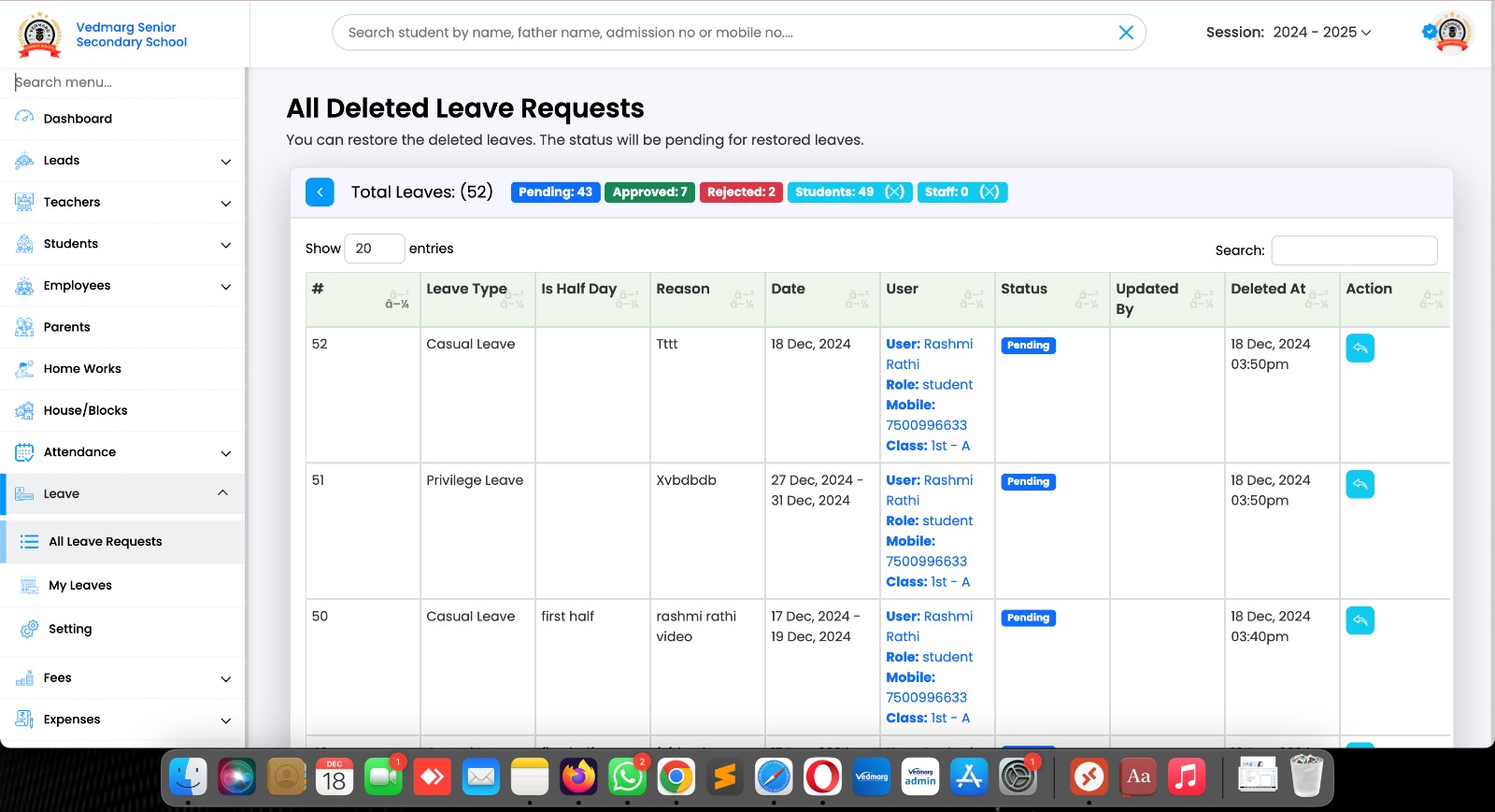
16. If any leave is deleted by mistake, admin can restore the leave using the restore button.

Awards

States

ISO Certified

Schools & Colleges

Teachers

Students