





Managing students, staff, and academic data becomes challenging as educational institutions grow. Custom Tags Management Software for schools, colleges, and institutes helps administrators organize records intelligently, apply smart filters, and take faster decisions without confusion.
Important Topics
Vedmarg provides a powerful custom tags management feature inside its education ERP system, allowing institutions to categorize students and staff based on unlimited parameters such as admission status, fee status, transport usage, performance, or internal administrative needs.

What Is Custom Tags Management in School ERP?
Custom tags management is a feature in school and college management software that allows administrators to create labels (tags) and assign them to students, staff, or records.
These tags act as smart identifiers, helping institutions:
-
Filter specific groups instantly
-
Perform targeted communication
-
Generate quick reports
-
Improve administrative efficiency
Instead of searching manually, admins can simply click a tag and access the exact data they need.
How to Create a CBSE Marksheet on Vedmarg School ERP Software?
Why Schools, Colleges & Institutes Need Custom Tags?
-
Faster Data Filtering
Custom tags allow instant filtering of students or staff based on predefined criteria such as fee defaulters, new admissions, transport users, or exam batches.
-
Better Administrative Control
School administrators can manage large datasets with clarity, reducing errors and saving hours of manual work.
-
Smarter Decision Making
Tags help institutions analyze trends, identify problem areas, and make informed academic or financial decisions.
Custom Tags Management Software For Schools
You can manage all these categories with tag management in Vedmarg software. Vedmarg is a software that runs perfectly in schools, colleges, and institutes. It allows you to assign multiple tags to a student and filter them.
Features of Custom Tags Management Software
-
Create unlimited custom tags for students and staff
-
Assign multiple tags to a single student or employee
-
Filter students by admission status, fees, transport, or academics
-
Use tags for targeted messaging and notifications
-
Export tagged data for reports and analysis
-
Fully integrated with Vedmarg School ERP
How Vedmarg Helps Manage Tags Efficiently
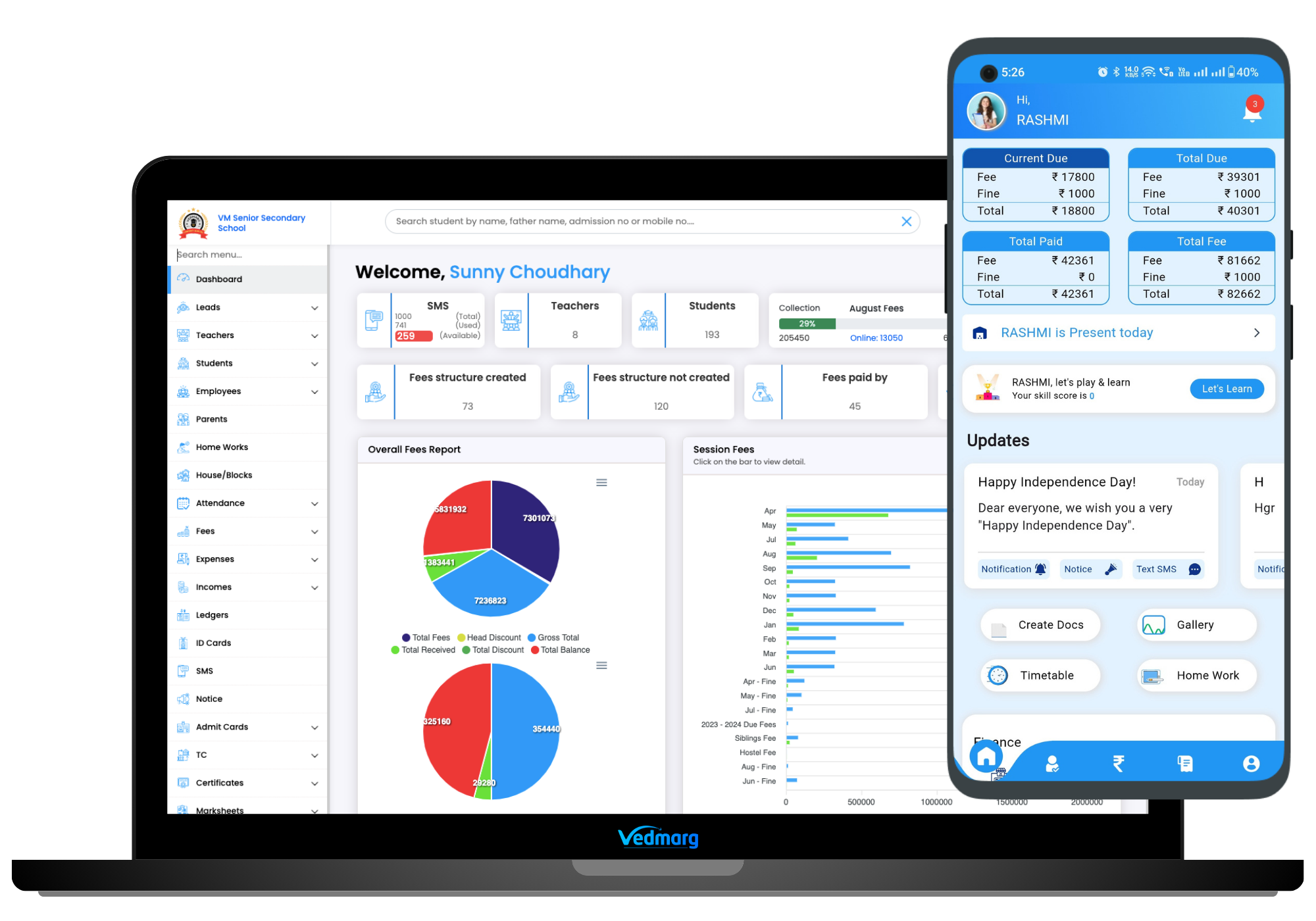
Vedmarg’s education ERP provides a centralized dashboard where administrators can:
-
Create and manage tags in seconds
-
Assign tags while admission or record updates
-
Filter tagged data across modules
-
Export tagged lists for reporting
-
Send targeted messages using tags
This reduces dependency on spreadsheets and manual tracking.
How To Create Custom Tags in School/College ERP Software
To create tags, go to Tags in the Main menu.
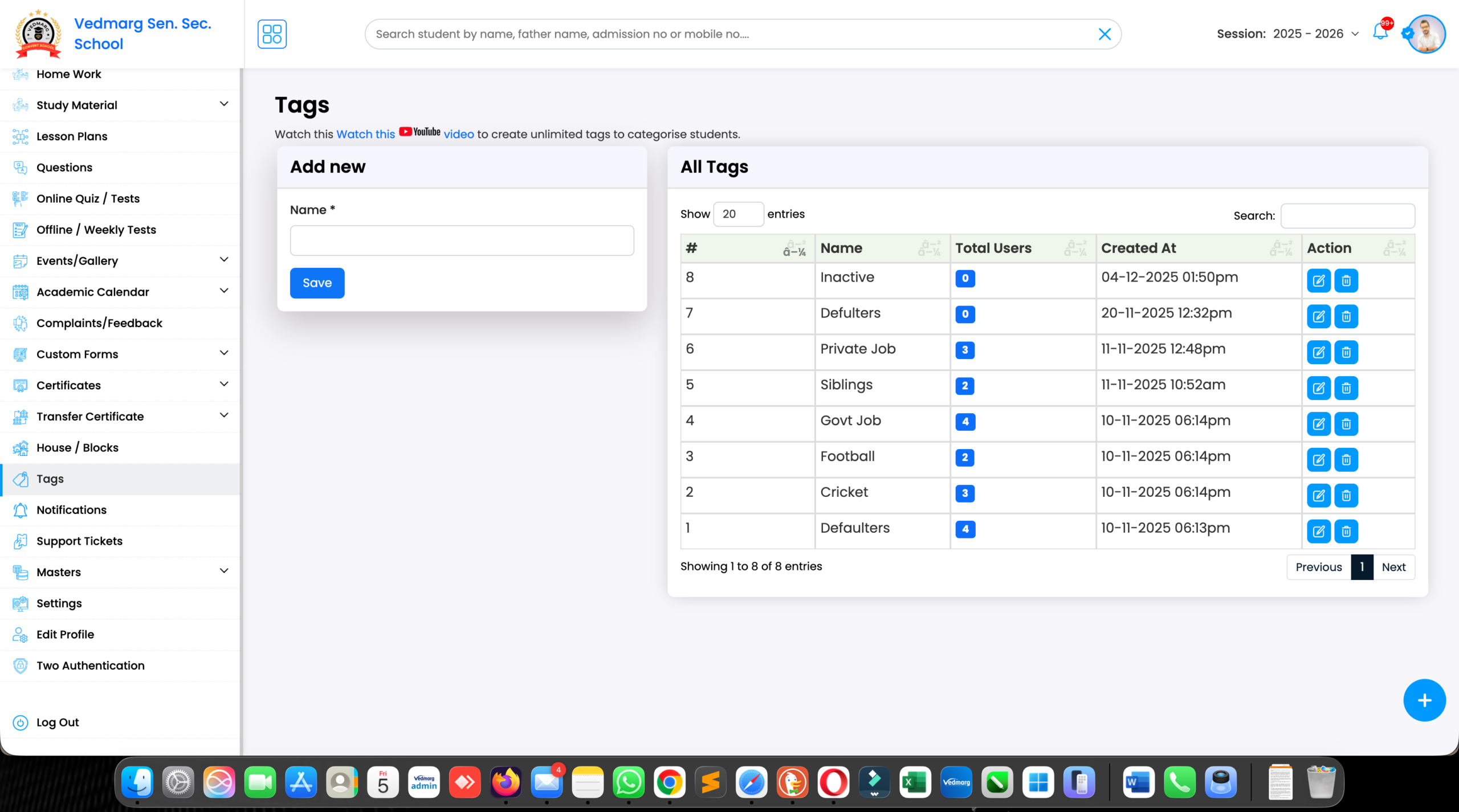
Here, you can enter the tag name as per your choice. You can create unlimited tags here.
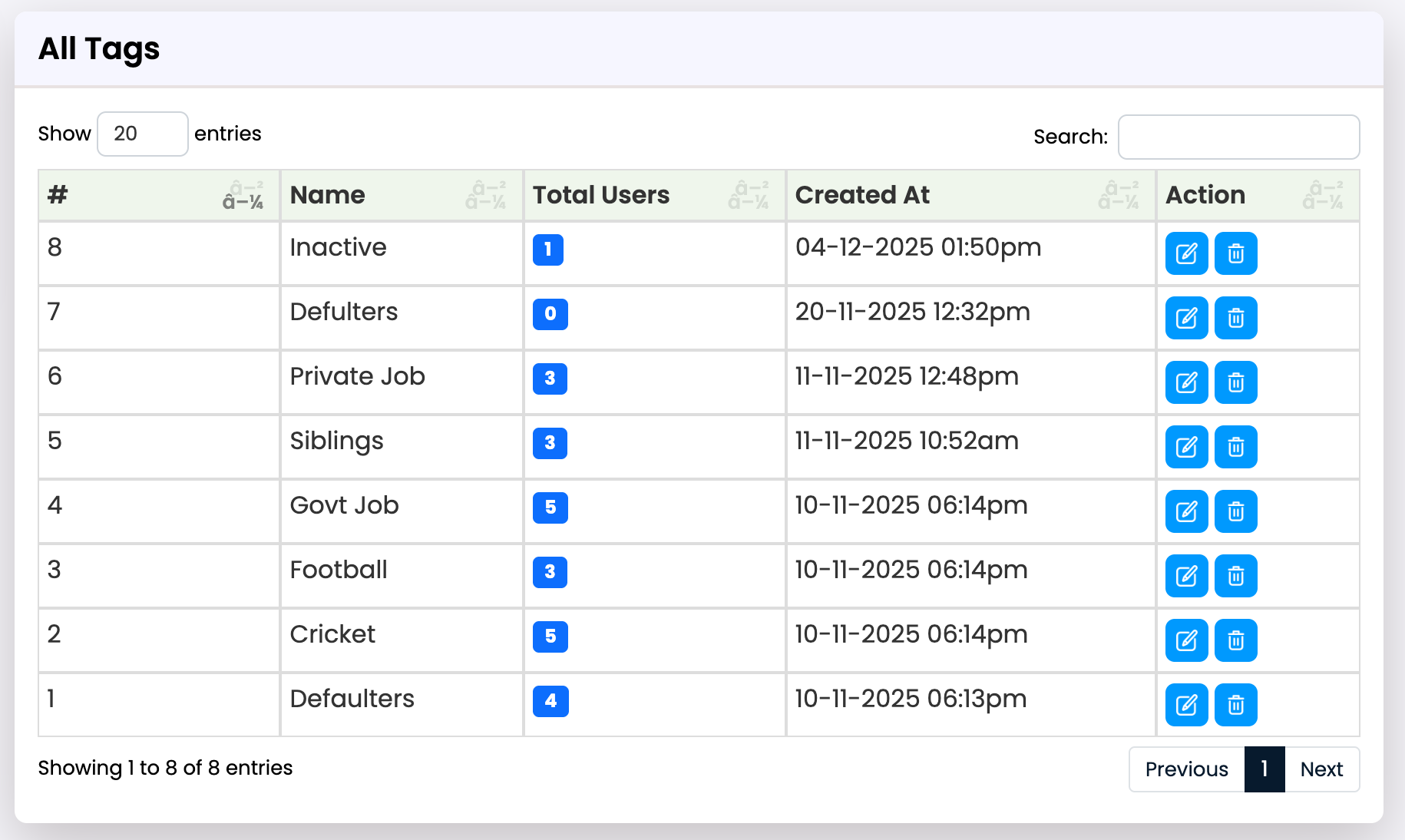
Here, you will also see the number of students assigned to the tags. From here, you can filter by clicking on the number.
How to Setup Transport Fee in Transport Management System
How To Assign Custom Tags to Students – College ERP Software
After creating tags, you will go to All Students. Here, you’ll notice a new column labeled “Tags” next to “Fees.” You can assign tags by clicking the blue icon here. 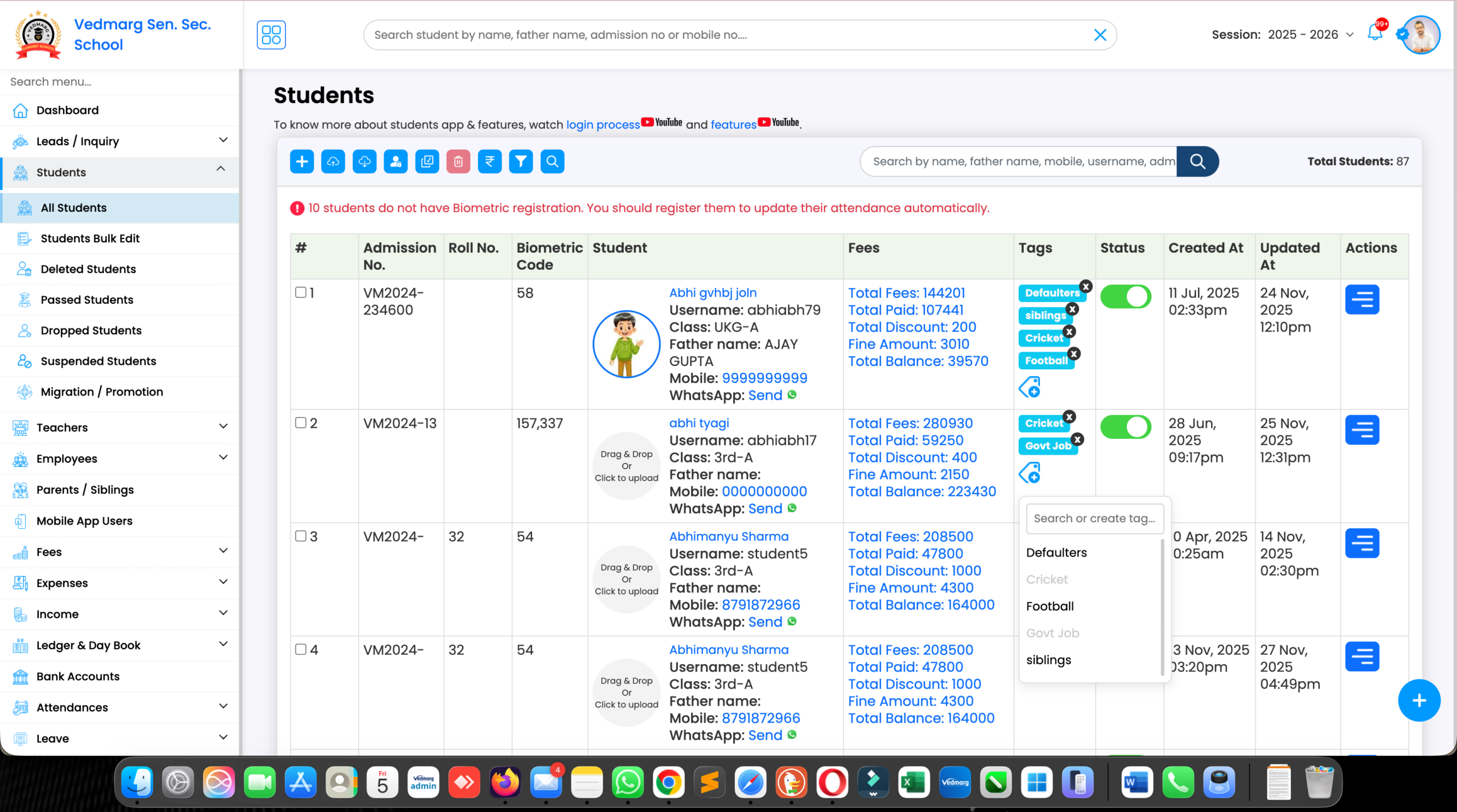
A list of all the tags you’ve created appears. If you want to assign a tag that isn’t listed, type it here. The “Create” option appears.
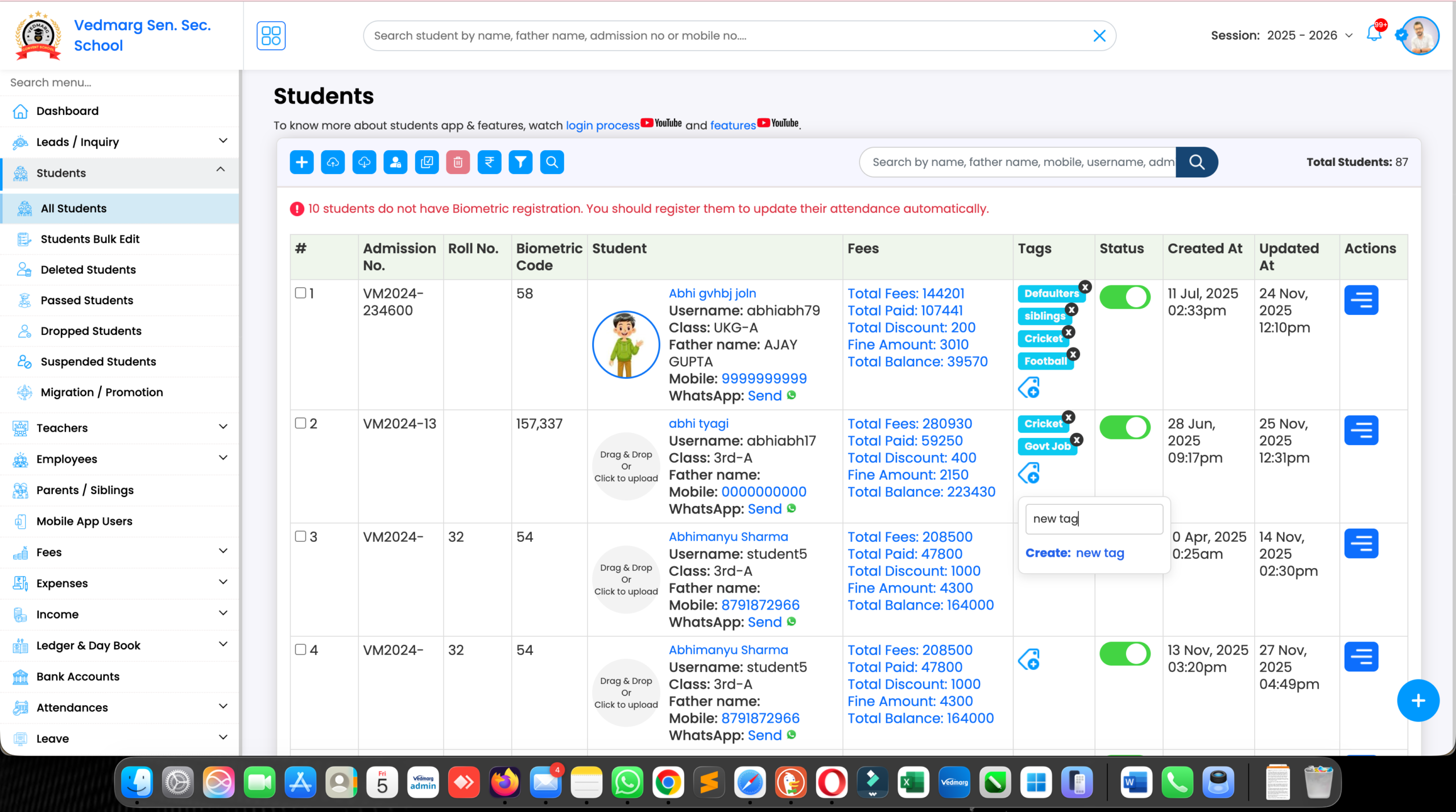
This way, you can create tags directly from here. You can assign more than one tag to a student.
How To Remove Custom Tags From Students – Institute Management Software
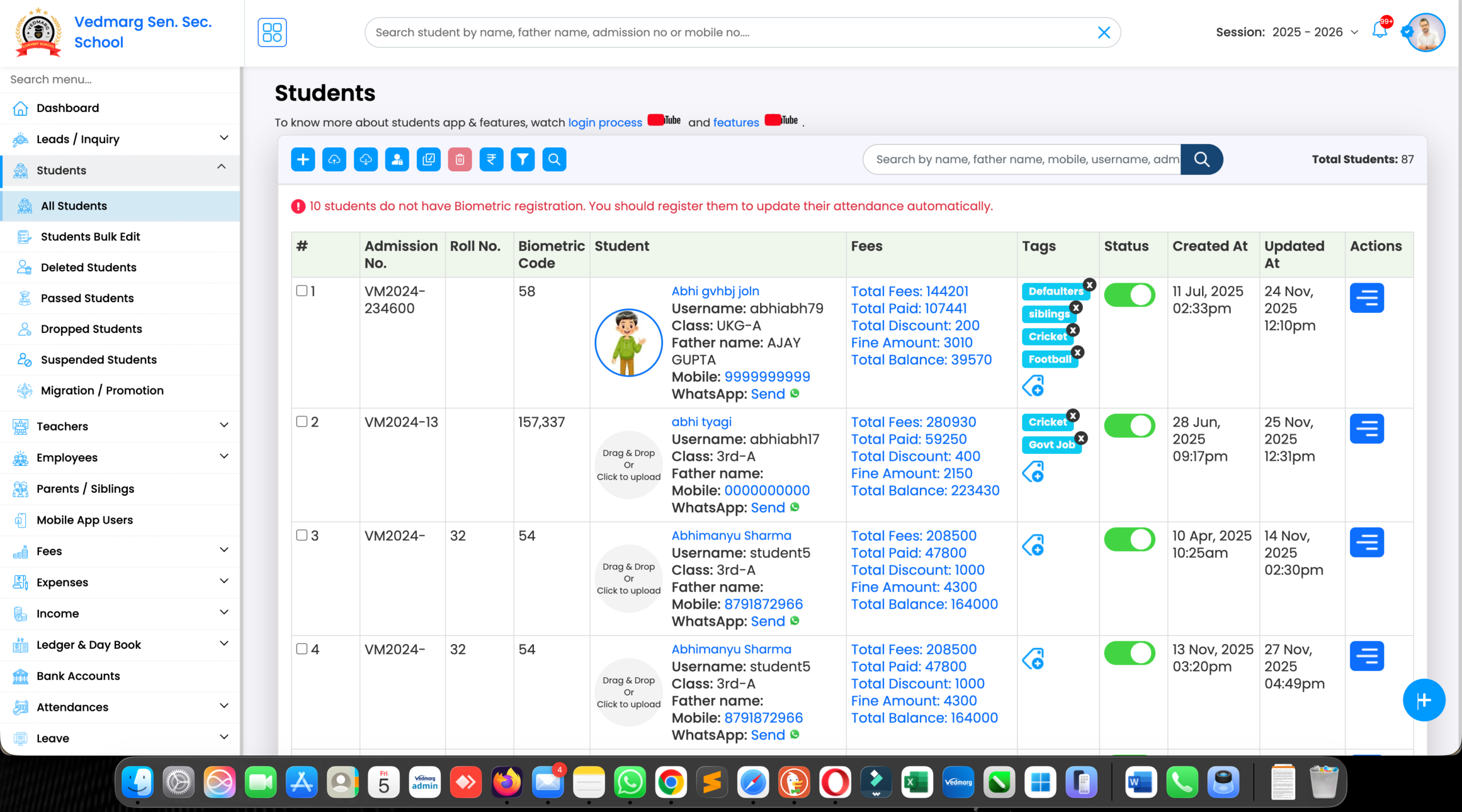
If you want to remove a tag from a student, you can do so directly from here.
How To Filter Students With Custom Tags
Now, if you want to filter students by tags, click “Filter” and select a tag under “Tags.” Then, click “Filter.”
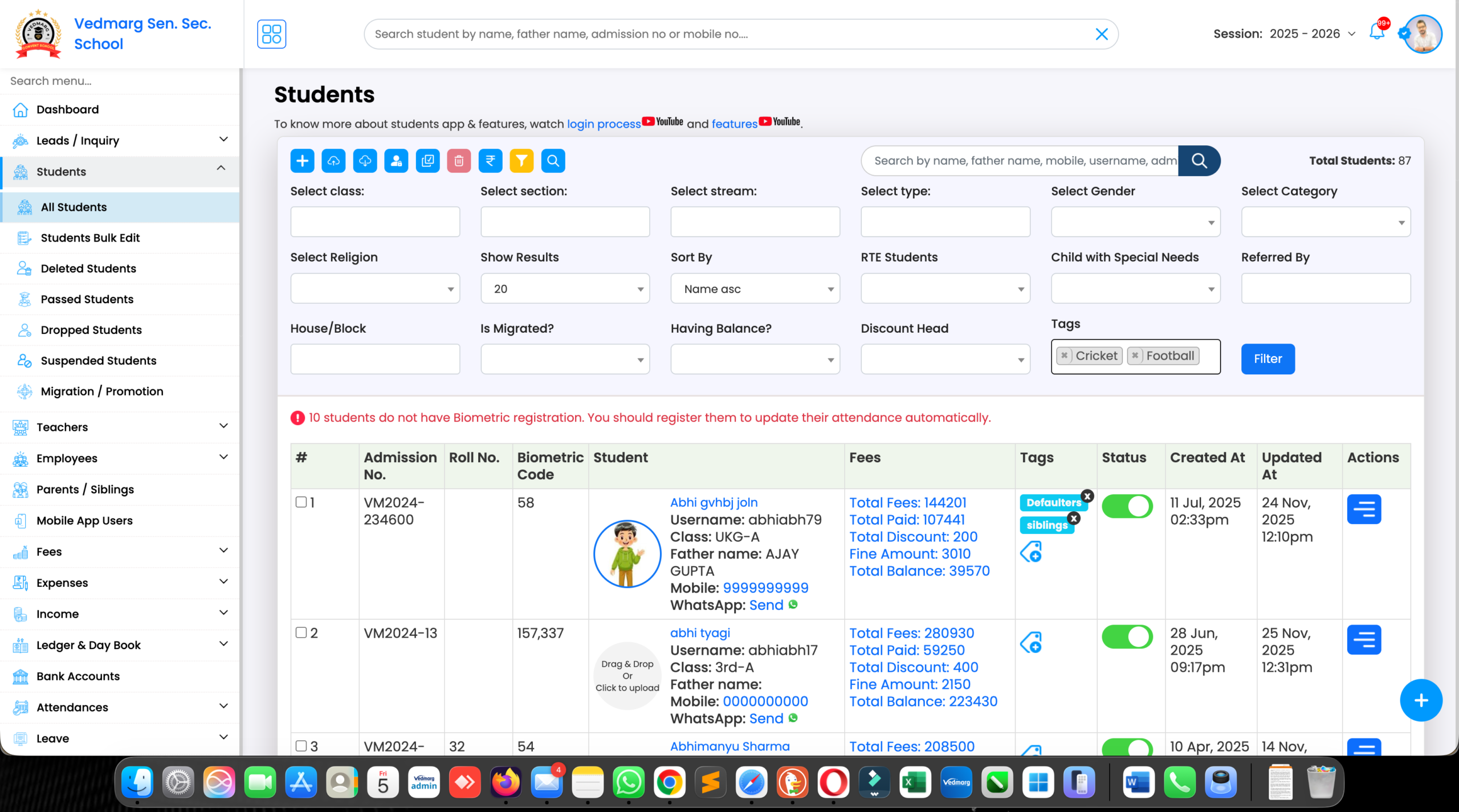
Similarly, you can apply other filters.
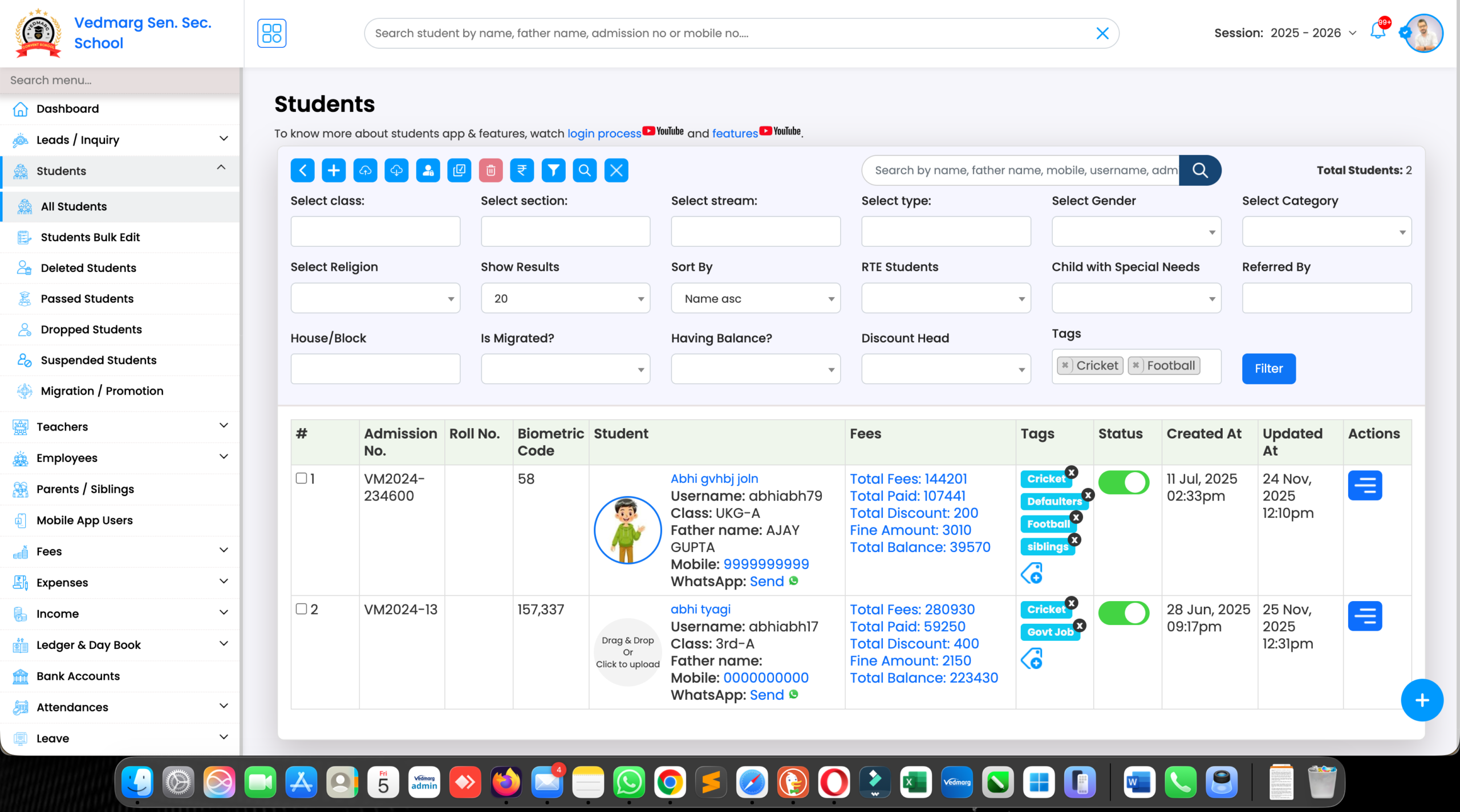
If you want to print or download the Excel file, all those options are already available here.
How To Filter Fee Defaulters Using Tags
If you’ve created tags that will help you with fee collection, click “Filter.”
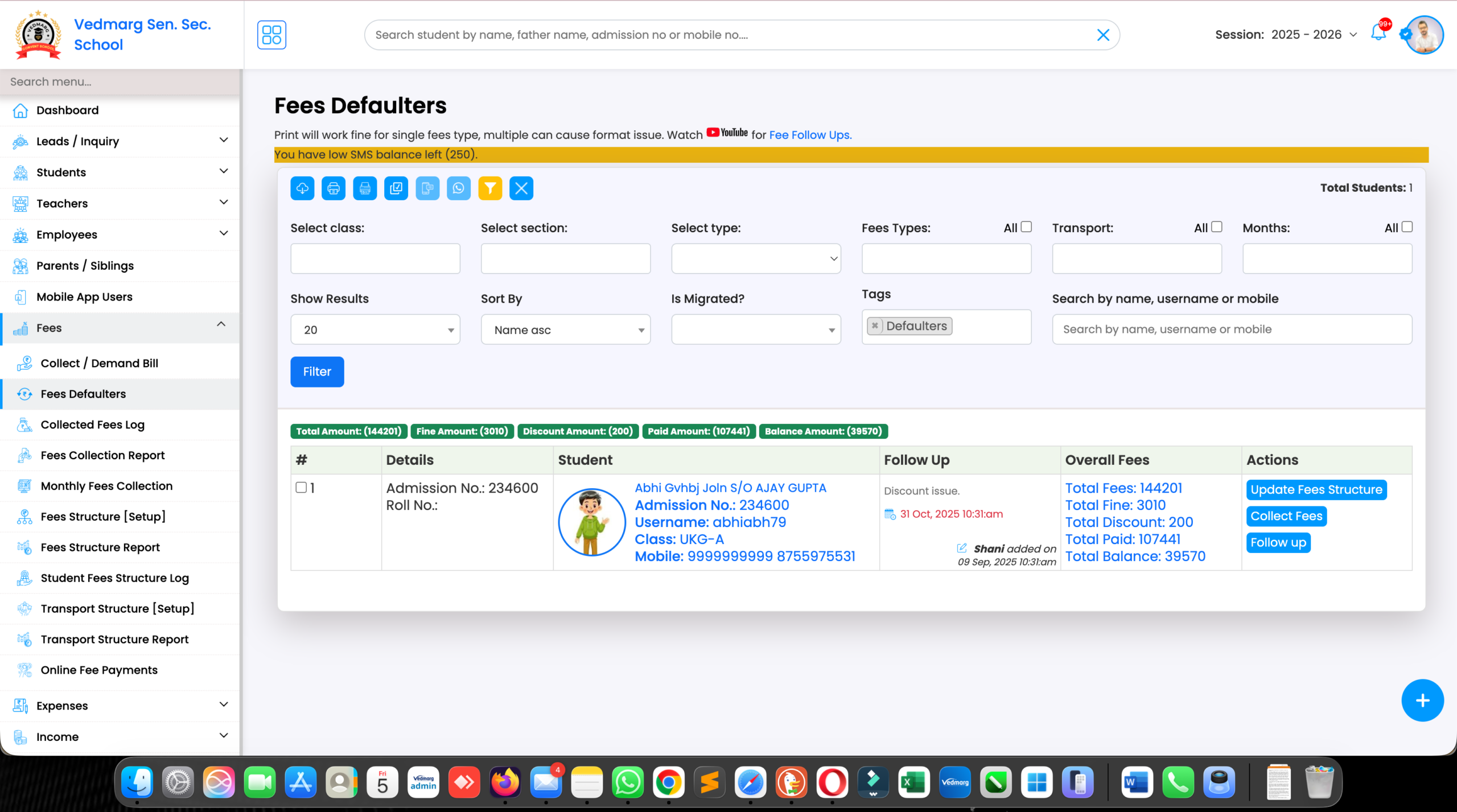
You can then go to Fee Defaulters and filter by tags, as well as apply other filters. If you want to print or Excel reports for these students, you have all the options for that.
FAQ – Frequently Asked Questions
Q1. What is custom tags management in school software?
Custom tags management allows schools to label students, staff, or records for easy filtering, tracking, and reporting.
Q2. How are custom tags useful in school ERP systems?
Tags help schools quickly identify fee defaulters, new admissions, transport users, exam batches, and more.
Q3. Can multiple tags be assigned to one student?
Yes, Vedmarg allows assigning multiple custom tags to a single student or staff member.
Q4. Is custom tags management available for colleges and institutes?
Yes, Vedmarg supports schools, colleges, coaching centers, and educational institutes.
Why Choose Vedmarg for Custom Tags Management?
Vedmarg is a modern education ERP software designed to simplify school and college operations. With smart tagging, automation, and powerful filtering, institutions gain complete control over their data.
👉 Request a free demo today and experience intelligent school management with Vedmarg.