





Important Topics
Vedmarg ERP provides a smart and automated HR & Payroll Software designed to streamline staff management for schools, colleges, and educational institutions. With features like biometric attendance integration, automated salary processing, leave and shift management, PF/ESI calculations, and compliance-ready payroll reports, Vedmarg helps institutions save time and avoid manual errors.
HR & Payroll Software For College, School and Institute
The software ensures smooth HR operations by maintaining accurate employee records, generating payslips instantly, and simplifying monthly payroll tasks. With a user-friendly dashboard and powerful automation tools, Vedmarg is one of the best HR & Payroll solutions for educational institutes looking to improve efficiency and accuracy.

Here is the step by step instructions to understand how it will work:
Create Salary Structures for Teachers & Employees
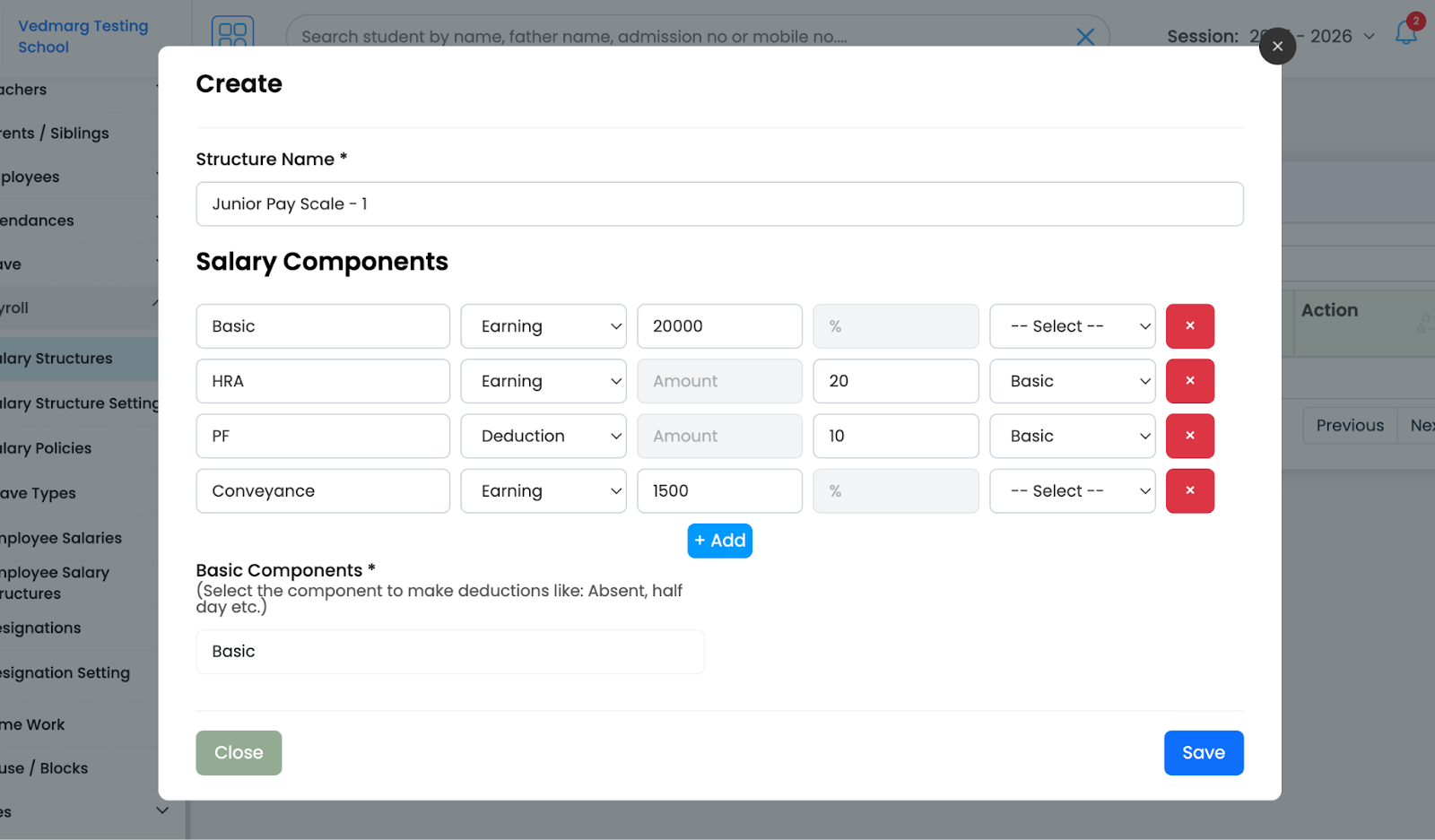
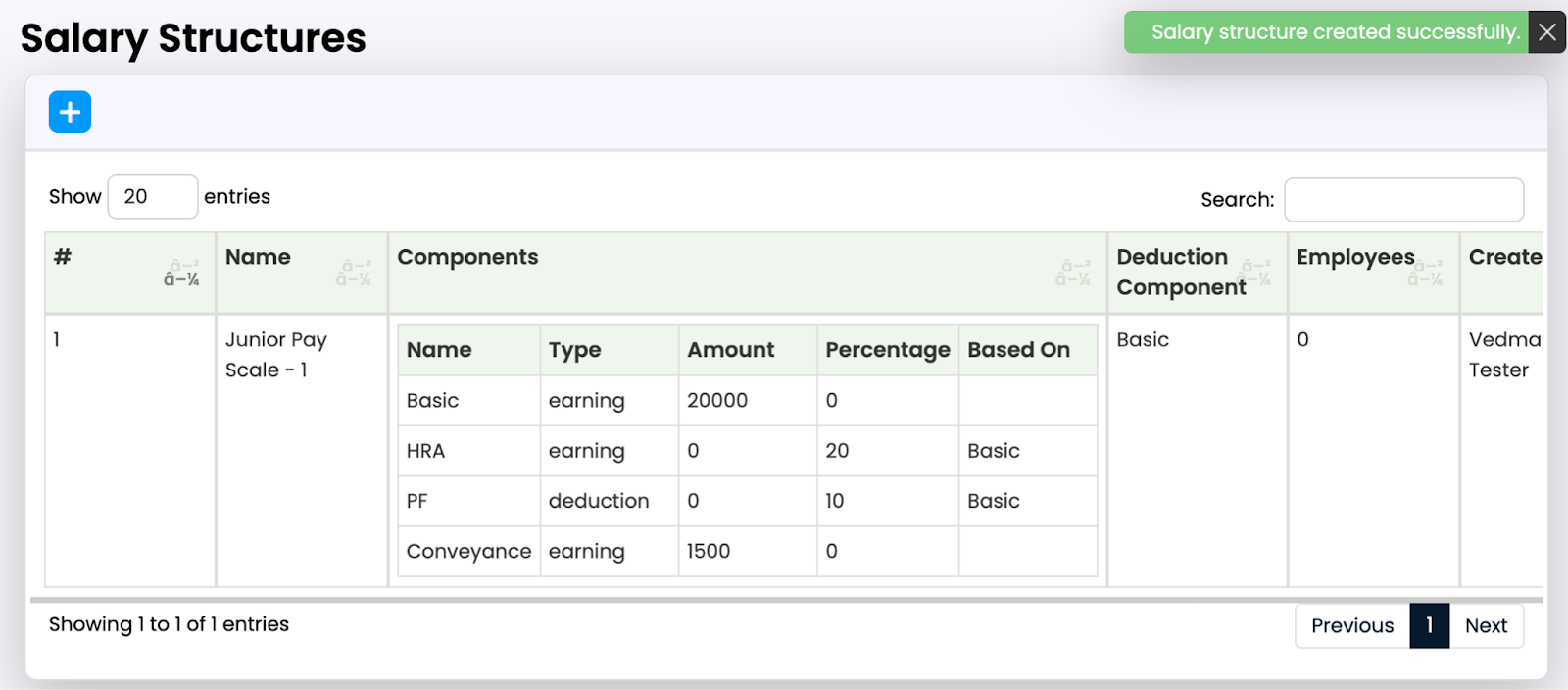
By default you will see these pre-defined components, you can change as per your salary components. You might have seen these components like Basic, HRA, PF etc that are common salary components used to calculate the salary and generate salary slip. The Basic is the main component that others work on. It’s also used to make deductions. You can add any number of components you have in your organization.
In the Basic Components dropdown, you should select the Basic component to make deductions for absent & late because Basic is the fixed salary for any employee.

Example of salary structures:
Salary Structure Setting
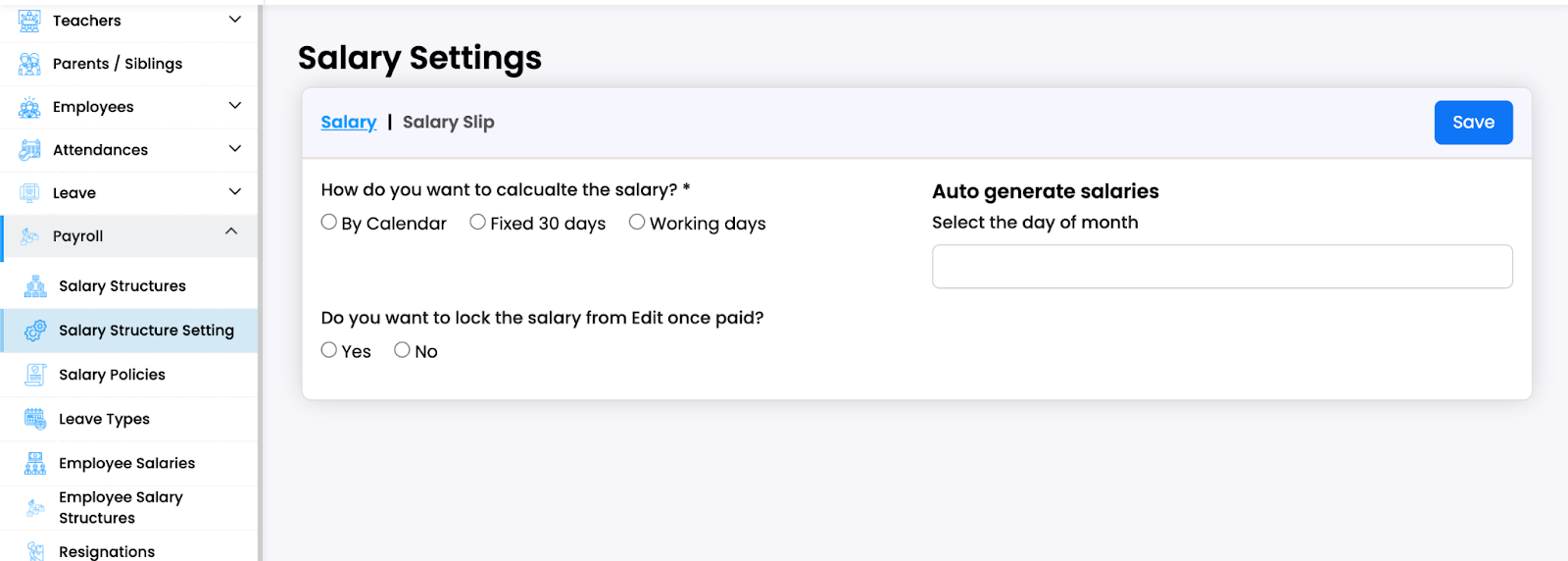
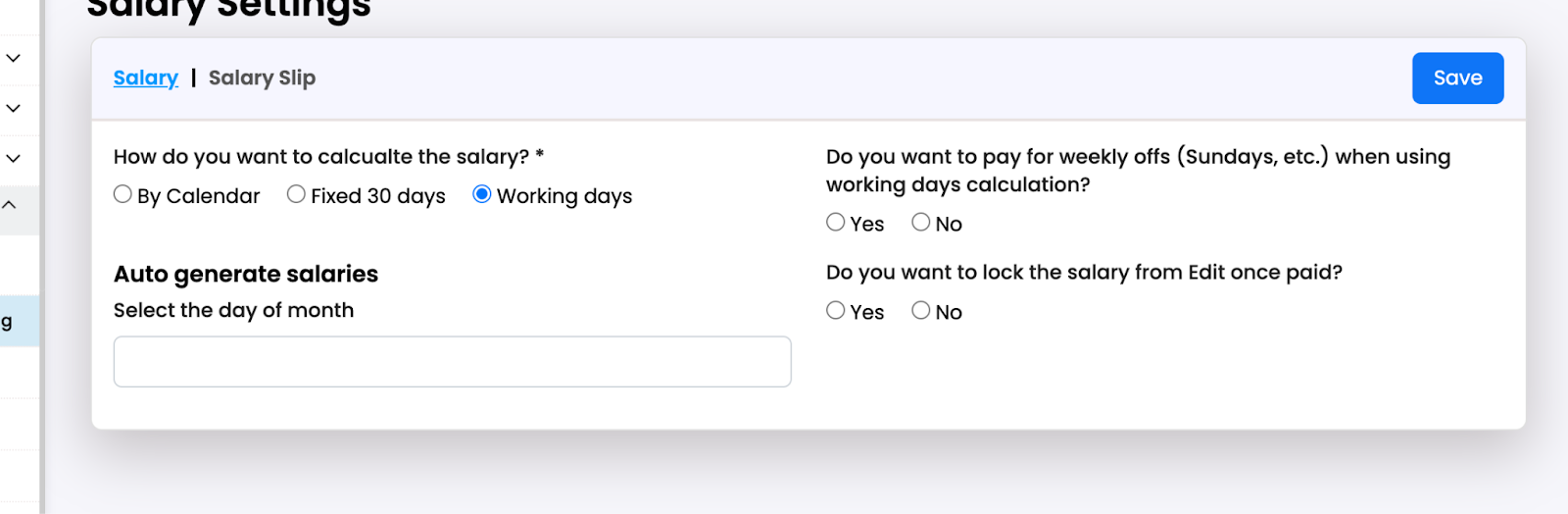
You have to update the setting and select the options as you want. Once you update the setting, the salary will generate automatically on the selected day of the month.
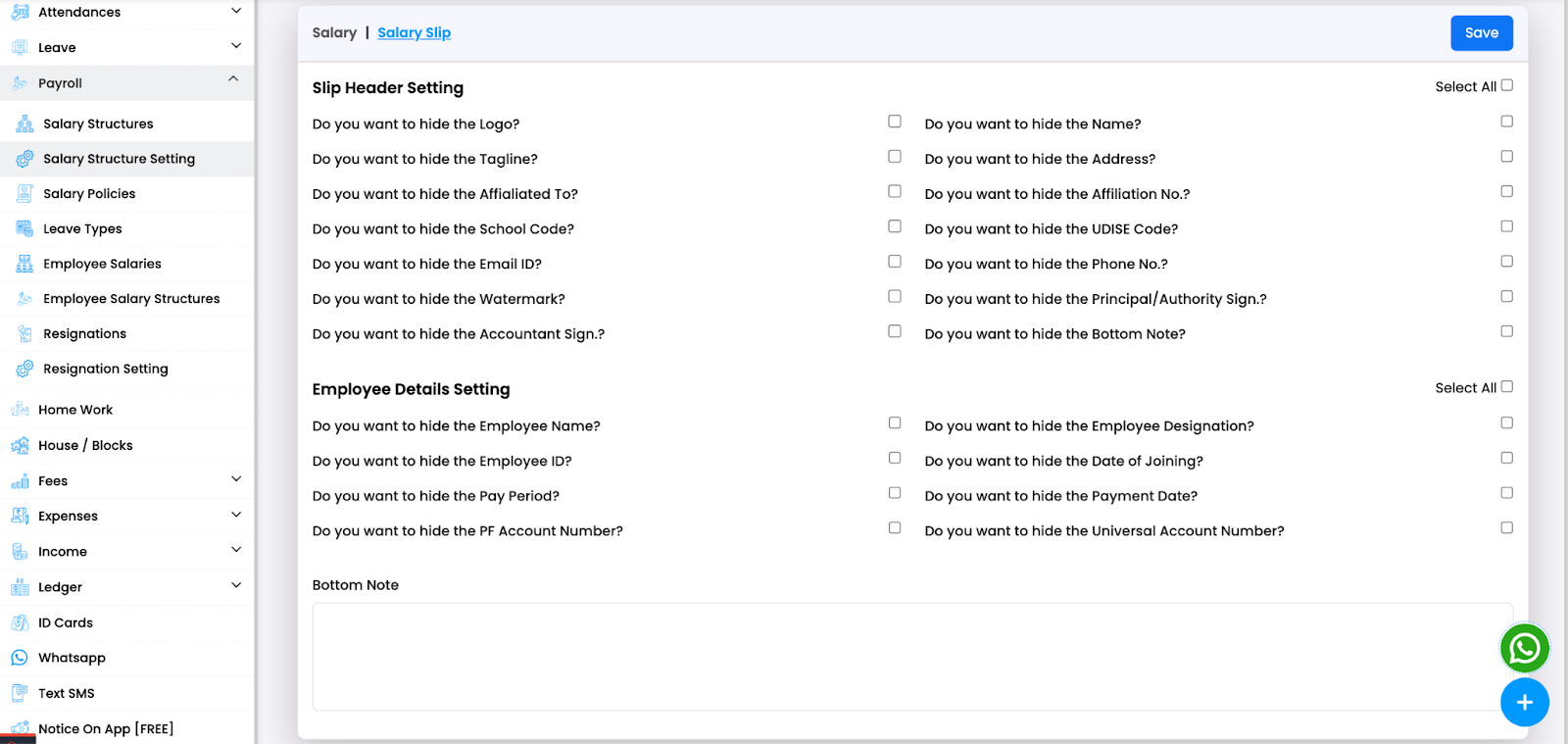
You have to update the options for the pay slip like what option you want to hide, you can select there.
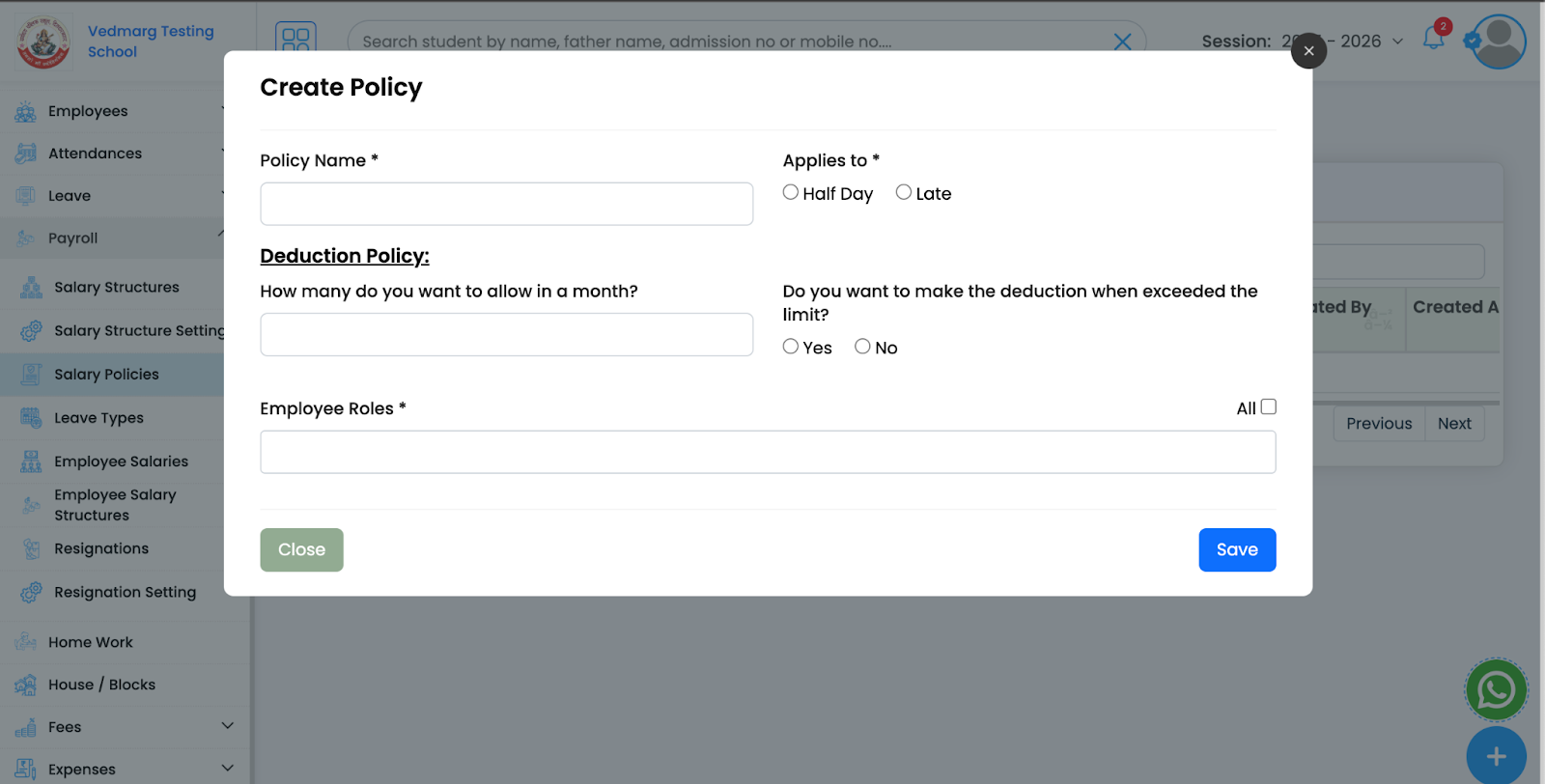
Create Salary Deduction Policy
Click on the + icon and you will see this popup. Enter the policy name and select Applies to.
You can create policies for specific roles as well.
Example of leave policy:
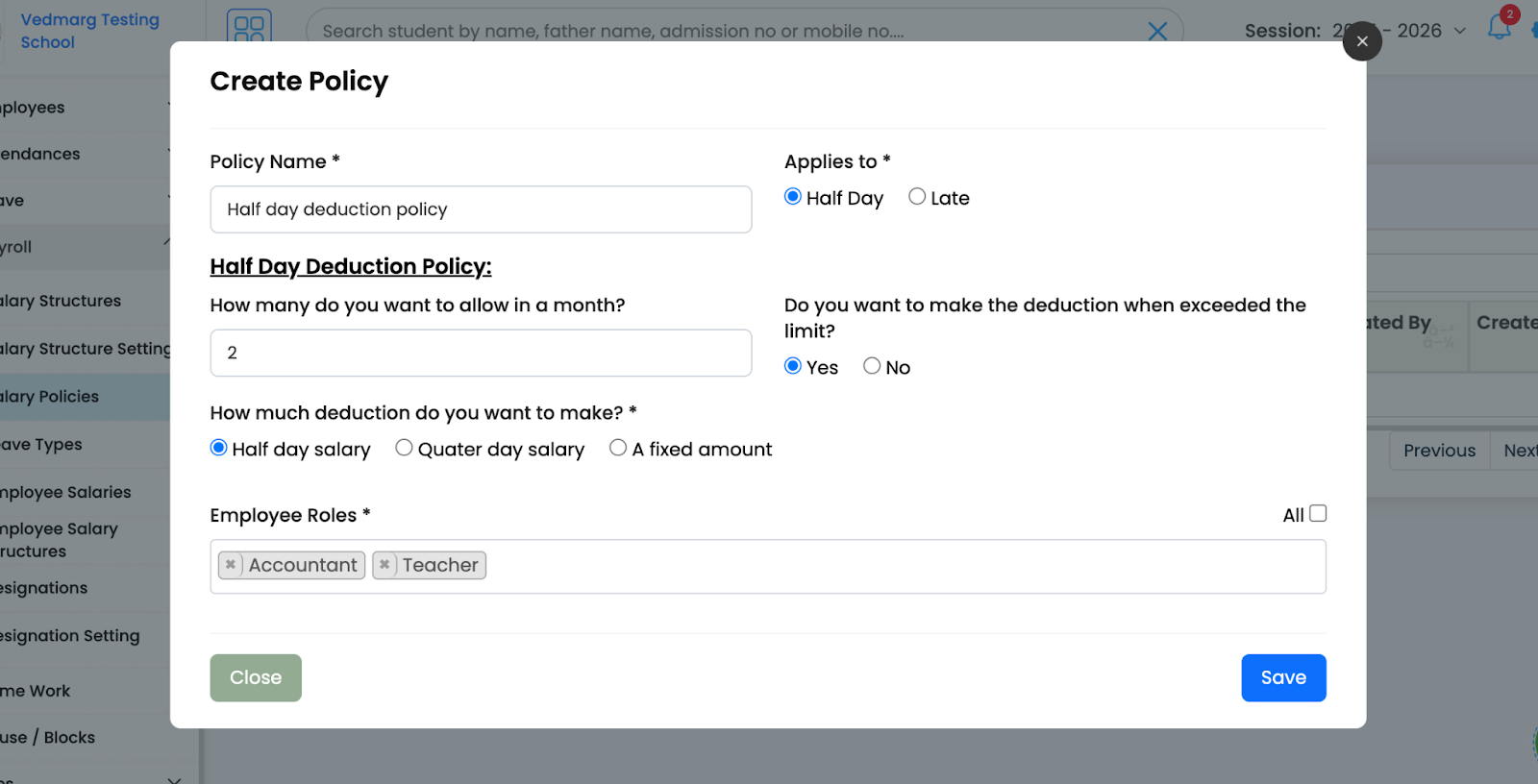
Another example of leave policy

![11 - HR Payroll Management - Setup, Features, & Use Cases [Complete Guide]](https://aws.vedmarg.com/wp-content/uploads/2025/07/11.png "11 - HR Payroll Management - Setup, Features, & Use Cases [Complete Guide]")
Create Leave Types
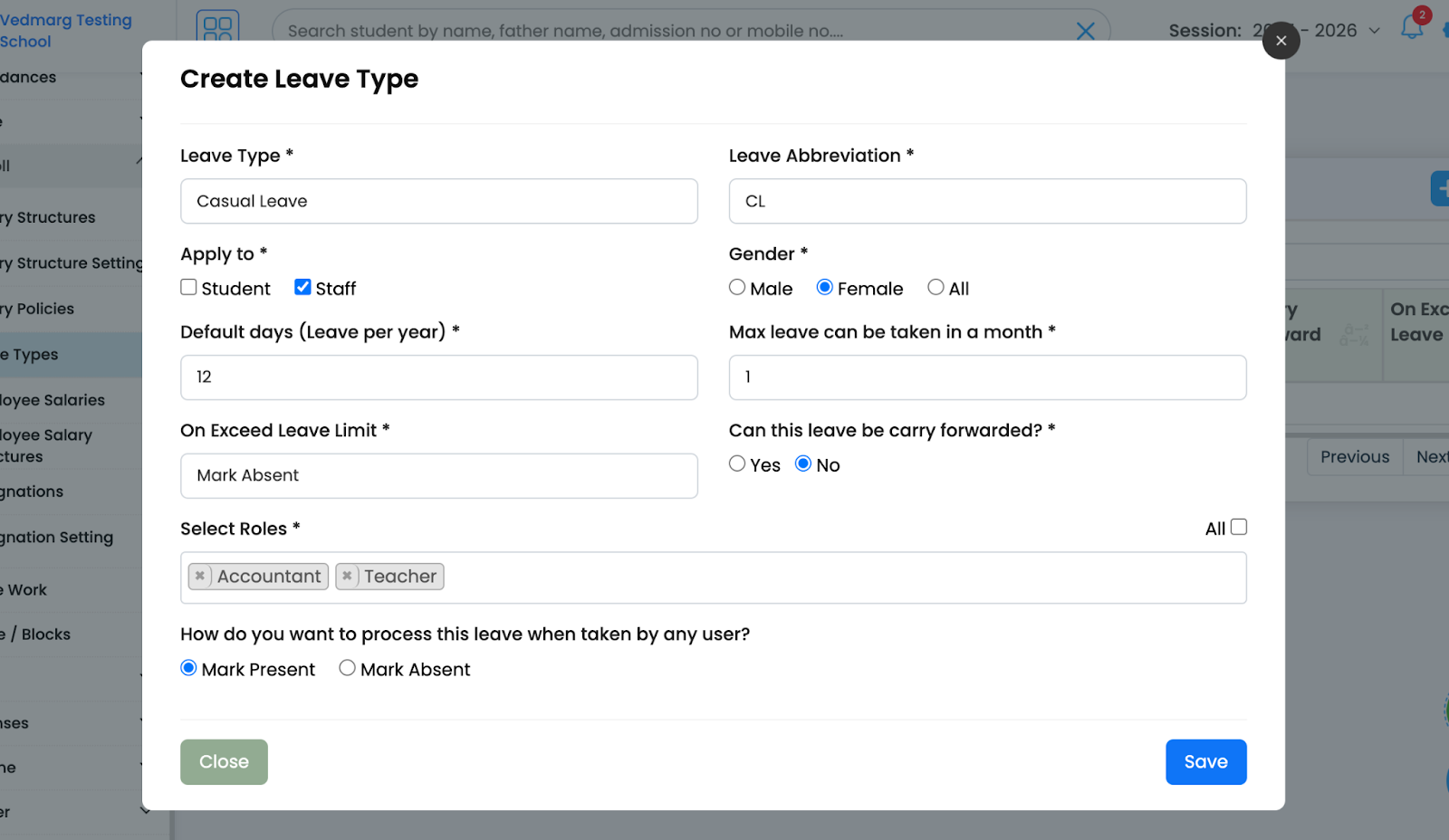
Click on the + icon, you will see this popup. You can now create separate leave types for staff and students based on gender.

When you select Staff you’ll see these fields
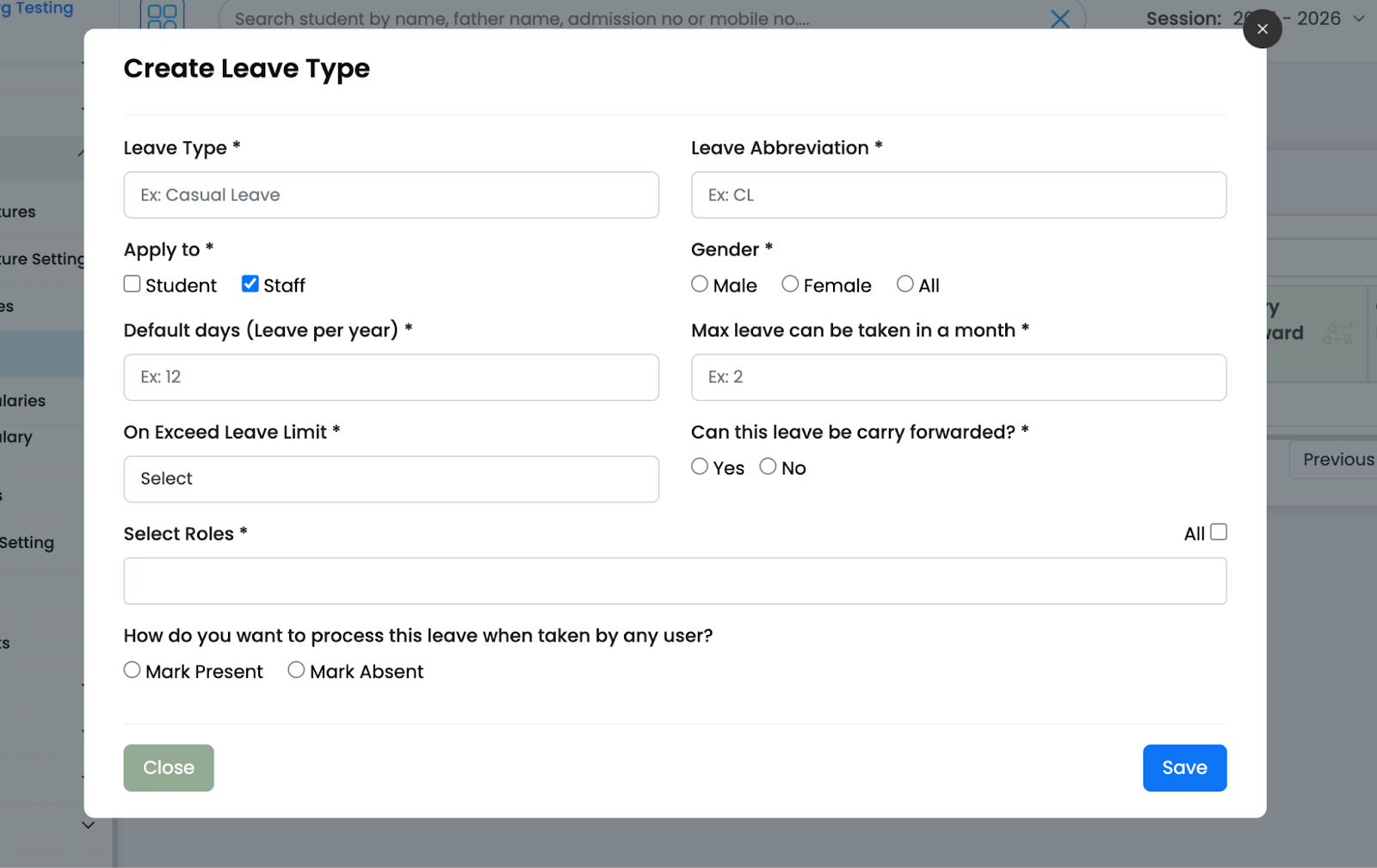
Example of leave type:
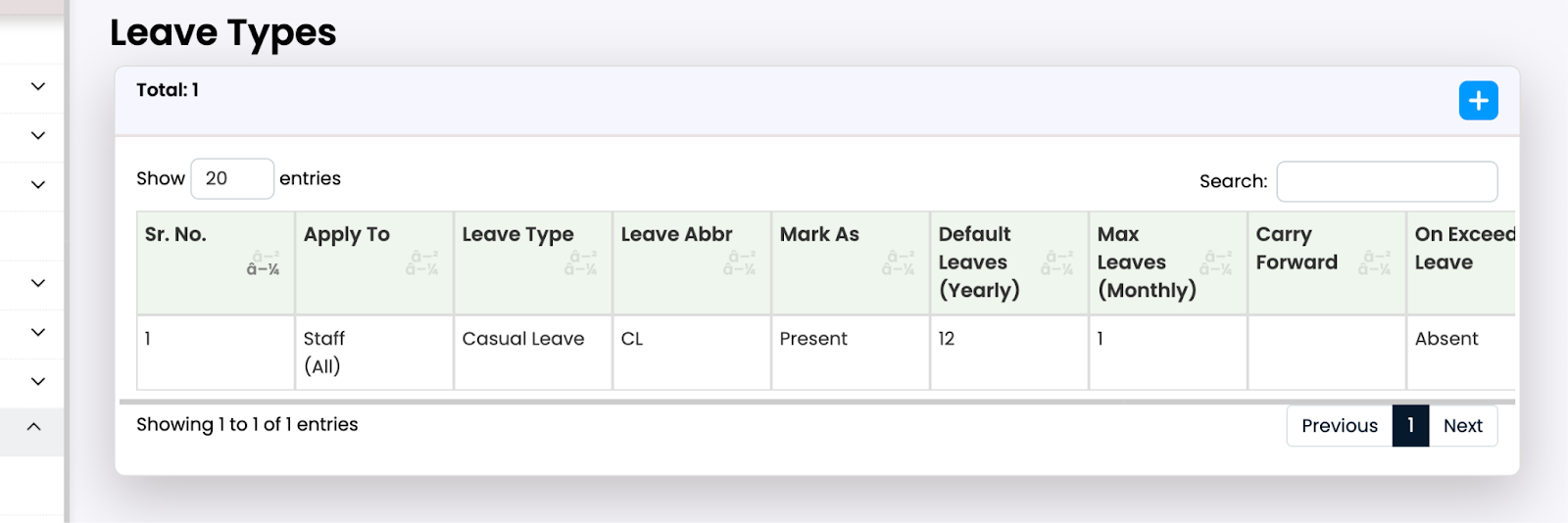
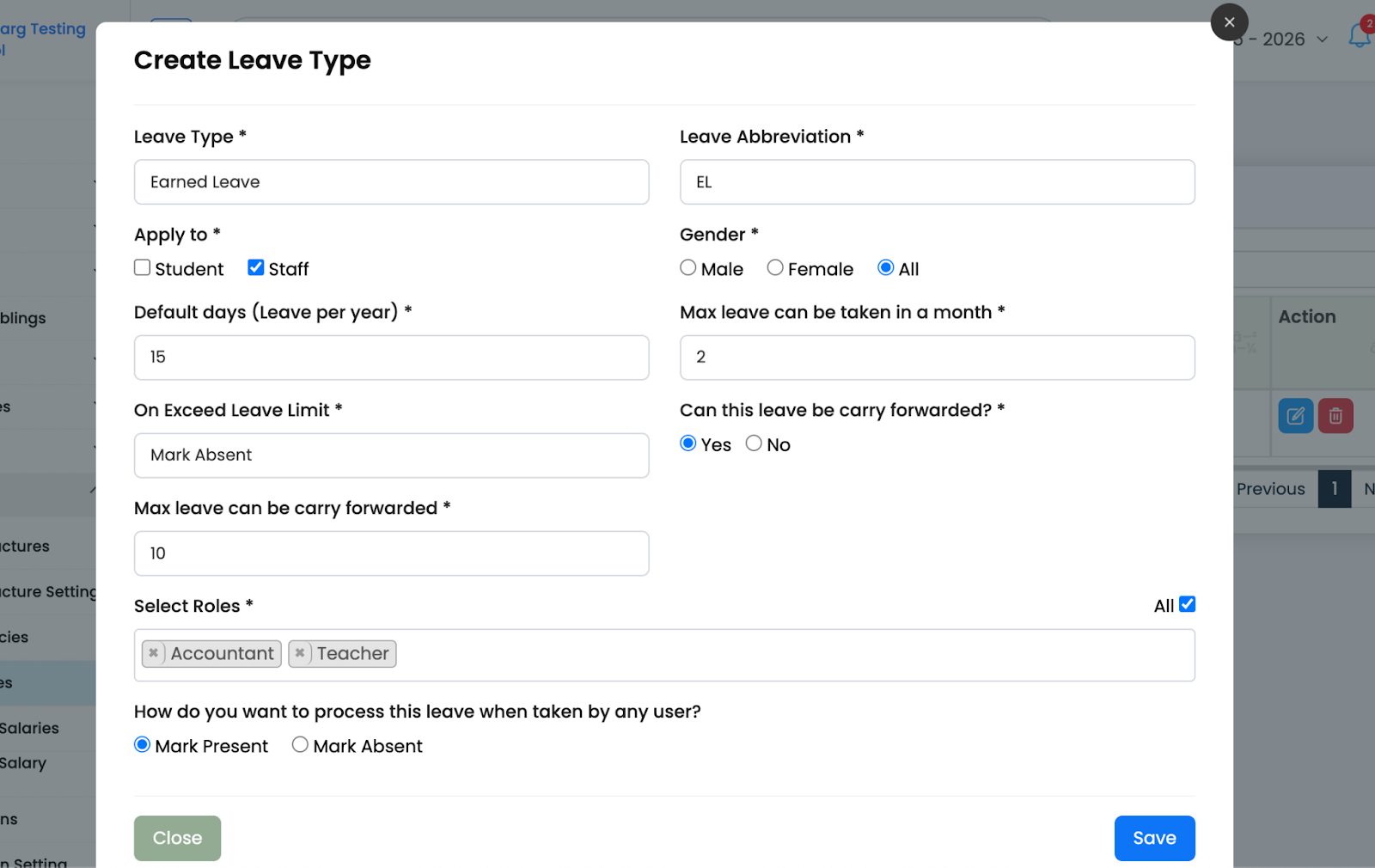
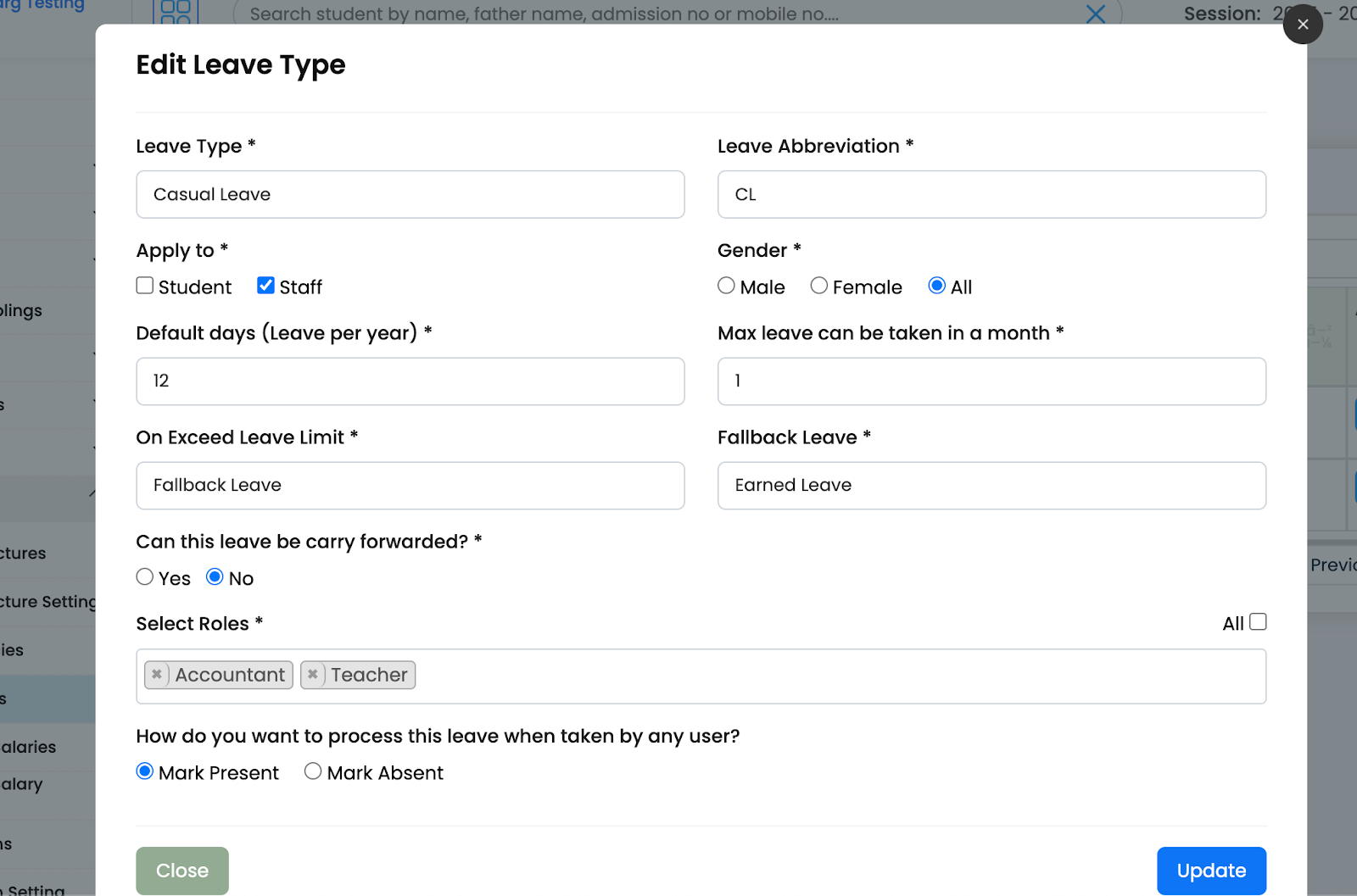
You can also select fallback leave, for example: you have 1 CL and 2 EL for this month 1 CL you have taken, now when you will take another leave, as per fallback leave condition, your leave will be deducted from the fallback leave.
Resignation Management of Teachers and Employees
We need a resignation module to automate the salary calculation by getting the last working day of an employee.
First update the resignation setting.
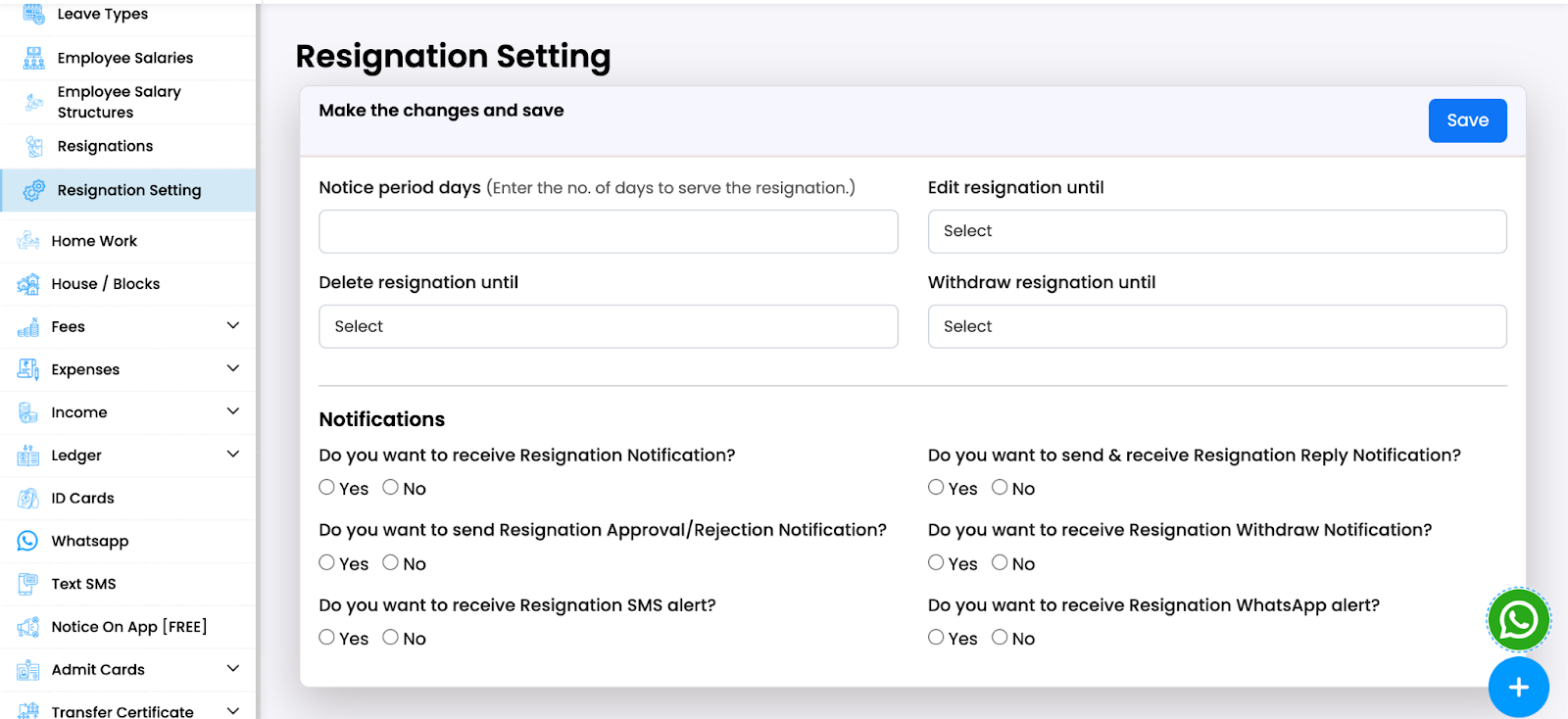
Example of Resignation settings:

Then, an employee can send the resignation.
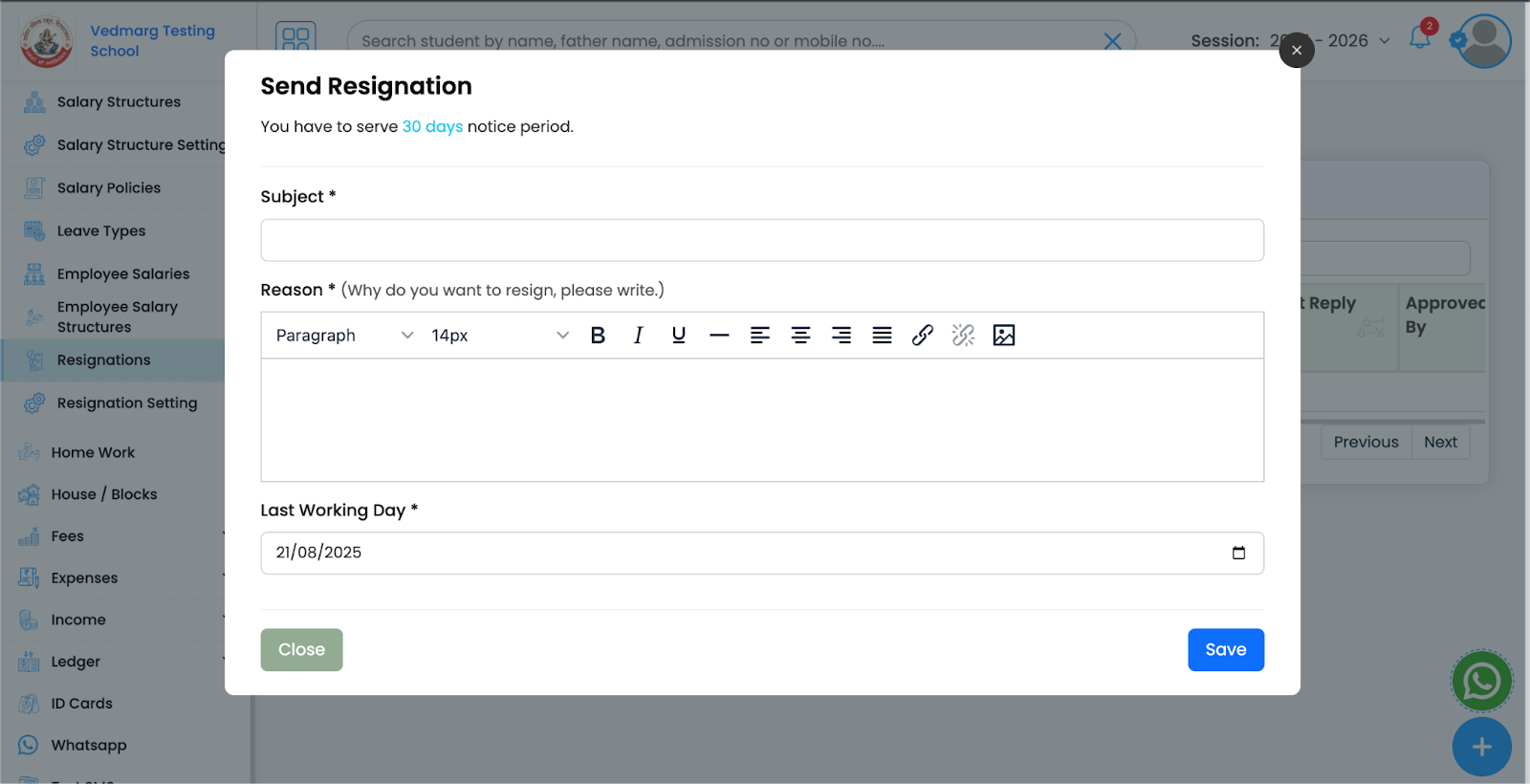
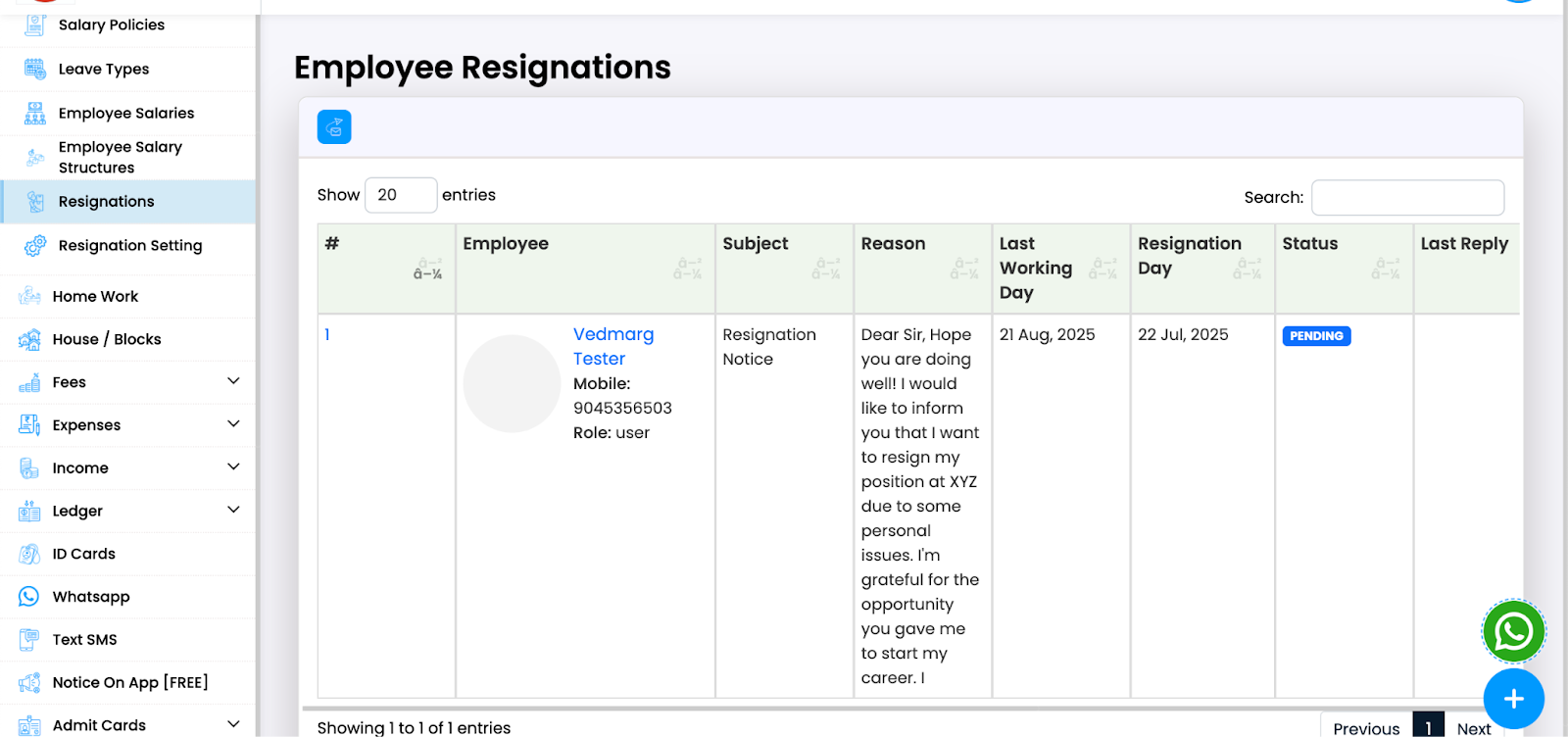
View of received resignations from staff members:
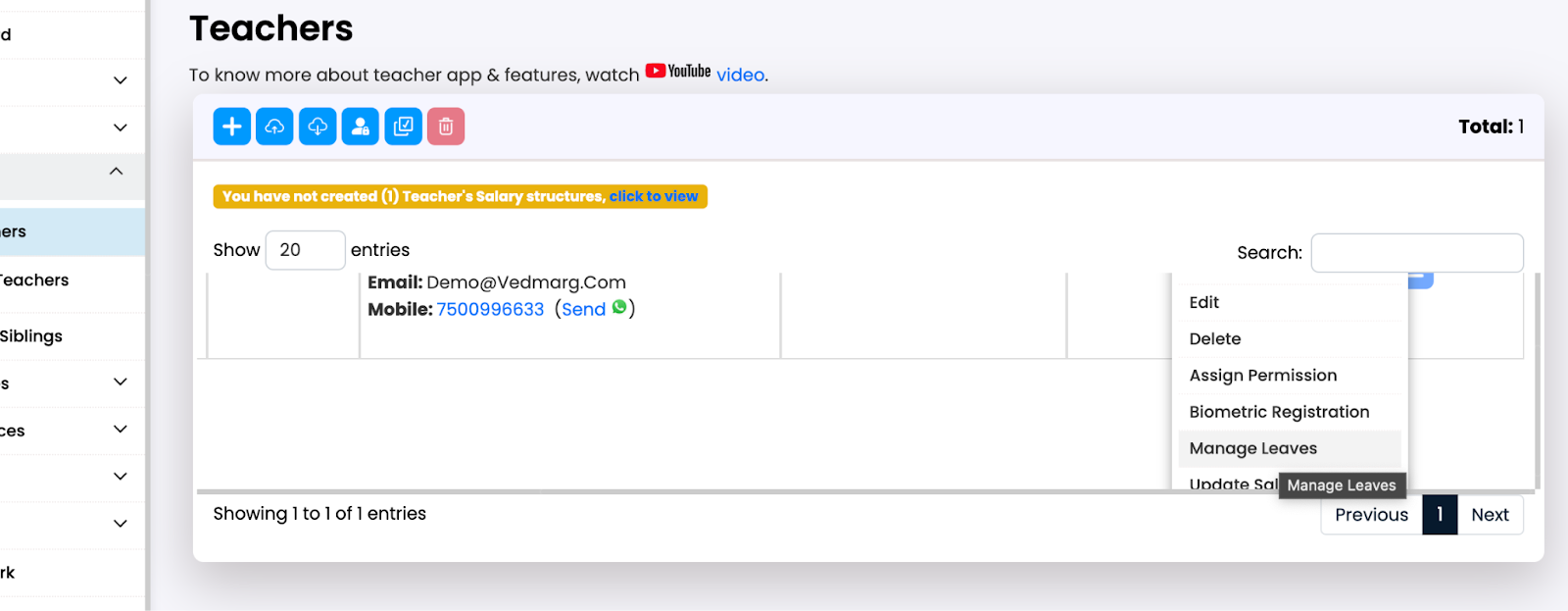
Assign Leaves to Employee
Go to Employees or Teachers and you’ll see the options there.
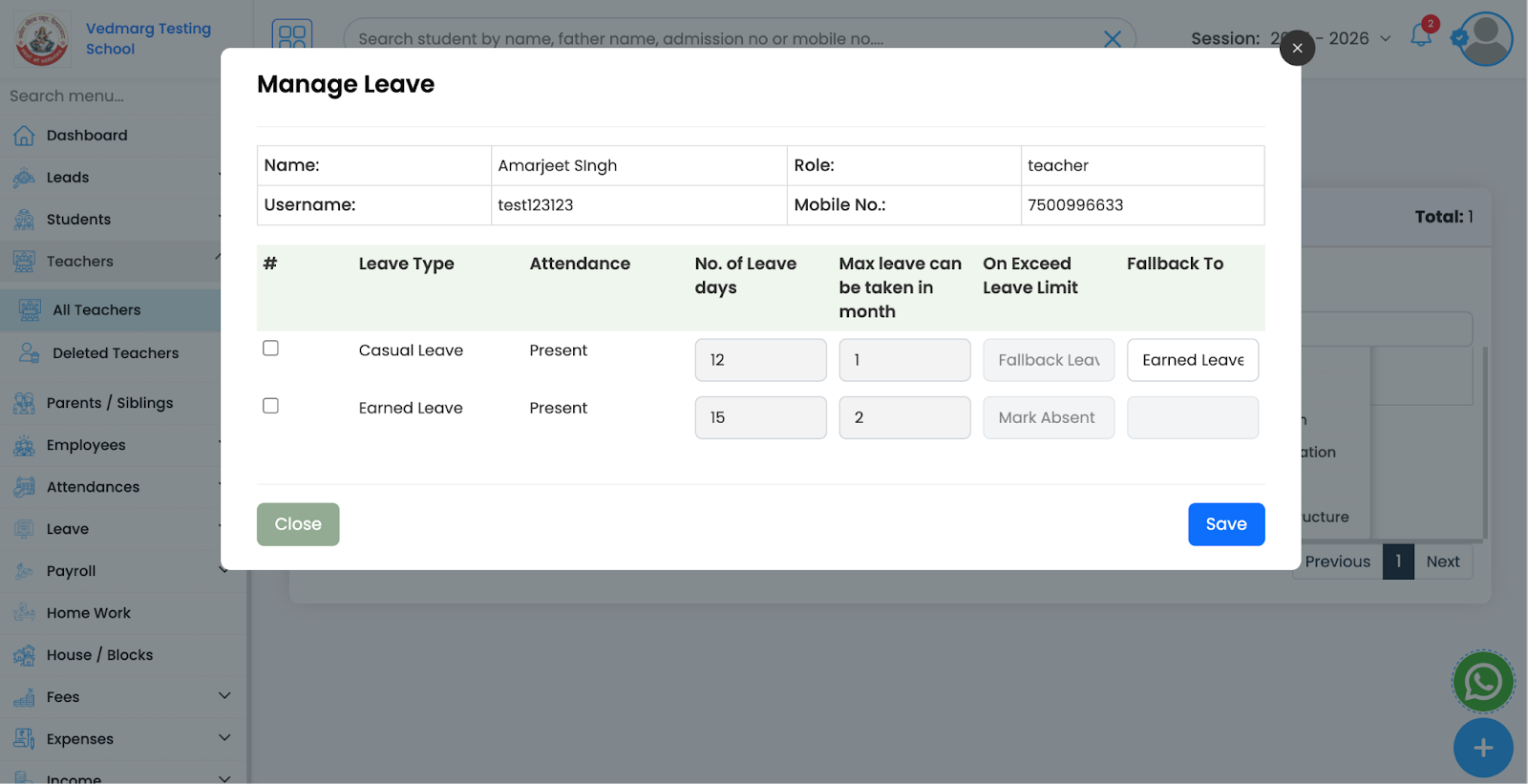
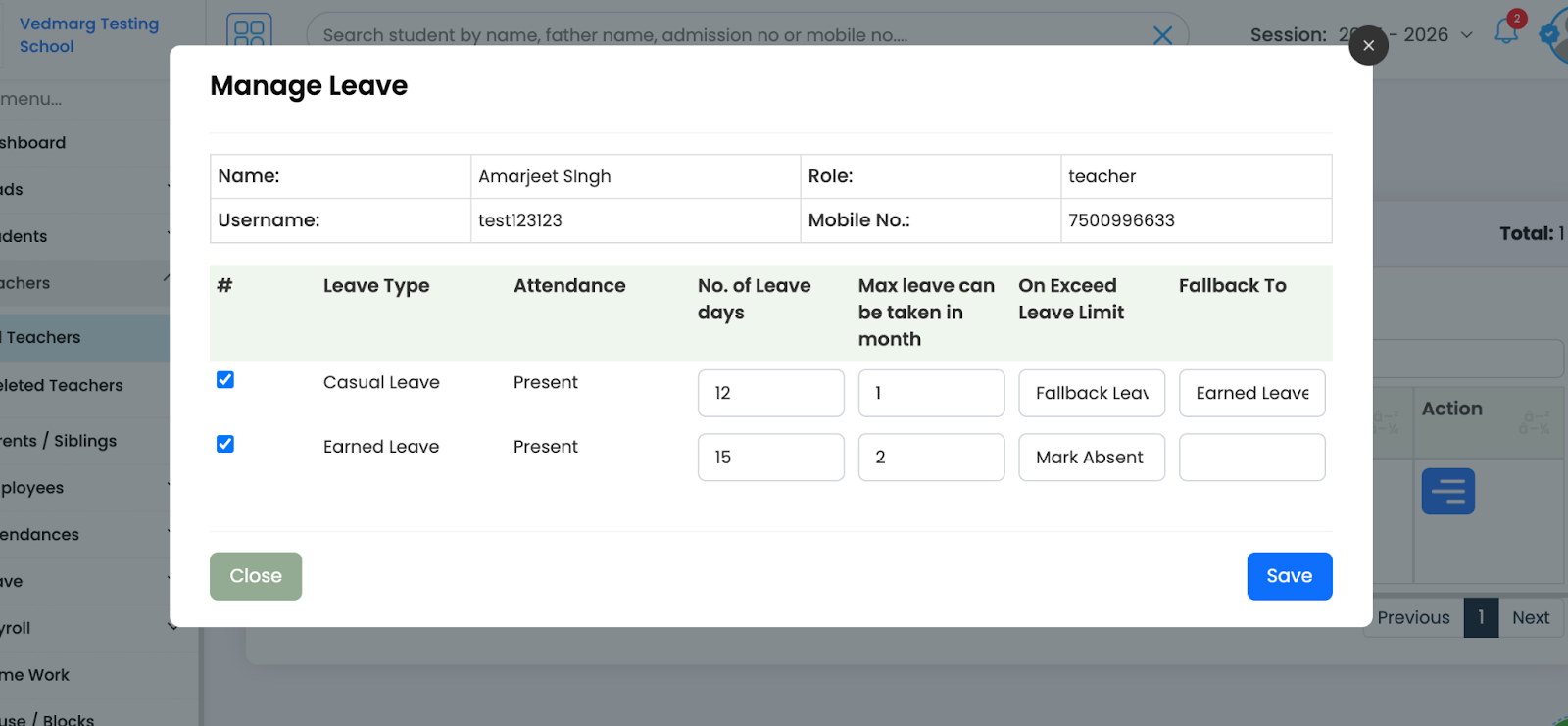
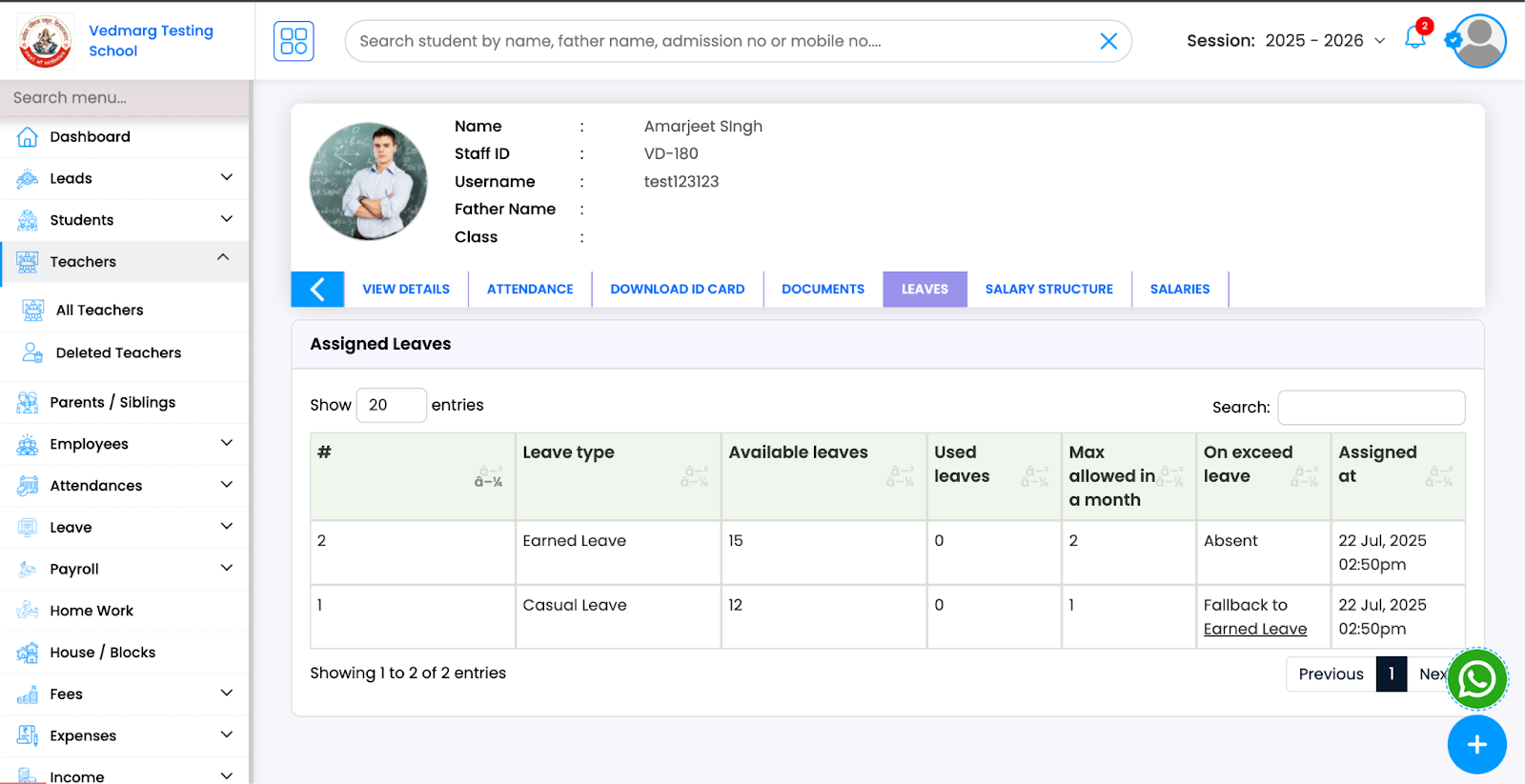
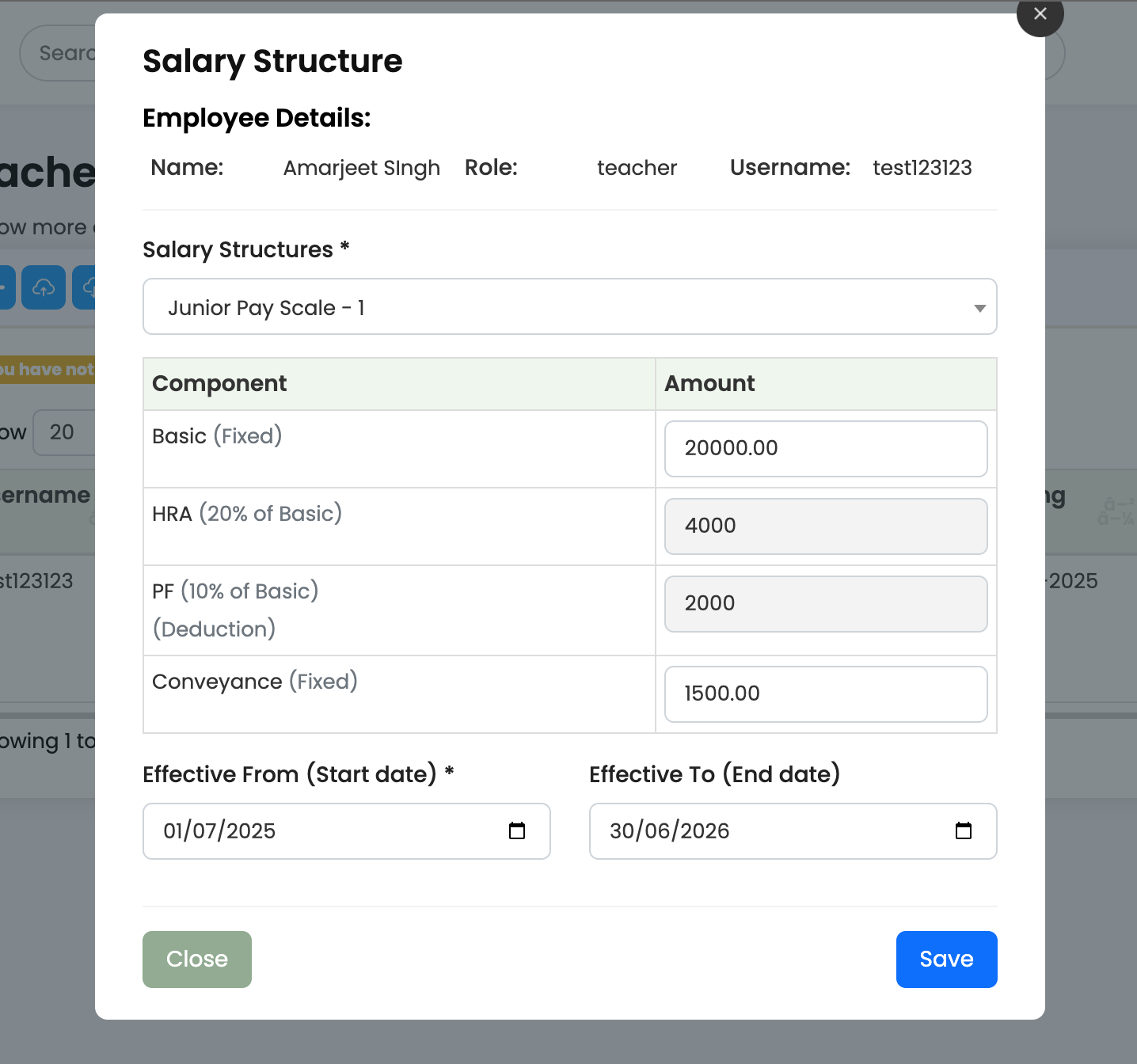
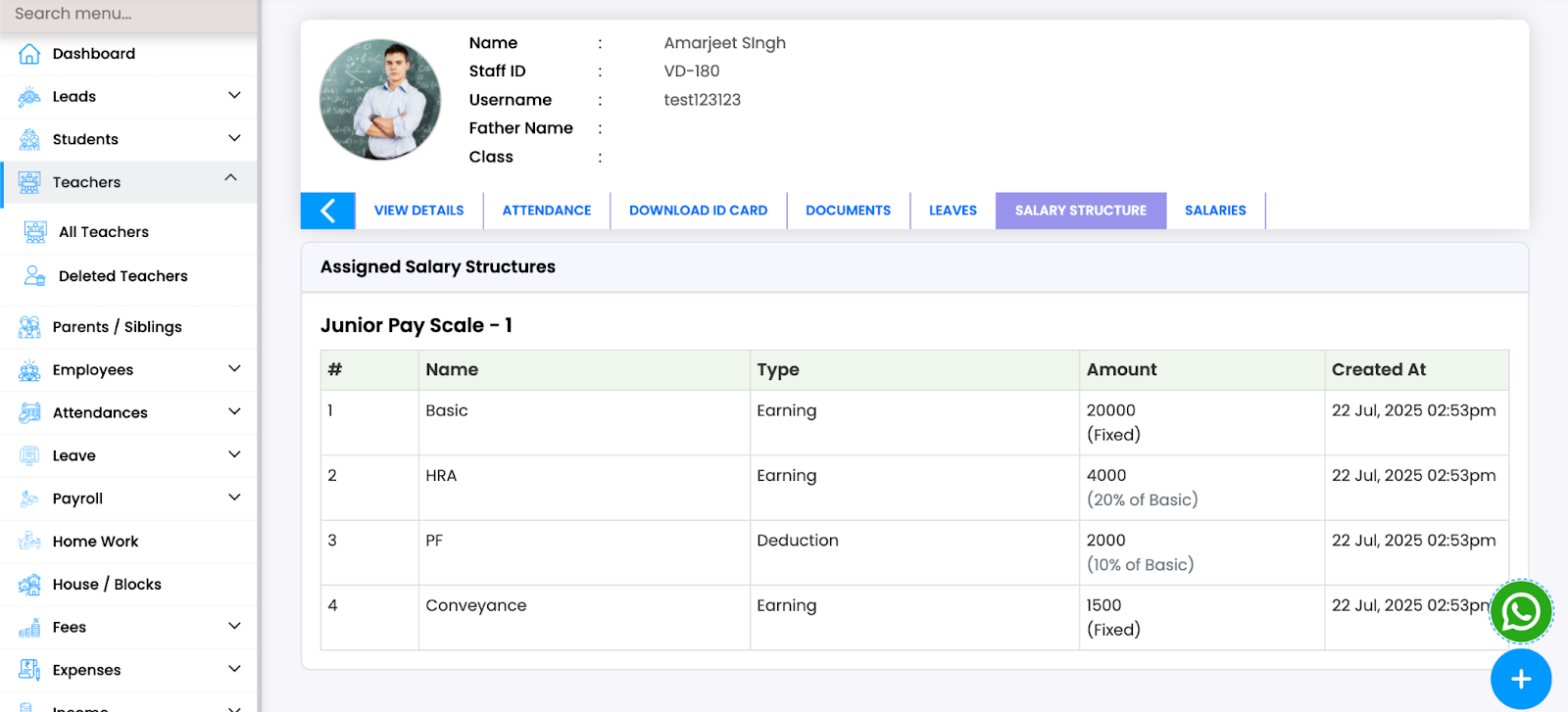
Assign Salary Structure to Staff Members
Assign the salary structure to employees.
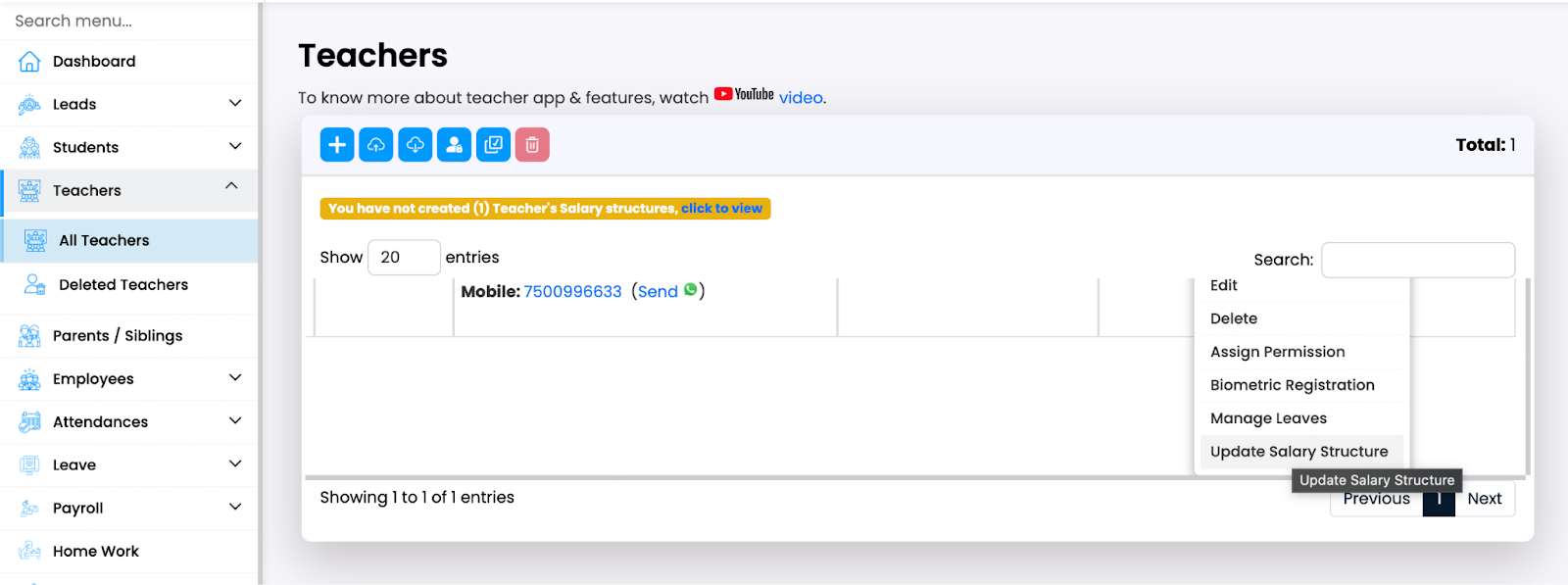
You can override the salary here.
-
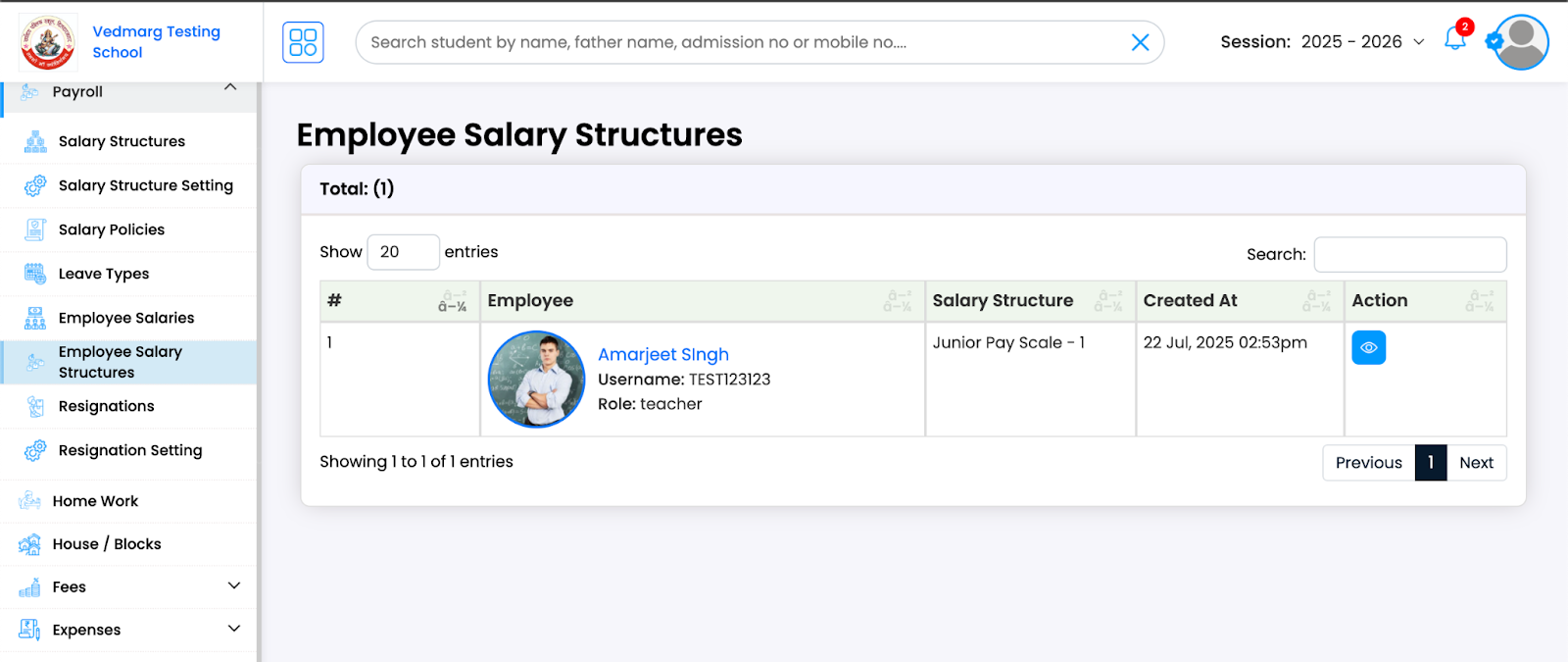
Employees Salary Structures
Here you can see all the employee’s salary structures.
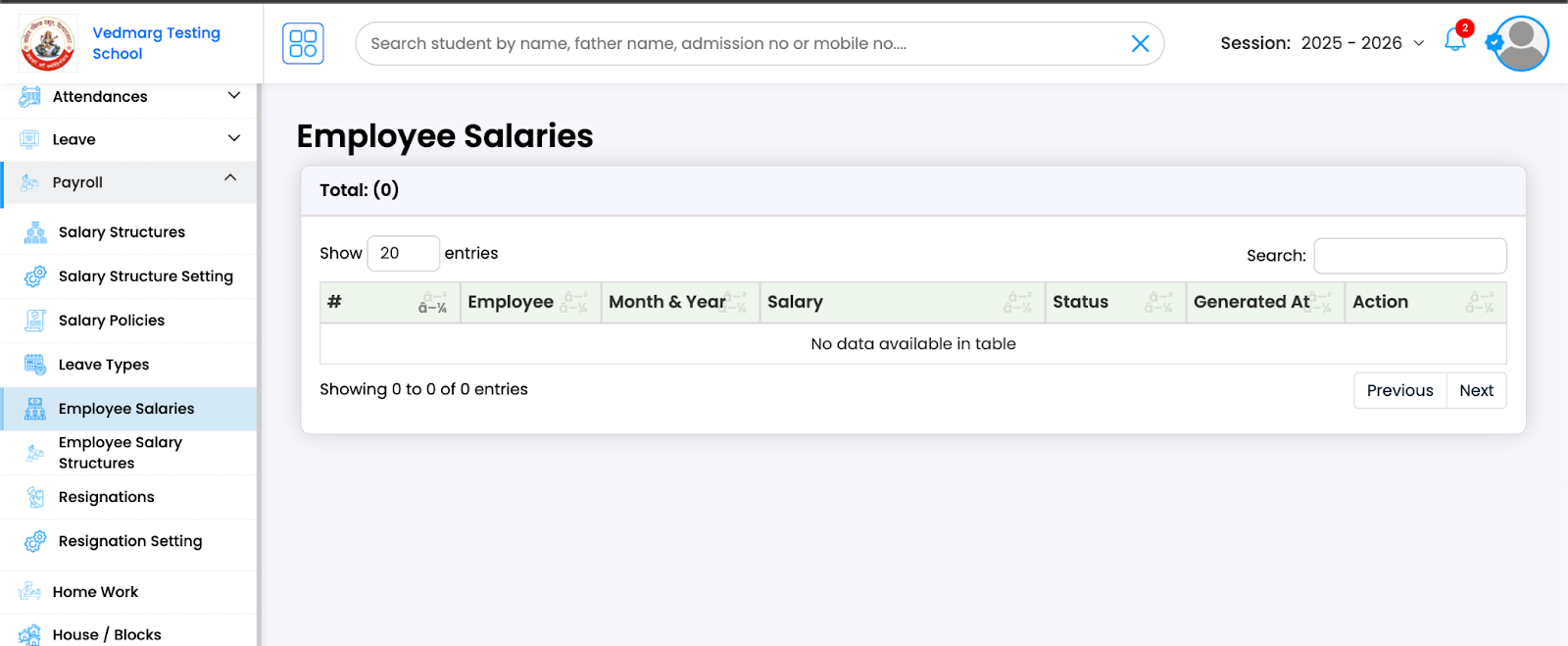
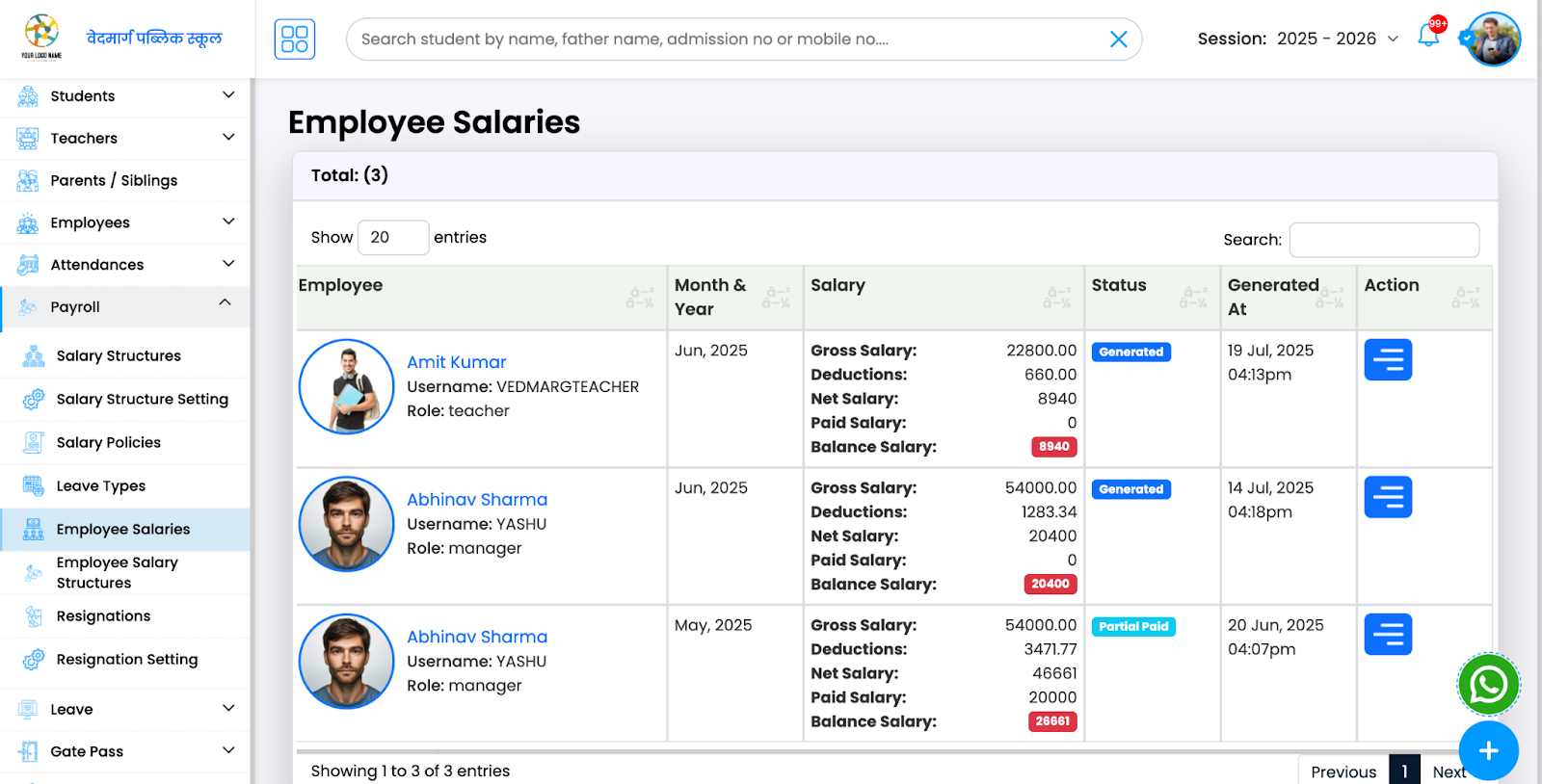
Employee Salaries Based of Their Salary Structures
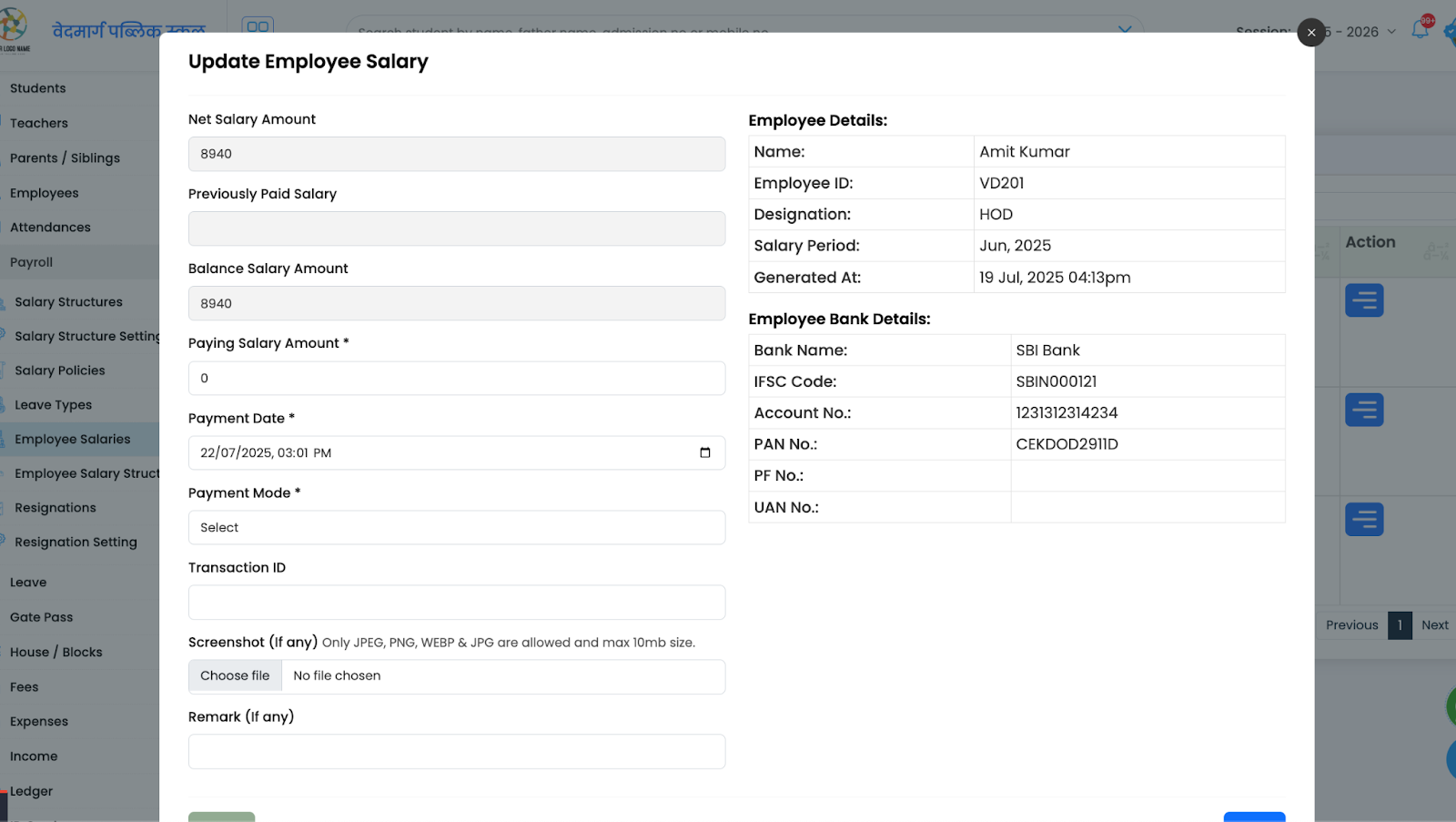
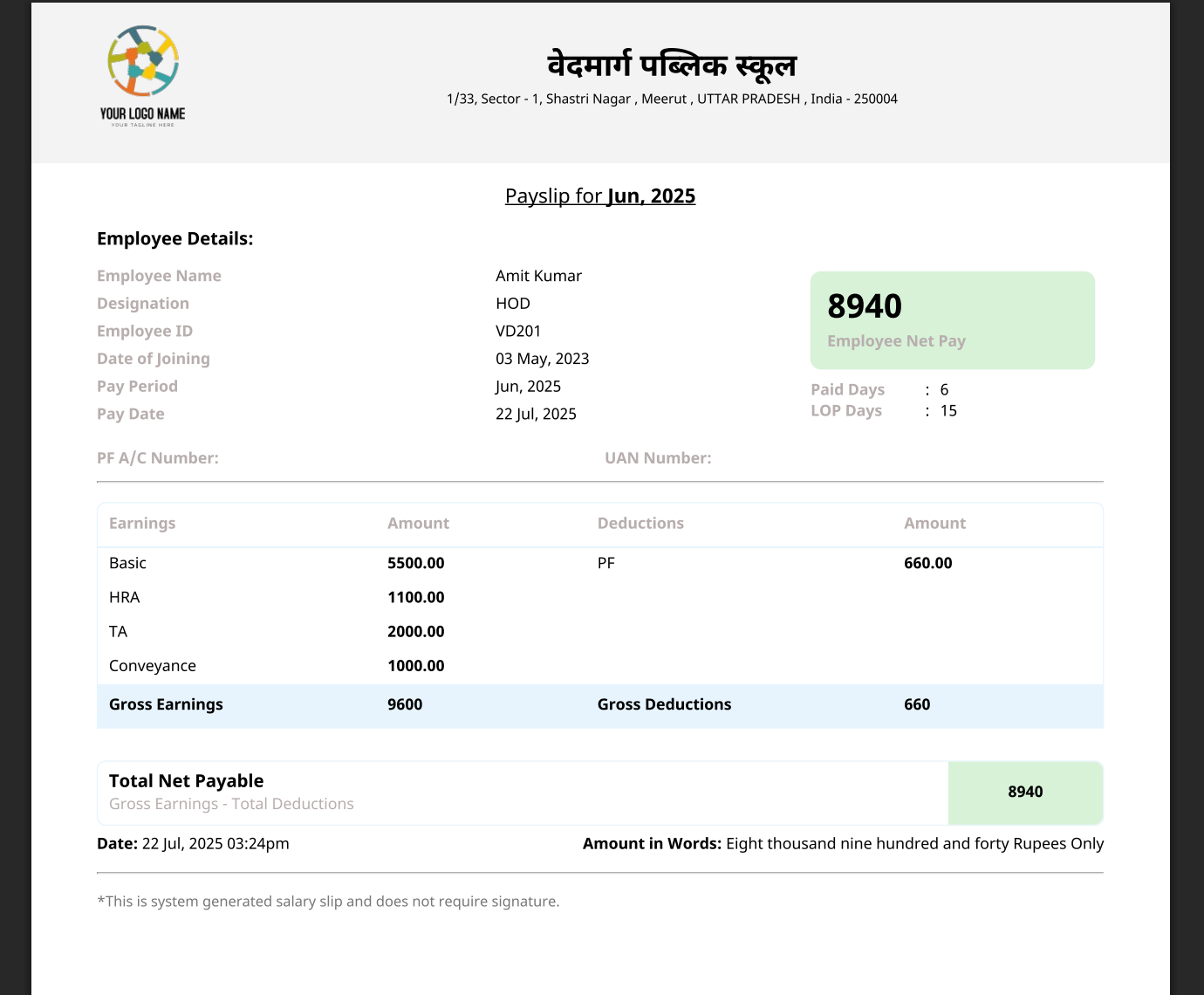
After generating the salary, you can find them here. You can take action like print slip, update salary etc.
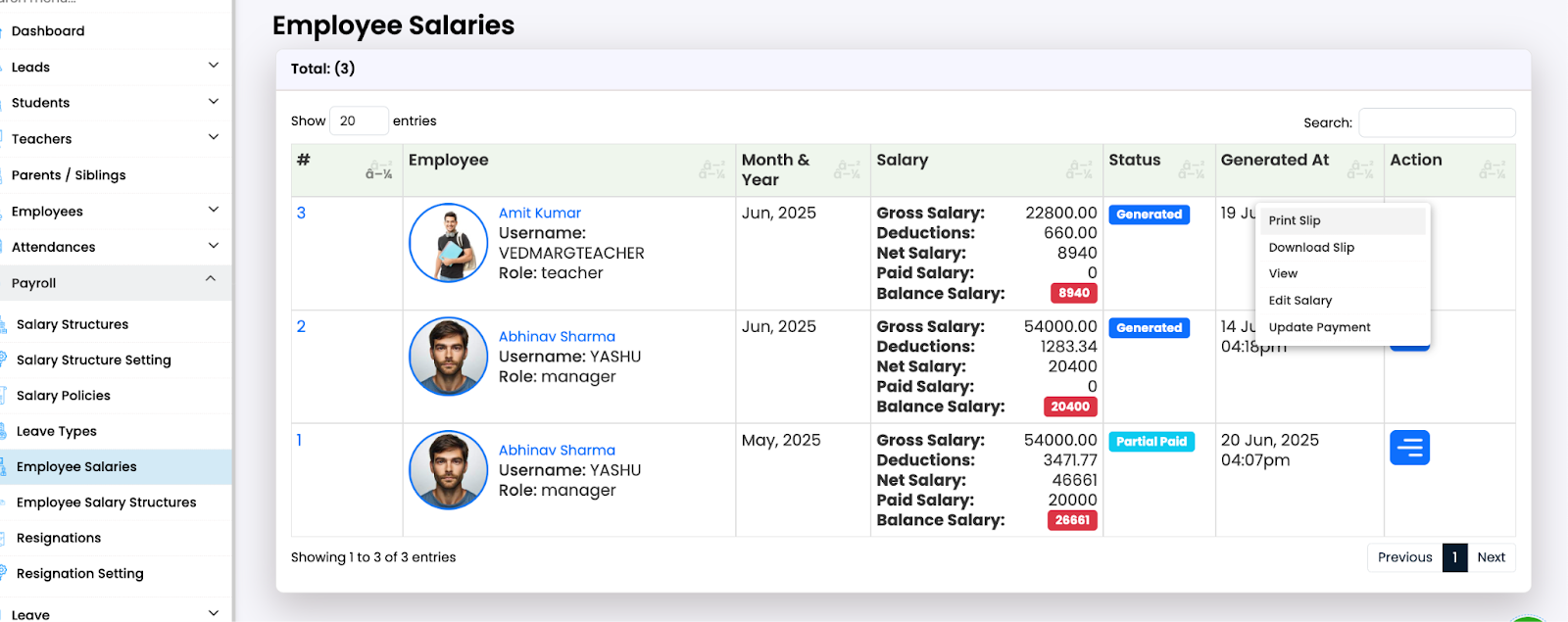
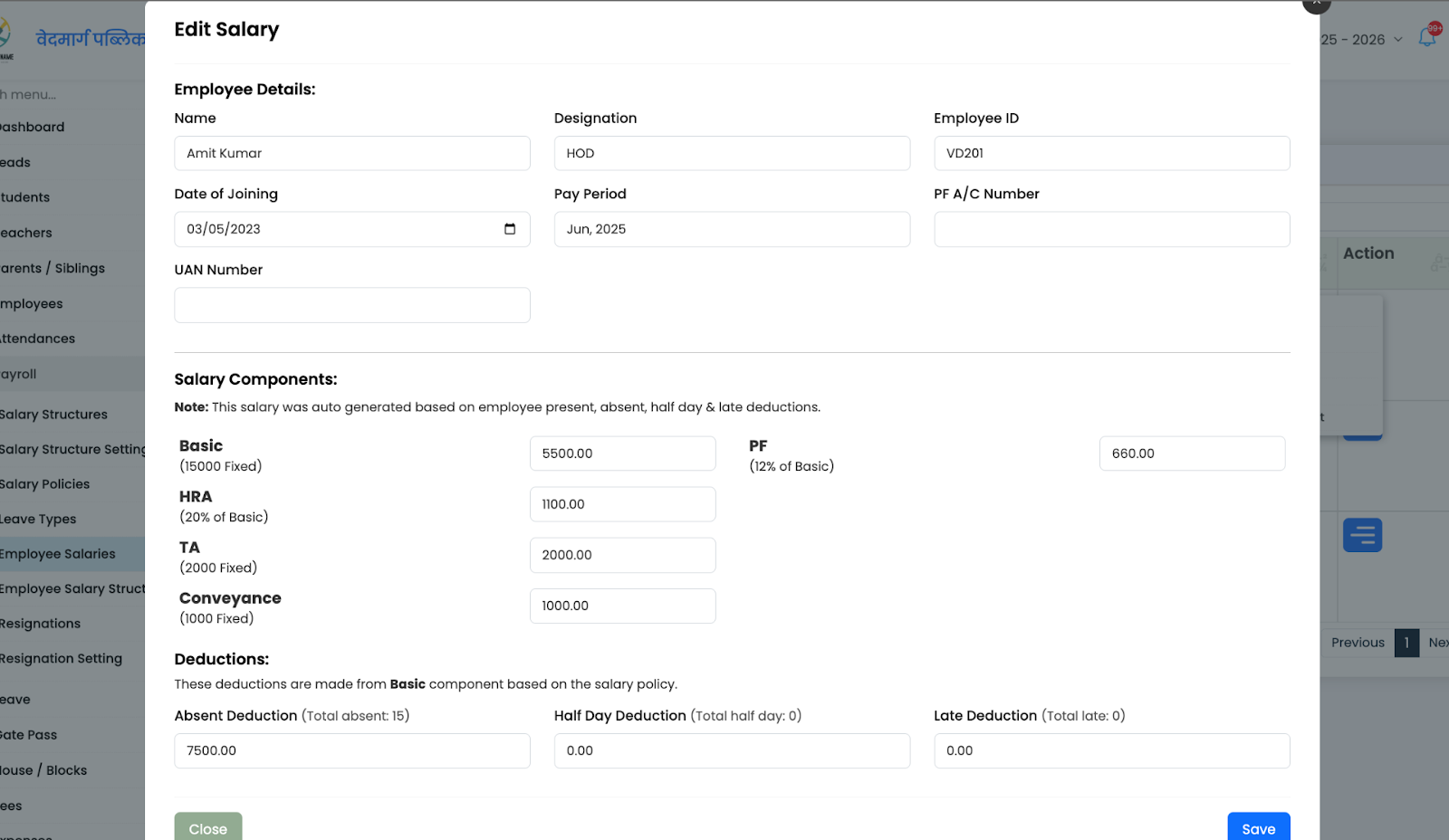
Edit Salary:
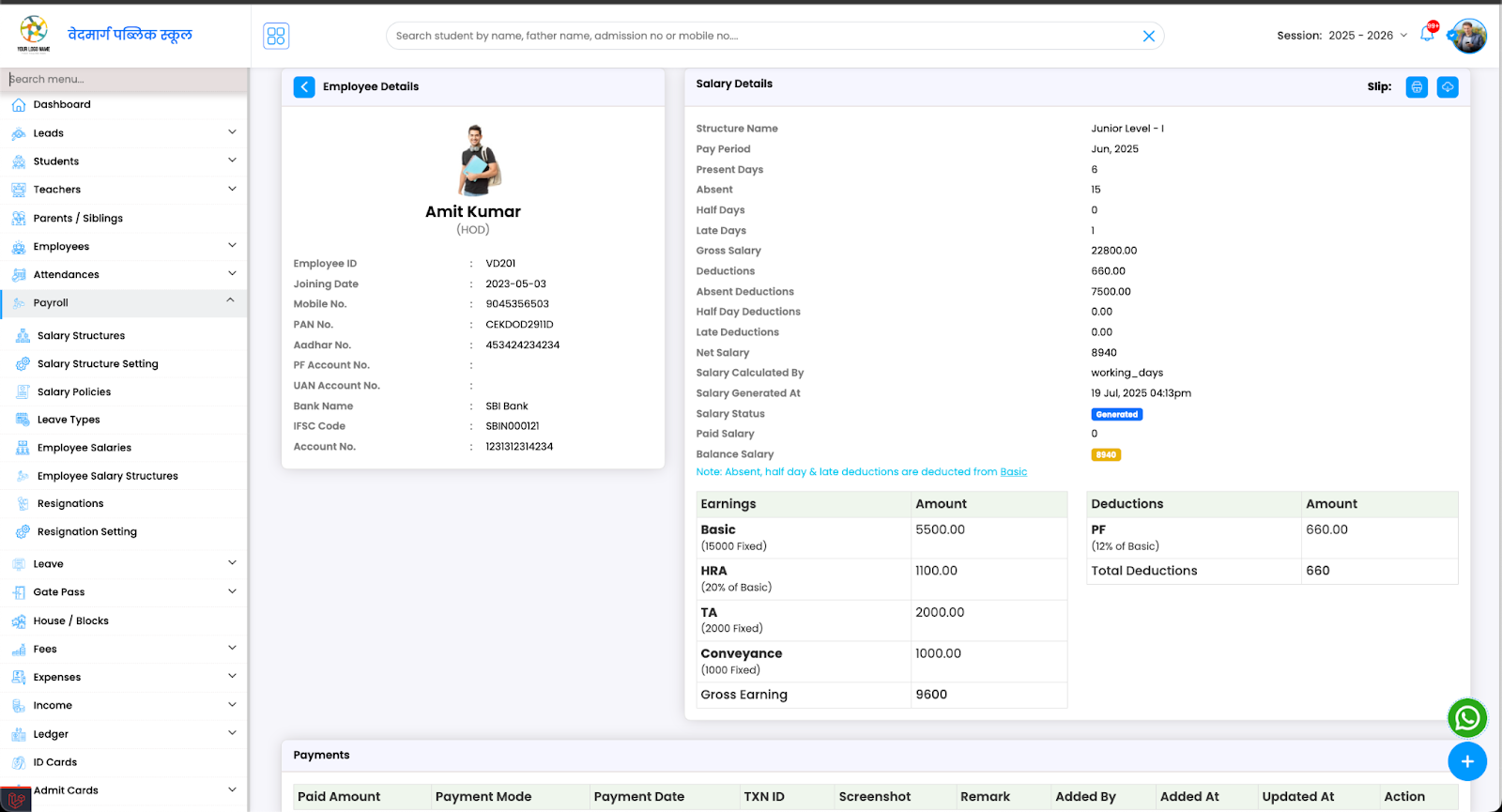
Salary Details:
Update Employee Salary:
Print Slip:
-
Generating the Salary
After following all these steps, the salary will be auto generated on the salary day. It’ll automatically calculate the present days, absent days, half days & late and will make deductions according to the policy created.